
MSI Center
MSI Center: A free Windows RGB control suite, not a driver-updating solution. Ranked #27 of 28 in Driver Updater Software by our editors (6.5/10); pricing: Free; best for MSI users managing RGB hardware.
At a glance
- Editor score6.5 / 10
- PricingFree
- Best forMSI users managing RGB hardware
- Paid fromFree
- Founded1986 · Taiwan
- Facts checked19 Sep 2026
Where it wins
- Controls RGB color, effects, speed and brightness
- Synchronizes compatible MSI and partner devices
- Supports saved profiles and game-linked lighting effects
Where it doesn't
- Not suited to driver updating
- Windows-only availability
- Profile limits may vary by device or software version
Our verdict on MSI Center
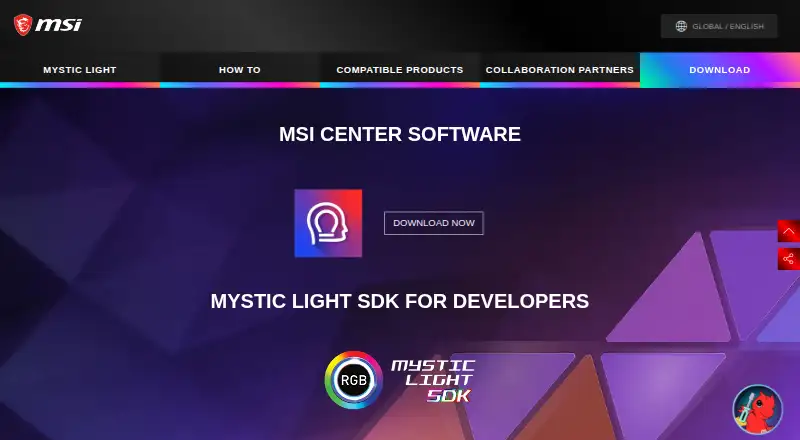
MSI Center is a free Windows utility suite from MSI, with Mystic Light available as an installable feature set for RGB control. It is aimed at users managing lighting across compatible MSI components, peripherals and accessories, including motherboards, graphics cards, memory, coolers, fans, cases, keyboards, mice and headsets. Users can adjust color, effects, speed and brightness, synchronize supported devices, save lighting profiles and connect lighting behavior to games through Game Sync or Ambient Link.
Its main strength is ecosystem coverage. MSI Center can control MSI hardware alongside compatible partner components and peripherals, while integrations include Nanoleaf, Philips Hue and Voicemod. Addressable RGB control is available through JRAINBOW headers, and lighting can be synchronized across supported devices. The modular feature-set approach lets users install and update the parts of MSI Center they need, with Mystic Light serving as the RGB-focused component rather than the entire product suite.
For driver-updater buyers, MSI Center is the wrong fit: its documented purpose here is RGB control, profiles and synchronization rather than driver updating. It suits MSI users who want one Windows utility for lighting customization, device coordination and game-linked effects. The published user guide supports three profiles, though profile limits may vary by device or software version. Choose it for RGB-focused management across an MSI-centered setup; choose a dedicated driver-updating product when keeping device drivers current is the primary requirement.
Your product? Our editors can test MSI Center in depth and publish a review, labelled as paid · from $149/mo →
MSI Center pricing
MSI Center fact sheet
| Free plan | Not verified |
|---|---|
| Paid from | Free |
| Driver backup | Not verified |
| Driver rollback | Not verified |
| Scheduled scans | Not verified |
| Offline scanning | Not verified |
| Device limit | Not verified |
| Windows support | Not verified |
| Deployment | Desktop |
| Platforms | Windows |
| Integrations | 4 integrations: Nanoleaf, Philips Hue, Voicemod, MSI Mystic Light partner devices |
| Pricing | Free |
| Website | msi.com |
| Facts checked | 19 Sep 2026 |
MSI Center integrations
MSI Center lists 4 integrations on its own site.
- Nanoleaf
- Philips Hue
- Voicemod
- MSI Mystic Light partner devices
Alternatives to MSI Center
- DriversCloudA free driver manager with detection, recovery tools, offline scanning, and hardware monitoring.9.4
- Driver BoosterA Windows-focused updater with offline tools, recovery features, and a free plan.9.2
- Driver GeniusA broad Windows driver toolkit with unusually capable free backup and recovery features.9.0
See all MSI Center alternatives →
Also Ranked In
MSI Center is ranked in 4 of our directories.
Used MSI Center? Be the first to review it
The editor score above is our own research. What this page doesn't have yet is a reader's view — what you used MSI Center for, what worked and what didn't. No stars are seeded and no review is paid for; an editor reads every one before it appears.
Write a reviewTwo minutes · verified accounts only · read by an editor before it appears
Featured on iTechGuides

MSI Center is listed in our Driver Updater Software directory. Add the badge to your site — it links back to this page.
<a href="https://www.itechguides.com/products/msi-center/"><img src="https://www.itechguides.com/best/badge/msi-center.svg" alt="Featured on iTechGuides" width="230" height="46"></a>
Reviewed by iTechGuides Editors · Editorial team · Updated Oct 2026
Advertiser disclosure: iTechGuides is reader-supported. Vendors can pay for top positions in our rankings and for a place on other products' pages, and we may earn a commission when you click some links. Bought places stand at the number bought; this page and our disclosure say so. Paying vendors may get a fuller, more detailed review from our editors, and that review can change their score. How we rank.
Last updated · How we research and update