MS SQL Maestro
MS SQL Maestro: A focused Windows toolkit for managing SQL Server and Azure SQL environments. Ranked #22 of 33 in Database Administration Tools by our editors (7.1/10); pricing: 30-day trial; best for SQL Server users wanting visual administration.
At a glance
- Editor score7.1 / 10
- Pricing30-day trial
- Best forSQL Server users wanting visual administration
- Free planNo
- Paid from$129 one-time
- Deployment modelSelf-hosted
- Founded2002 · New York City, New York, United States
- Facts checked20 Sep 2026
Where it wins
- Visual tools for queries, schema design, and database objects
- Manages logins, users, roles, privileges, backups, and restores
- Supports SQL Server and Azure SQL Database connectivity
Where it doesn't
- Windows-only desktop application
- No permanent free plan; licenses start at $129 one-time
- Does not cover high-availability management or audit logging
Our verdict on MS SQL Maestro
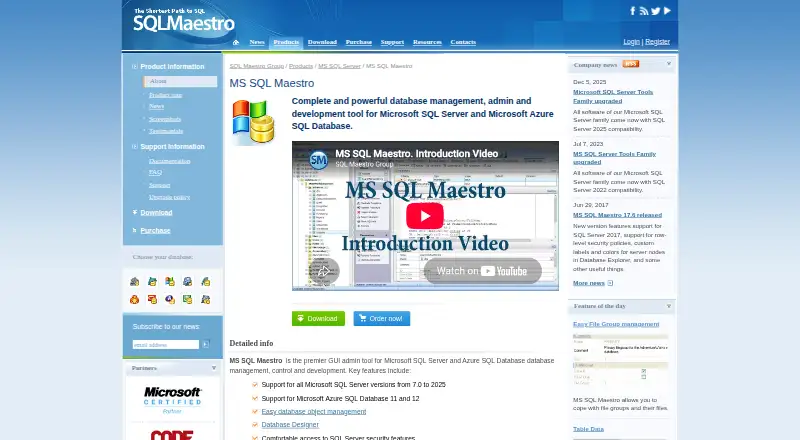
MS SQL Maestro is a Windows desktop application for database administrators and developers working with Microsoft SQL Server and Azure SQL Database. It combines database and object management with a SQL editor, visual query builder, schema designer, security administration, data import and export, BLOB editing, backups, reports, diagrams, and server maintenance. The product is suited to SQL Server teams that prefer visual administration tools alongside direct SQL work.
Pricing uses one-time license fees rather than recurring per-user subscriptions. A single non-commercial license costs $129, while a single business license costs $229. Versions with three years of upgrades cost $169 for non-commercial use and $279 for business use. Site licenses cost $699 for non-commercial use and $1,499 for business use; versions with three years of upgrades cost $899 and $1,899 respectively. A 30-day fully functional trial is available, but there is no permanent free plan. The paid tiers mainly distinguish usage rights, site-wide coverage, and inclusion of three years of upgrades.
Its strongest fit is visual administration across core SQL Server tasks: object management, query building, schema design, permissions, backup and restore, reporting, and maintenance. That breadth makes it more than a query editor, while its scope remains centered on Microsoft database environments and Windows desktops. Organizations needing high-availability management or audit logging should choose a different tool. SQL Server administrators and developers who want a focused GUI with a one-time licensing model should consider MS SQL Maestro; teams requiring broader platform coverage should look elsewhere.
Your product? Our editors can test MS SQL Maestro in depth and publish a review, labelled as paid · from $149/mo →
MS SQL Maestro pricing
All 8 MS SQL Maestro plans and prices →
MS SQL Maestro fact sheet
| Free plan | No |
|---|---|
| Paid from | $129 one-time |
| Deployment model | Self-hosted |
| Supported database engines | Microsoft SQL Server; Microsoft Azure SQL Database |
| Automated provisioning | Not verified |
| High availability management | Not verified |
| Roles and permissions | Yes |
| Audit logging | Not verified |
| Free trial | 30 days |
| Deployment | Desktop |
| Platforms | Windows |
| Pricing | 30-day trial (source) |
| Website | sqlmaestro.com |
| Facts checked | 20 Sep 2026 |
Alternatives to MS SQL Maestro
- ClusterControlA broad operations platform for teams automating multi-database infrastructure.9.4
- OpenEverestA broad, self-hosted control plane for teams managing multiple database engines.9.2
- Oracle Enterprise ManagerA broad administration suite for complex Oracle, hybrid, and multicloud database estates.9.0



See all MS SQL Maestro alternatives →
Used MS SQL Maestro? Be the first to review it
The editor score above is our own research. What this page doesn't have yet is a reader's view — what you used MS SQL Maestro for, what worked and what didn't. No stars are seeded and no review is paid for; an editor reads every one before it appears.
Write a reviewTwo minutes · verified accounts only · read by an editor before it appears
Featured on iTechGuides

MS SQL Maestro is listed in our Database Administration Tools directory. Add the badge to your site — it links back to this page.
<a href="https://www.itechguides.com/products/ms-sql-maestro/"><img src="https://www.itechguides.com/best/badge/ms-sql-maestro.svg" alt="Featured on iTechGuides" width="230" height="46"></a>
Reviewed by iTechGuides Editors · Editorial team · Updated Oct 2026
Advertiser disclosure: iTechGuides is reader-supported. Vendors can pay for top positions in our rankings and for a place on other products' pages, and we may earn a commission when you click some links. Bought places stand at the number bought; this page and our disclosure say so. Paying vendors may get a fuller, more detailed review from our editors, and that review can change their score. How we rank.
Last updated · How we research and update