
Move One
Move One: Turns iPhone recordings or uploaded video into 3D motion data, with credit-based plans. Ranked #9 of 26 in AI Motion Capture Software by our editors (8.2/10); pricing: Free plan; best for iPhone users processing video into 3D motion.
At a glance
- Editor score8.2 / 10
- PricingFree plan
- Best foriPhone users processing video into 3D motion
- Free planYes
- Paid from$18/mo
- Real-time captureNo
- Founded2019 · London, United Kingdom
- Facts checked23 Sep 2026
Where it wins
- Capture movement with an iPhone or upload single-camera video
- Exports include FBX, USDC, Blender, USDZ and MP4
- Integrates with Blender, Unreal Engine, Maya, Cinema 4D, Unity and Omniverse
Where it doesn't
- Processing is not real-time
- Paid plans limit recordings to 60 seconds
- Monthly paid credits expire at month end
Our verdict on Move One
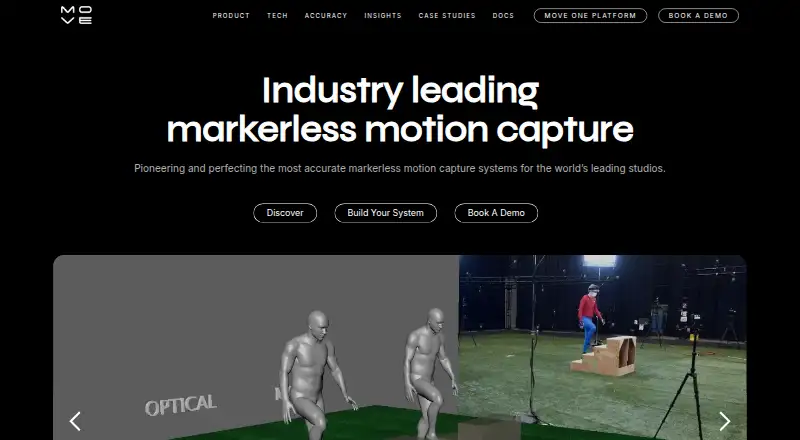
Move One converts single-camera video into 3D animation data. Creators and studios can record movement with an iPhone or upload video to the Move Platform for processing. Its focus is video-based motion capture rather than real-time capture, making it a fit for people who can work from recorded takes and want motion data for animation or biomechanics workflows. The web gallery provides a place to view processed takes and download outputs, while an iOS app and Chrome extension support capture and file transfer.
The workflow has several useful outputs for animation and analysis. Move One can export FBX, USDC, Blender, USDZ and MP4, and its platform gallery provides biomechanics output. Hand and finger tracking guidance is included. Integrations span Blender, Unreal Engine, Maya, Cinema 4D, Unity and NVIDIA Omniverse, giving users options across several 3D applications. This breadth may suit creators moving processed motion into an existing animation pipeline; buyers who require live capture should look elsewhere, since Move One is not real-time.
Pricing uses credits, with a Free plan offering 30 one-time credits and recordings up to 30 seconds. Starter costs $18 per month for 60 monthly credits; Standard is $48 for 180; Plus is $225 for 240; and Advanced is $490 for 700. All paid plans allow recordings up to 60 seconds, and paid credits expire at month end. The vendor's pricing documentation notes that monthly prices are plus VAT and may appear in an equivalent local currency. The Free plan can suit occasional evaluation, while buyers should compare monthly credit allowances with their expected processing volume before choosing a paid tier.
Your product? Our editors can test Move One in depth and publish a review, labelled as paid · from $99/mo →
Move One pricing
All 5 Move One plans and prices →
Move One fact sheet
| Free plan | Yes |
|---|---|
| Paid from | $18/mo |
| Capture source | Both |
| Real-time capture | No |
| Hand tracking | Yes |
| Facial tracking | Not verified |
| Export formats | FBX, USDC, BLEND, USDZ, output MP4, input MP4, biomechanics output |
| API access | Not verified |
| Platform support | iOS, web platform, Chrome extension |
| Deployment | Cloud, Mobile, Browser extension |
| Platforms | Web, iOS, Chrome extension |
| Support | Email, Docs |
| Built for | Solo, Small business, Mid-market (editorial estimate) |
| Integrations | 6 integrations: Blender, Unreal Engine, Maya, Cinema 4D, Unity, NVIDIA Omniverse |
| Pricing | Free plan (source) |
| Website | move.ai |
| Facts checked | 23 Sep 2026 |
Move One integrations
Move One lists 6 integrations on its own site.
- Blender
- Unreal Engine
- Maya
- Cinema 4D
- Unity
- NVIDIA Omniverse
Alternatives to Move One
- QuickMagicA broad browser-based capture suite with tracking, retargeting, cleanup, and API workflows.9.3
- DeepMotion Animate 3DA broad markerless capture toolkit for creators who need retargeting and cleanup.9.1
- Autodesk Flow StudioA broad web platform for turning live-action footage into editable 3D scenes.9.0


See all Move One alternatives →
Used Move One? Be the first to review it
The editor score above is our own research. What this page doesn't have yet is a reader's view — what you used Move One for, what worked and what didn't. No stars are seeded and no review is paid for; an editor reads every one before it appears.
Write a reviewTwo minutes · verified accounts only · read by an editor before it appears
Featured on iTechGuides

Move One is listed in our AI Motion Capture Software directory. Add the badge to your site — it links back to this page.
<a href="https://www.itechguides.com/products/move-one/"><img src="https://www.itechguides.com/best/badge/move-one.svg" alt="Featured on iTechGuides" width="230" height="46"></a>
Reviewed by iTechGuides Editors · Editorial team · Updated Oct 2026
Advertiser disclosure: iTechGuides is reader-supported. Vendors can pay for top positions in our rankings and for a place on other products' pages, and we may earn a commission when you click some links. How we rank.
Last updated · How we research and update