MonoMap
MonoMap: A minimalist web app that connects mind maps, kanban boards, Markdown, and offline storage. Ranked #49 of 72 in Mind Mapping Software by our editors (4.1/10); pricing: Free plan; best for minimalist offline mapping and kanban.
At a glance
- Editor score4.1 / 10
- PricingFree plan
- Best forMinimalist offline mapping and kanban
- Free planYes
- Paid from$39.90/yr
- Facts checked20 Sep 2026
Where it wins
- Free offline use without an account and local device storage
- Bridges mind-map nodes with kanban cards and columns
- Markdown, PNG, and JSON export with folders and multiple tabs
Where it doesn't
- Cloud sync and backup require the Pro plan
- Studio's board sharing is read-only
- Web-only, with no AI or presentation features
Our verdict on MonoMap
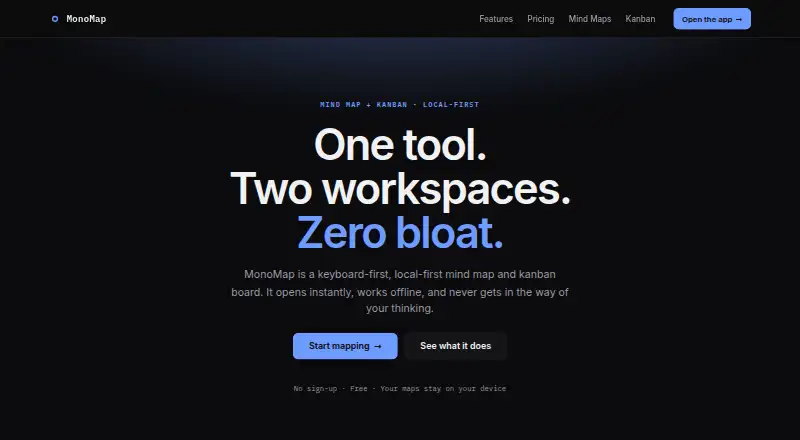
MonoMap is a browser-based mind mapping and kanban application for organizing ideas, notes, links, and tasks. Its infinite canvas supports pan, zoom, draggable nodes, colors, icons, and links, while a workspace toggle connects mind-map thinking with kanban planning. Folders, multiple tabs, live Markdown, and keyboard-focused editing make it suited to individuals who want a compact workspace rather than a broad collaborative suite. The free plan works offline without an account and stores maps and boards locally on the device.
Pricing is straightforward across three tiers. Free includes mind map and kanban workspaces, local storage, Markdown, PNG, and profile export, plus offline use without an account. Pro costs $3.99 per month or $39.90 per year and adds cloud sync across devices and cloud backup for maps and boards. Studio costs $7.99 per month or $79.90 per year and adds version history and read-only board sharing. The paid plans therefore focus on continuity and recovery first, then history and limited sharing, rather than adding a larger set of workspace types.
MonoMap’s strongest distinction is the bridge between mapping and task organization: nodes can become part of a kanban workflow, while Markdown provides a live split view for structured notes. Export options include Markdown, PNG, and JSON, and the official repository is MIT licensed. The trade-off is scope. MonoMap is available on the web and does not provide AI or presentation features; Studio sharing is read-only rather than a full collaborative editing model. Choose it for local-first, minimalist mapping with lightweight kanban support. Choose an alternative if your priority is richer collaboration, AI assistance, or presentation-focused output.
Your product? Our editors can test MonoMap in depth and publish a review, labelled as paid · from $149/mo →
MonoMap pricing
All 3 MonoMap plans and prices →
MonoMap fact sheet
| Free plan | Yes |
|---|---|
| Paid from | $39.90/yr |
| Supported platforms | web |
| Export formats | Markdown, PNG, JSON |
| Real-time collaboration | Not verified |
| Offline mode | Yes |
| AI assistance | Not verified |
| Presentation mode | Not verified |
| Collaborator limit | Not verified |
| Deployment | Cloud, Browser extension |
| Platforms | Web |
| Support | |
| Built for | Solo, Small business (editorial estimate) |
| Pricing | Free plan (source) |
| Website | monomap.app |
| Facts checked | 20 Sep 2026 |
Alternatives to MonoMap
- XmindA flexible mind-mapping workspace with AI, presentations, collaboration, and broad exports.9.3
- MindomoA broad mind-mapping workspace with AI, collaboration, planning, and multi-platform access.9.2
- MindMeisterA collaborative mind mapping workspace with AI generation, presentations, exports, and mobile apps.9.1



See all MonoMap alternatives →
Used MonoMap? Be the first to review it
The editor score above is our own research. What this page doesn't have yet is a reader's view — what you used MonoMap for, what worked and what didn't. No stars are seeded and no review is paid for; an editor reads every one before it appears.
Write a reviewTwo minutes · verified accounts only · read by an editor before it appears
Featured on iTechGuides

MonoMap is listed in our Mind Mapping Software directory. Add the badge to your site — it links back to this page.
<a href="https://www.itechguides.com/products/monomap/"><img src="https://www.itechguides.com/best/badge/monomap.svg" alt="Featured on iTechGuides" width="230" height="46"></a>
Reviewed by iTechGuides Editors · Editorial team · Updated Oct 2026
Advertiser disclosure: iTechGuides is reader-supported. Vendors can pay for top positions in our rankings and for a place on other products' pages, and we may earn a commission when you click some links. Bought places stand at the number bought; this page and our disclosure say so. Paying vendors may get a fuller, more detailed review from our editors, and that review can change their score. How we rank.
Last updated · How we research and update