MobiKin Assistant for Android
MobiKin Assistant for Android: A focused Android backup and management tool for Windows and Mac desktops. Ranked #124 of 150 in Backup Software by our editors (3.0/10); pricing: Paid; best for android device backup and management.
At a glance
- Editor score3.0 / 10
- PricingPaid
- Best forAndroid device backup and management
- Free planNo
- Server backupNo
- Facts checked22 Sep 2026
Where it wins
- One-click backup and restore for Android data
- Transfers contacts, messages, media, apps, and books
- USB or Wi-Fi connections support multiple Android devices
Where it doesn't
- Android-only backup scope
- No free plan
- Does not cover servers or computer backups
Our verdict on MobiKin Assistant for Android
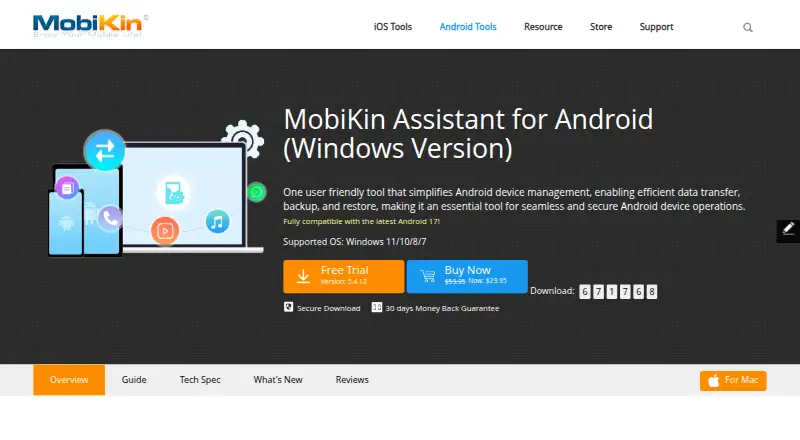
MobiKin Assistant for Android is desktop software for managing Android phones and tablets from Windows or Mac computers, with an Android companion application. It is aimed at individuals and small teams that need to back up Android data, restore it to an Android device, or move device content between mobile hardware and a computer. Supported data includes contacts, SMS messages, call logs, photos, videos, music, books, applications, and other files. Connections work through USB or Wi-Fi, and multiple Android devices can be managed simultaneously.
Backup and restore are the product’s clearest strengths. A one-click backup can send Android data to a computer or external storage, while restore brings backed-up data back to an Android device. The file-based scope makes it suitable for preserving selected mobile content rather than protecting an entire technology environment. Beyond backup, the software provides direct controls for importing, exporting, editing, and deleting contacts; exporting, importing, sending, and managing SMS messages; and installing, uninstalling, exporting, and managing Android applications. Android screenshots can also be captured to a computer.
The narrow platform focus is both a benefit and a boundary. Windows, macOS, and Android are supported, but the product does not provide computer-backup or server-backup coverage, and its backup scope is limited to Android mobile data. There is no free plan, while paid licensing includes a 30-day refund period. Choose MobiKin Assistant for Android when Android device administration, transfer, and file backup are the priority. Organizations seeking broader endpoint, server, or computer protection should choose a product built around those environments instead.
Your product? Our editors can test MobiKin Assistant for Android in depth and publish a review, labelled as paid · from $149/mo →
MobiKin Assistant for Android pricing
MobiKin Assistant for Android fact sheet
| Free plan | No |
|---|---|
| Paid from | Not verified |
| Computer backup | No |
| Mobile backup | Yes |
| Server backup | No |
| Backup scope | File |
| Restore modes | File |
| Ransomware protection | No |
| Supported platforms | windows, macos, android |
| Money-back guarantee | 30 days |
| Deployment | Desktop, Mobile |
| Platforms | Windows, macOS, Android |
| Support | Email, Docs |
| Built for | Solo, Small business (editorial estimate) |
| Pricing | Paid |
| Website | mobikin.com |
| Facts checked | 22 Sep 2026 |
Alternatives to MobiKin Assistant for Android
- Veeam Backup & ReplicationA wide-ranging backup platform for enterprise virtual and hybrid environments.9.4
- Rubrik Security CloudA cyber-recovery platform built around immutable backup, threat investigation, and clean-state recovery.9.2
- NAKIVO Backup & ReplicationA broad VM backup platform with recovery, replication, and disaster-recovery workflows.8.8

See all MobiKin Assistant for Android alternatives →
Also Ranked In
MobiKin Assistant for Android is ranked in 2 of our directories.
Used MobiKin Assistant for Android? Be the first to review it
The editor score above is our own research. What this page doesn't have yet is a reader's view — what you used MobiKin Assistant for Android for, what worked and what didn't. No stars are seeded and no review is paid for; an editor reads every one before it appears.
Write a reviewTwo minutes · verified accounts only · read by an editor before it appears
Featured on iTechGuides

MobiKin Assistant for Android is listed in our Backup Software directory. Add the badge to your site — it links back to this page.
<a href="https://www.itechguides.com/products/mobikin-assistant-for-android/"><img src="https://www.itechguides.com/best/badge/mobikin-assistant-for-android.svg" alt="Featured on iTechGuides" width="230" height="46"></a>
Reviewed by iTechGuides Editors · Editorial team · Updated Oct 2026
Advertiser disclosure: iTechGuides is reader-supported. Vendors can pay for top positions in our rankings and for a place on other products' pages, and we may earn a commission when you click some links. Bought places stand at the number bought; this page and our disclosure say so. Paying vendors may get a fuller, more detailed review from our editors, and that review can change their score. How we rank.
Last updated · How we research and update