
Minecraft Bedrock Editor
Minecraft Bedrock Editor: A capable Bedrock world editor for creators who need terrain, inspection, and scripting tools. Ranked #12 of 25 in Game Modding Tools by our editors (7.8/10); pricing: Paid; best for minecraft Bedrock world editing.
At a glance
- Editor score7.8 / 10
- PricingPaid
- Best forMinecraft Bedrock world editing
- Free planNo
- Facts checked20 Sep 2026
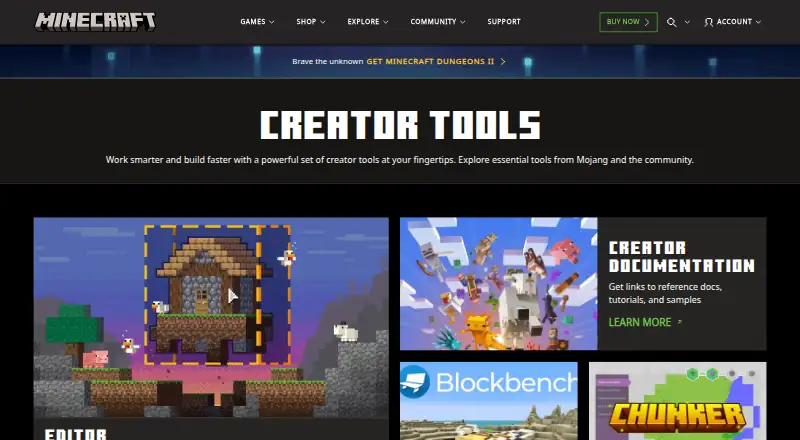
Where it wins
- Multiblock editing, terrain brushes, cloning, and transformations
- Block and Entity Inspectors expose properties, details, and components
- World testing, project import/export, and scripting support creator workflows
Where it doesn't
- Available on Windows 10 or later only
- No free plan
- Requires Minecraft Bedrock rather than working as a standalone tool
Our verdict on Minecraft Bedrock Editor
Minecraft Bedrock Editor is an in-game editing environment for Minecraft: Bedrock Edition on Windows. It is designed for creators who build or modify worlds and need more control than ordinary in-game placement provides. Its toolset covers multiblock selection and editing, brush-based terrain painting and filling, cloning, transformations, undo and redo, inspection, testing, and project exchange. The Editor is accessed through Minecraft Bedrock and the Minecraft Launcher’s Creator Tools tab, rather than distributed as a standalone mod or add-on.
Its strongest area is the depth of its world-editing workflow. Creators can select and modify multiple blocks, shape terrain with brushes, clone and transform selections, and reverse changes with undo and redo. The Block Inspector provides block properties, while the Entity Inspector exposes entity details and components. These tools make the Editor suitable for both broad environmental changes and more focused inspection work. Configurable game settings for world testing add a verification step within the same environment, and scripting provides a path for extending the available tools.
The Editor also fits projects that need to move content between supported formats. It can import and export worlds and editor projects, including .mcworld, .mctemplate, and .mcproject files. Its platform scope is narrower than a cross-platform creator tool: it supports Windows 10 or later and operates through Minecraft Bedrock. There is no free plan, and it is not a separately distributed application. Choose it for Minecraft Bedrock world creation, terrain work, entity inspection, and scripted editing on Windows; choose an alternative if you need a standalone editor, broader platform support, or a free plan.
Your product? Our editors can test Minecraft Bedrock Editor in depth and publish a review, labelled as paid · from $149/mo →
Minecraft Bedrock Editor pricing
Minecraft Bedrock Editor fact sheet
| Free plan | No |
|---|---|
| Paid from | Not verified |
| Archive extraction | Not verified |
| Mod packaging | Not verified |
| Plugin editing | Not verified |
| Script editing | Yes |
| Supported formats | .mcworld, .mctemplate, .mcproject |
| Supported platforms | Windows 10 or later |
| Deployment | Desktop |
| Platforms | Windows |
| Support | Community, Docs |
| Built for | Solo, Small business (editorial estimate) |
| Pricing | Paid |
| Website | minecraft.net |
| Facts checked | 20 Sep 2026 |
Alternatives to Minecraft Bedrock Editor
- StarCraft II EditorA broad free toolkit for building, scripting, testing, and publishing StarCraft II content.9.4
- Dota 2 Workshop ToolsA complete free toolkit for building, testing, and publishing Dota 2 mods.9.2
- OpenMW-CSA free, open-source editor for deep OpenMW mod and game authoring.9.0


See all Minecraft Bedrock Editor alternatives →
Also Ranked In
Minecraft Bedrock Editor is ranked in 2 of our directories.
Used Minecraft Bedrock Editor? Be the first to review it
The editor score above is our own research. What this page doesn't have yet is a reader's view — what you used Minecraft Bedrock Editor for, what worked and what didn't. No stars are seeded and no review is paid for; an editor reads every one before it appears.
Write a reviewTwo minutes · verified accounts only · read by an editor before it appears
Featured on iTechGuides

Minecraft Bedrock Editor is listed in our Game Modding Tools directory. Add the badge to your site — it links back to this page.
<a href="https://www.itechguides.com/products/minecraft-bedrock-editor/"><img src="https://www.itechguides.com/best/badge/minecraft-bedrock-editor.svg" alt="Featured on iTechGuides" width="230" height="46"></a>
Reviewed by iTechGuides Editors · Editorial team · Updated Oct 2026
Advertiser disclosure: iTechGuides is reader-supported. Vendors can pay for top positions in our rankings and for a place on other products' pages, and we may earn a commission when you click some links. Bought places stand at the number bought; this page and our disclosure say so. Paying vendors may get a fuller, more detailed review from our editors, and that review can change their score. How we rank.
Last updated · How we research and update