Miller
Miller: A free, open-source CLI for streaming transformations across structured data formats. Ranked #22 of 36 in Data Transformation Tools by our editors (7.1/10); pricing: Open source; best for streaming command-line format transformation.
At a glance
- Editor score7.1 / 10
- PricingOpen source
- Best forStreaming command-line format transformation
- Paid fromFree
- Deployment modelSelf_hosted
- Facts checked22 Sep 2026
Where it wins
- Supports CSV, JSON, YAML, DCF, and many other formats
- Streams filtering, reshaping, joining, aggregation, and conversion
- Includes a dedicated language for custom transformations
Where it doesn't
- Requires code-based command-line operation
- Self-hosted deployment puts setup responsibility on the operator
- Not positioned for external integrations or orchestration
Our verdict on Miller
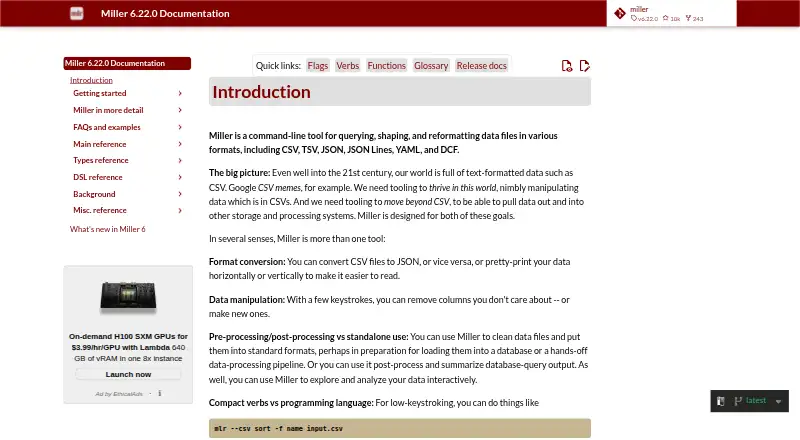
Miller is an open-source command-line tool for processing name-indexed and tabular data. It is designed for users working with data cleaning, log processing, statistical reporting, database-query post-processing, and streaming workflows. The tool runs on Windows, macOS, and Linux, and handles formats including CSV, TSV, ASV, USV, JSON, JSON Lines, YAML, PPRINT, Markdown, XTAB, DKVP, DKVPX, NIDX, DCF, and recutils. Its interface is code-based, with pipe-friendly operation suited to Unix-style workflows.
Miller’s main strength is breadth within structured-data transformation. It can convert between supported formats, filter records, select fields, sort, join, group, reshape, aggregate, and report statistics. The Miller domain-specific language extends those operations with custom transformations. Input checks cover parseability and empty keys, while MCP tools support capability discovery, DSL validation, data description, and command execution. This combination makes Miller a practical fit when transformations need to be repeatable, composable, and expressed as commands or scripts rather than managed through a visual interface.
The published positioning centers on a free, open-source tool distributed as a command-line binary rather than a hosted service, so there are no paid tiers shaping its feature set. The self-hosted model suits technical teams that want local control and streaming execution, but it places installation, workflow design, and operational responsibility with the user. Miller is a strong choice for format conversion and structured-data processing in shell-based pipelines. Teams seeking hosted orchestration or a non-code transformation interface should choose a different type of product.
Your product? Our editors can test Miller in depth and publish a review, labelled as paid · from $149/mo →
Miller pricing
Miller fact sheet
| Free plan | Not verified |
|---|---|
| Paid from | Free |
| Deployment model | Self_hosted |
| Transformation interface | Code |
| Supported data formats | CSV, TSV, ASV, USV, JSON, JSON Lines, YAML, PPRINT, Markdown, XTAB, DKVP, DKVPX, NIDX, DCF, recutils |
| Version control | Not verified |
| Workflow orchestration | Not verified |
| Data quality checks | Yes |
| Deployment | Self-hosted, Desktop |
| Platforms | Windows, macOS, Linux |
| Support | Docs, Community |
| Built for | Solo, Small business, Mid-market (editorial estimate) |
| Pricing | Open source |
| Website | miller.readthedocs.io |
| Facts checked | 22 Sep 2026 |
Alternatives to Miller
- DataformA free, managed workflow service for SQL transformation and testing in BigQuery.9.2
- Alteryx DesignerA broad visual toolkit for enterprise analysts working across complex data environments.9.1
- Apache BeamA broad, portable framework for engineering teams building code-driven data pipelines.9.0



Used Miller? Be the first to review it
The editor score above is our own research. What this page doesn't have yet is a reader's view — what you used Miller for, what worked and what didn't. No stars are seeded and no review is paid for; an editor reads every one before it appears.
Write a reviewTwo minutes · verified accounts only · read by an editor before it appears
Featured on iTechGuides

Miller is listed in our Data Transformation Tools directory. Add the badge to your site — it links back to this page.
<a href="https://www.itechguides.com/products/miller/"><img src="https://www.itechguides.com/best/badge/miller.svg" alt="Featured on iTechGuides" width="230" height="46"></a>
Reviewed by iTechGuides Editors · Editorial team · Updated Oct 2026
Advertiser disclosure: iTechGuides is reader-supported. Vendors can pay for top positions in our rankings and for a place on other products' pages, and we may earn a commission when you click some links. Bought places stand at the number bought; this page and our disclosure say so. Paying vendors may get a fuller, more detailed review from our editors, and that review can change their score. How we rank.
Last updated · How we research and update