Microsoft Dynamics 365 Finance Collections
Microsoft Dynamics 365 Finance Collections: A strong fit for teams pairing collections workflows with cost and variance controls. Ranked #38 of 42 in Cost Accounting Software by our editors (6.0/10); pricing: Paid; best for finance teams needing variance and overhead controls.
At a glance
- Editor score6.0 / 10
- PricingPaid
- Best forFinance teams needing variance and overhead controls
- Free planNo
- Paid from$210/user/mo
- Founded1975 · Redmond, Washington, United States
- Facts checked22 Sep 2026
Where it wins
- Overhead cost calculation and allocation
- Cost-center, cost-object, and variance reporting
- Credit controls with aging and collections workflows
Where it doesn't
- Starts at $210 per user per month with annual billing
- Web platform only
- Collections capability depends on the broader Finance application
Our verdict on Microsoft Dynamics 365 Finance Collections
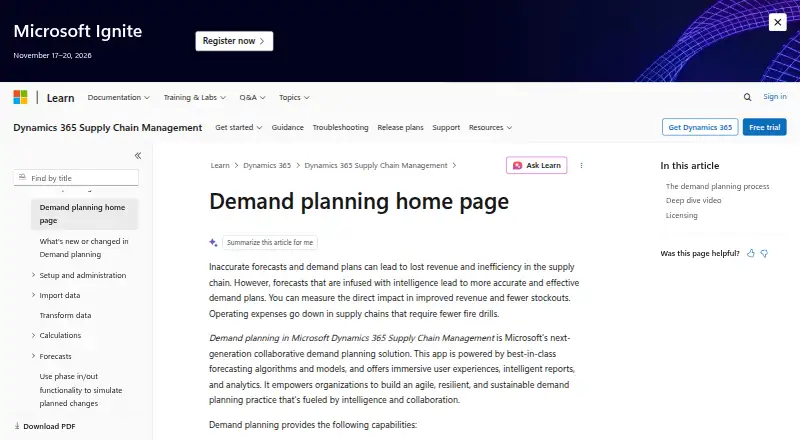
Microsoft Dynamics 365 Finance Collections is an accounts receivable capability within Dynamics 365 Finance. It is designed for collections managers and agents who need centralized customer information, aging views, customer pools, cases, activities, credit controls, and approval workflows. Its broader Finance application also covers cost accounting, budgeting, financial dimensions, reporting, and overhead allocation, making it relevant to finance teams that connect receivables work with management accounting.
The published plans show two paid options. Dynamics 365 Finance starts at $210 USD per user per month with annual billing and is described as the core financial management solution. Dynamics 365 Finance Premium costs $300 USD per user per month with annual billing and adds advanced business performance management capabilities plus 1,000 Copilot Credits per user per month. This pricing structure places the product in a higher-cost segment for teams that need only basic collections or narrowly focused cost tracking. Pricing may vary by country, currency, and regional pricing.
Its strongest fit comes from combining collections and credit management with accounting controls. Teams can work with credit limits, risk scores, blocking rules, sales-order holds, write-offs, NSF payments, and fee or interest adjustments, while the broader Finance application supports overhead allocation, cost-center and cost-object reporting, and budget-versus-actual variance reporting. The ecosystem includes Outlook, Excel, Word, Power BI, Power Apps, Dataverse, Power Automate, and Azure messaging services. Finance organizations already standardizing on Microsoft tools should find that breadth relevant; teams seeking a standalone cost-accounting product or a lower-cost collections solution should consider alternatives.
Microsoft Dynamics 365 Finance Collections pricing
All 2 Microsoft Dynamics 365 Finance Collections plans and prices →
Microsoft Dynamics 365 Finance Collections fact sheet
| Free plan | No |
|---|---|
| Paid from | $210/user/mo |
| Costing methods | Not verified |
| Job costing | Not verified |
| Process costing | Not verified |
| Variance analysis | Yes |
| Overhead allocation | Yes |
| Cost-center tracking | Yes |
| Deployment | Cloud |
| Platforms | Web |
| Support | Live chat, Phone, Docs |
| Built for | Mid-market, Enterprise (editorial estimate) |
| Integrations | 8 integrations: Microsoft Outlook, Microsoft Excel, Microsoft Word, Microsoft Power BI, Microsoft Power Apps, Microsoft Dataverse … |
| Pricing | Paid (source) |
| Website | learn.microsoft.com |
| Facts checked | 22 Sep 2026 |
Microsoft Dynamics 365 Finance Collections integrations
Microsoft Dynamics 365 Finance Collections lists 8 integrations on its own site.
- Microsoft Outlook
- Microsoft Excel
- Microsoft Word
- Microsoft Power BI
- Microsoft Power Apps
- Microsoft Dataverse
- Power Automate
- Azure messaging services
Alternatives to Microsoft Dynamics 365 Finance Collections
- CostFlowA specialized platform for multi-plant costing, variance analysis, and ERP-connected controls.9.4
- JOBSCOPEA focused ERP for manufacturers and contractors that need detailed job-cost control.9.2
- Fitrix ERPAffordable ERP costing for manufacturers needing production, inventory, and accounting in one system.9.0


See all Microsoft Dynamics 365 Finance Collections alternatives →
Used Microsoft Dynamics 365 Finance Collections? Be the first to review it
The editor score above is our own research. What this page doesn't have yet is a reader's view — what you used Microsoft Dynamics 365 Finance Collections for, what worked and what didn't. No stars are seeded and no review is paid for; an editor reads every one before it appears.
Write a reviewTwo minutes · verified accounts only · read by an editor before it appears
Featured on iTechGuides

Microsoft Dynamics 365 Finance Collections is listed in our Cost Accounting Software directory. Add the badge to your site — it links back to this page.
<a href="https://www.itechguides.com/products/microsoft-dynamics-365-finance-collections/"><img src="https://www.itechguides.com/best/badge/microsoft-dynamics-365-finance-collections.svg" alt="Featured on iTechGuides" width="230" height="46"></a>
Reviewed by iTechGuides Editors · Editorial team · Updated Oct 2026
Advertiser disclosure: iTechGuides is reader-supported. Vendors can pay for top positions in our rankings and for a place on other products' pages, and we may earn a commission when you click some links. Bought places stand at the number bought; this page and our disclosure say so. Paying vendors may get a fuller, more detailed review from our editors, and that review can change their score. How we rank.
Last updated · How we research and update