
MEmu Play
MEmu Play: A free Windows emulator with flexible controls, multiple instances, and image management. Ranked #7 of 19 in Android Emulators by our editors (8.1/10); pricing: Free plan; best for windows users who want free emulator image management.
At a glance
- Editor score8.1 / 10
- PricingFree plan
- Best forWindows users who want free emulator image management
- Free planYes
- Paid fromFree
- Google Play supportYes
- Founded2014
- Facts checked19 Sep 2026
Where it wins
- Google Play installation and app search are supported.
- Keyboard, gamepad, and joystick mapping support varied controls.
- Images can be cloned, exported, compacted, and imported.
Where it doesn't
- Available for Windows only; there is no Mac or Linux version.
- The free plan is supported by advertisements.
- Android image choices listed are limited to versions 4.4, 5.1, and 7.1.
Our verdict on MEmu Play
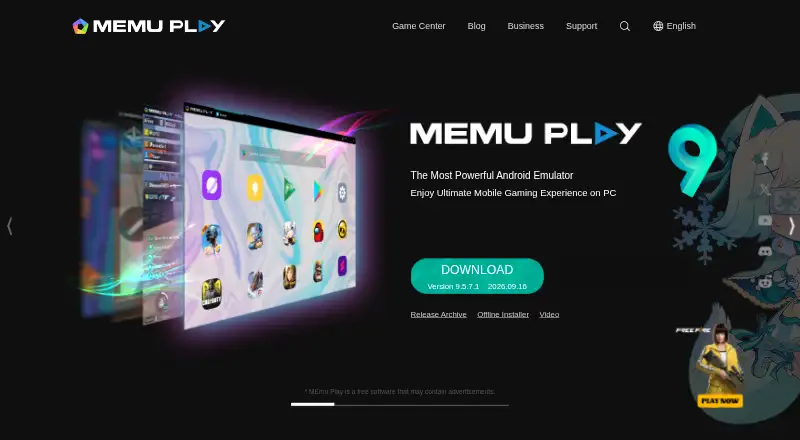
MEmu Play runs Android games and apps on Windows PCs, with Google Play installation and app search alongside desktop controls. It is aimed at people who want to run Android software on a larger screen, especially users who benefit from keyboard, mouse, gamepad, or joystick input. The emulator also supports multiple instances and Android image management, making it relevant to people who need separate emulator environments or want to move images between them.
The free plan is supported by advertisements. Feature-wise, MEmu Play includes keyboard mapping for movement, shooting, and other controls, plus gamepad and joystick mapping. Users can run multiple emulator instances and select Android images, including Android 4.4, 5.1, and 7.1. Image tools cover cloning, export, compaction, and import, giving the product a more operational focus than a basic app runner. MEMUC command-line and ADB support are also available for business use.
Its clearest constraint is platform scope: MEmu Play is Windows-only, so it is not a fit for Mac or Linux users. The free, ad-supported model suits people who want to run Android apps or games without a consumer subscription, but those who prefer an ad-free experience should look elsewhere. Choose MEmu Play if Windows compatibility, control mapping, multiple instances, and image handling are priorities; consider another emulator if your desktop platform is not Windows or advertisements are a deal-breaker.
Your product? Our editors can test MEmu Play in depth and publish a review, labelled as paid · from $149/mo →
MEmu Play pricing
All 1 MEmu Play plans and prices →
MEmu Play fact sheet
| Free plan | Yes |
|---|---|
| Paid from | Free |
| Desktop platforms | Windows |
| Google Play support | Yes |
| Multi-instance | Yes |
| Keyboard mapping | Yes |
| Gamepad support | Yes |
| Root access | Not verified |
| Instance limit | Not verified |
| Deployment | Desktop |
| Platforms | Windows |
| Pricing | Free plan (source) |
| Website | memuplay.com |
| Facts checked | 19 Sep 2026 |
Alternatives to MEmu Play
- Android EmulatorA free, configurable emulator for testing Android apps across device types and system images.9.4
- Genymotion DesktopCustomizable virtual devices and testing tools, with a free personal-use plan.8.9
- CuttlefishA Linux-based, AOSP-aligned emulator built for configurable devices and parallel testing.8.6



See all MEmu Play alternatives →
MEmu Play vs the competition
- MEmu Play vs Android Emulator
- MEmu Play vs Genymotion Desktop
- MEmu Play vs Cuttlefish
- MEmu Play vs NoxPlayer
- MEmu Play vs BlueStacks App Player
- MEmu Play vs LDPlayer


Compare MEmu Play with any tool side by side →
Also Ranked In
MEmu Play is ranked in 2 of our directories.
Used MEmu Play? Be the first to review it
The editor score above is our own research. What this page doesn't have yet is a reader's view — what you used MEmu Play for, what worked and what didn't. No stars are seeded and no review is paid for; an editor reads every one before it appears.
Write a reviewTwo minutes · verified accounts only · read by an editor before it appears
Featured on iTechGuides

MEmu Play is listed in our Android Emulators directory. Add the badge to your site — it links back to this page.
<a href="https://www.itechguides.com/products/memu-play/"><img src="https://www.itechguides.com/best/badge/memu-play.svg" alt="Featured on iTechGuides" width="230" height="46"></a>
Reviewed by iTechGuides Editors · Editorial team · Updated Oct 2026
Advertiser disclosure: iTechGuides is reader-supported. Vendors can pay for top positions in our rankings and for a place on other products' pages, and we may earn a commission when you click some links. Bought places stand at the number bought; this page and our disclosure say so. Paying vendors may get a fuller, more detailed review from our editors, and that review can change their score. How we rank.
Last updated · How we research and update