
Memory Card File Rescue
Memory Card File Rescue: A free option for recovering photos and files from eligible Sony media. Ranked #13 of 44 in Photo Recovery Software by our editors (8.0/10); pricing: Free plan; best for free recovery for supported camera media.
At a glance
- Editor score8.0 / 10
- PricingFree plan
- Best forFree recovery for supported camera media
- Free planYes
- Paid fromFree
- Supported platformsMulti-platform
- Facts checked20 Sep 2026
Where it wins
- Free download for eligible Sony memory media owners
- Recovers JPEG, RAW, 3D photos, video, and documents
- Supports Windows and macOS with broad Sony media coverage
Where it doesn't
- Operation with other manufacturers' media may not be supported
- Recovery is not guaranteed for every file
- Physically damaged cards are not guaranteed to be recoverable
Our verdict on Memory Card File Rescue
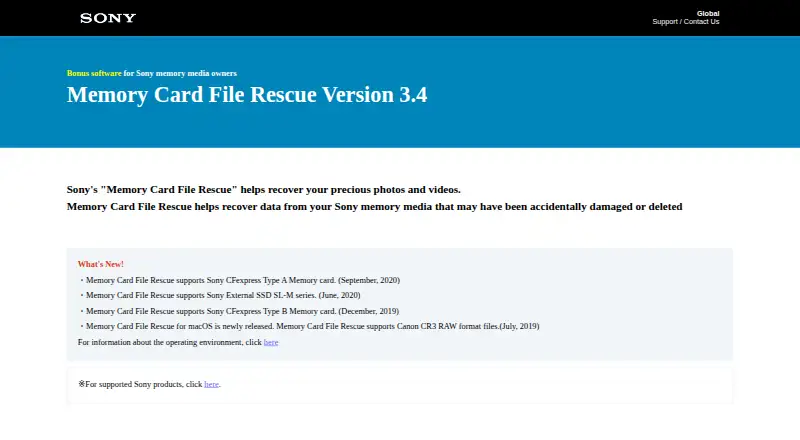
Memory Card File Rescue is Sony desktop software for recovering accidentally deleted or damaged photos, videos, and documents from supported Sony memory media. It is intended for camera owners and other users working with Sony CFexpress, XQD, SD, Memory Stick, SL-M external SSD, or USB flash drive media. The software runs on Windows and macOS and saves recovered files to a computer. Supported formats include JPEG, camera RAW, 3D photos, video, and documents, with Sony, Nikon, and Canon RAW support including Canon CR3.
The pricing structure is straightforward: the Free plan is available as a free download for eligible Sony memory media owners. There are no paid tiers described, so the product's appeal is its focused no-cost recovery option rather than a tiered feature set. For users with supported Sony media, the free plan covers the core recovery workflow and includes installers for both supported desktop platforms.
Its main boundary is media eligibility. Sony verifies the software for supported Sony memory media, while operation with other manufacturers' media may not be supported. Recovery also has practical limits: Sony does not guarantee recovery of all data or physically damaged cards. Choose Memory Card File Rescue when your files are on the listed Sony media types and you need recovery for standard photo, RAW, video, or document formats. Choose another option when your media falls outside that supported range or when recovery of physically damaged storage is the primary requirement.
Your product? Our editors can test Memory Card File Rescue in depth and publish a review, labelled as paid · from $149/mo →
Memory Card File Rescue pricing
All 1 Memory Card File Rescue plans and prices →
Memory Card File Rescue fact sheet
| Free plan | Yes |
|---|---|
| Paid from | Free |
| Supported platforms | Multi-platform |
| Recovery sources | Sony CFexpress Type A/B, XQD, SD, Memory Stick, SL-M external SSD, USB flash drive |
| Scan modes | Not verified |
| Raw photo recovery | Yes |
| Disk image support | Not verified |
| Photo preview | Not verified |
| Free recovery limit | Not verified |
| Deployment | Desktop |
| Platforms | Windows, macOS |
| Built for | Solo, Small business (editorial estimate) |
| Pricing | Free plan (source) |
| Website | support.d-imaging.sony.co.jp |
| Facts checked | 20 Sep 2026 |
Alternatives to Memory Card File Rescue
- PhotoRecA broad, free recovery tool for difficult media, with a less convenient photo-first workflow.9.3
- EaseUS Data Recovery WizardBroad recovery coverage, but the free plan is limited to two files.9.1
- RecuvaA capable free option for recovering deleted photos from Windows and camera cards.9.0



See all Memory Card File Rescue alternatives →
Used Memory Card File Rescue? Be the first to review it
The editor score above is our own research. What this page doesn't have yet is a reader's view — what you used Memory Card File Rescue for, what worked and what didn't. No stars are seeded and no review is paid for; an editor reads every one before it appears.
Write a reviewTwo minutes · verified accounts only · read by an editor before it appears
Featured on iTechGuides

Memory Card File Rescue is listed in our Photo Recovery Software directory. Add the badge to your site — it links back to this page.
<a href="https://www.itechguides.com/products/memory-card-file-rescue/"><img src="https://www.itechguides.com/best/badge/memory-card-file-rescue.svg" alt="Featured on iTechGuides" width="230" height="46"></a>
Reviewed by iTechGuides Editors · Editorial team · Updated Oct 2026
Advertiser disclosure: iTechGuides is reader-supported. Vendors can pay for top positions in our rankings and for a place on other products' pages, and we may earn a commission when you click some links. Bought places stand at the number bought; this page and our disclosure say so. Paying vendors may get a fuller, more detailed review from our editors, and that review can change their score. How we rank.
Last updated · How we research and update