
Memories
Memories: A capable open-source photo library for people already running Nextcloud. Ranked #17 of 70 in Photo Storage Services by our editors (7.6/10); pricing: Free plan; best for nextcloud users needing photo timelines.
At a glance
- Editor score7.6 / 10
- PricingFree plan
- Best forNextcloud users needing photo timelines
- Free planYes
- Paid fromFree
- Original-quality storageYes
- Facts checked21 Sep 2026
Where it wins
- Date-based timelines use capture dates and EXIF data
- Albums support sharing and collaborative access
- Maps, EXIF editing, transcoding, and external sharing included
Where it doesn't
- Requires a self-hosted Nextcloud installation
- Platform coverage centers on web, Android, and Nextcloud mobile
- Face grouping and automatic tagging require separate integrations
Our verdict on Memories
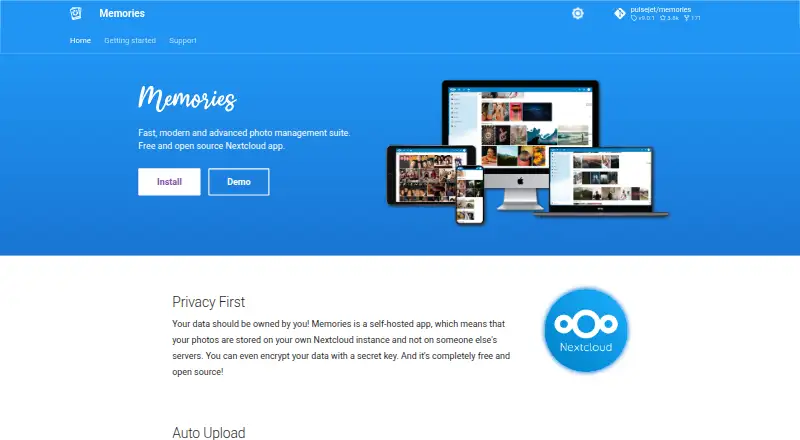
Memories is a free, open-source photo management app for self-hosted Nextcloud installations. It organizes photos and videos in a timeline based on capture dates and EXIF data, while albums provide sharing and collaborative access. The app also supports external sharing with people outside the Nextcloud instance, making it suitable for Nextcloud users who want more structure around an existing media library rather than a separate hosted storage service.
Its strongest area is organization depth. Users can edit photo EXIF metadata in bulk, view geotagged media on a map, hide selected items in an archive, and stream videos through on-demand transcoding and adaptive streaming. Automatic tagging and face grouping are available through the Recognize and Face Recognition Nextcloud integrations. These features give Memories broader photo-library capabilities than a basic file gallery, particularly for users who value searchable timelines, location context, and structured albums.
The main trade-off is ecosystem dependence. Memories uses storage on the user's own Nextcloud instance, and installation is available through the Nextcloud app store or manually. Automatic uploads rely on the official Nextcloud mobile applications; an official Android client is described as early access, while iOS uploads are provided through the official Nextcloud mobile app. That makes Memories a strong fit for people already maintaining Nextcloud and comfortable with self-hosting. Users seeking vendor-managed storage, a standalone cross-platform photo service, or a simpler setup should consider an alternative.
Your product? Our editors can test Memories in depth and publish a review, labelled as paid · from $149/mo →
Memories pricing
Memories fact sheet
| Free plan | Yes |
|---|---|
| Paid from | Free |
| Free storage | Not verified |
| Original-quality storage | Yes |
| Face search | Yes |
| Shared albums | Yes |
| Family sharing | Not verified |
| Desktop app | Not verified |
| Video backup | Yes |
| Deployment | Self-hosted, Mobile |
| Platforms | Web, iOS, Android |
| Support | Community, Docs, Tickets |
| Built for | Solo, Small business, Mid-market, Enterprise (editorial estimate) |
| Integrations | 5 integrations: Nextcloud, Nextcloud Photos, Recognize, Face Recognition, Nextcloud mobile apps |
| Pricing | Free plan |
| Website | memories.gallery |
| Facts checked | 21 Sep 2026 |
Memories integrations
Memories lists 5 integrations on its own site.
- Nextcloud
- Nextcloud Photos
- Recognize
- Face Recognition
- Nextcloud mobile apps
Alternatives to Memories
- Google PhotosAn easy photo backup service with broad search, editing, sharing, and device coverage.9.4
- Apple PhotosA capable photo library for Apple households, with affordable entry pricing and limited free storage.9.2
- Amazon PhotosA capable photo backup and sharing service, especially for Prime members.9.0



See all Memories alternatives →
Used Memories? Be the first to review it
The editor score above is our own research. What this page doesn't have yet is a reader's view — what you used Memories for, what worked and what didn't. No stars are seeded and no review is paid for; an editor reads every one before it appears.
Write a reviewTwo minutes · verified accounts only · read by an editor before it appears
Featured on iTechGuides

Memories is listed in our Photo Storage Services directory. Add the badge to your site — it links back to this page.
<a href="https://www.itechguides.com/products/memories/"><img src="https://www.itechguides.com/best/badge/memories.svg" alt="Featured on iTechGuides" width="230" height="46"></a>
Reviewed by iTechGuides Editors · Editorial team · Updated Oct 2026
Advertiser disclosure: iTechGuides is reader-supported. Vendors can pay for top positions in our rankings and for a place on other products' pages, and we may earn a commission when you click some links. Bought places stand at the number bought; this page and our disclosure say so. Paying vendors may get a fuller, more detailed review from our editors, and that review can change their score. How we rank.
Last updated · How we research and update