
Measure
Measure: A focused mobile error-monitoring platform with replay, traces, and self-hosting. Ranked #16 of 29 in Error Monitoring Software by our editors (7.9/10); pricing: Free plan; best for mobile teams needing replay and crash analytics.
At a glance
- Editor score7.9 / 10
- PricingFree plan
- Best forMobile teams needing replay and crash analytics
- Free planYes
- Paid from$50/mo
- Facts checked19 Sep 2026
Where it wins
- Covers crashes, ANRs, replays, traces, networks, and release health
- Supports Android, iOS, and self-hosted deployments
- Includes source-map and native symbolication for debugging
Where it doesn't
- The Pro plan starts at $50 per month
- The Free plan includes 5 GB per month and 30 days of retention
- Its focus is mobile monitoring rather than frontend monitoring
Our verdict on Measure
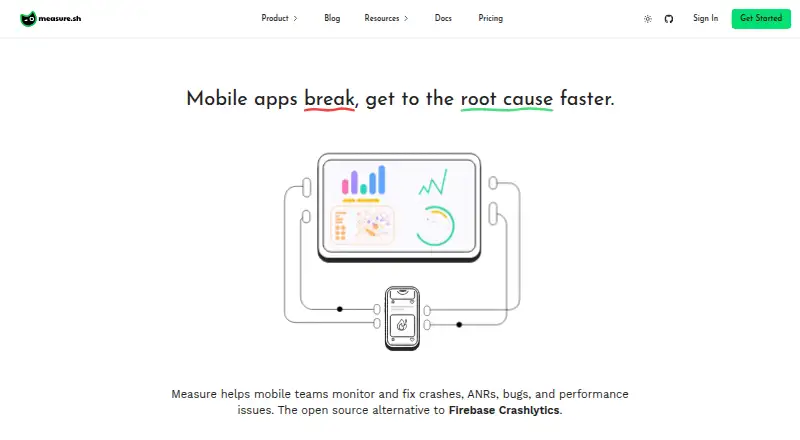
Measure is an open-source mobile application monitoring platform for teams building Android, iOS, Flutter, React Native, and Kotlin Multiplatform apps. It brings crash and ANR monitoring, session replay, performance traces, network activity, in-app bug reports, release monitoring, and user journey tracking into one dashboard. Teams can choose the managed cloud service or self-hosted software, making it relevant for mobile groups with different deployment requirements.
Pricing is straightforward across its two published plans. The Free plan costs $0 per month and includes 5 GB per month, 30 days of retention, an MCP server, and no credit card requirement. The Pro plan costs $50 per month and includes 25 GB per month, 90 days of retention, an MCP server, and Measure Agent. The paid tier is the clearer fit for teams that need longer retention or higher included data capacity, while the Free plan provides a low-commitment way to begin monitoring a mobile application.
Measure’s strongest technical angle is its coverage across the mobile debugging workflow. Session replay includes screenshots, layout snapshots, and device metrics; performance traces and spans add context around slow operations; and adaptive capture controls help shape collected data. Source-map and native symbolication support readable crash investigation. Slack, coding agents, and the MCP server extend its workflow connections. Choose Measure if mobile crashes, ANRs, replay, release health, and self-hosting are central requirements. Teams primarily seeking frontend monitoring should consider a more broadly focused alternative.
Your product? Our editors can test Measure in depth and publish a review, labelled as paid · from $149/mo →
Measure pricing
All 2 Measure plans and prices →
Measure fact sheet
| Free plan | Yes |
|---|---|
| Paid from | $50/mo |
| Free event quota | Not verified |
| Retention period | 90 days |
| Frontend monitoring | No |
| Release tracking | Yes |
| Source-map support | Yes |
| Deployment model | Both |
| Session replay | Yes |
| Deployment | Mobile, Self-hosted |
| Platforms | Android, iOS |
| Integrations | 3 integrations: Slack, MCP Server, Coding agents |
| Pricing | Free plan (source) |
| Website | measure.sh |
| Facts checked | 19 Sep 2026 |
Measure integrations
Measure lists 3 integrations on its own site.
- Slack
- MCP Server
- Coding agents
Alternatives to Measure
- RollbarA broad error monitoring platform with useful investigation tools and accessible paid plans.9.4
- trycatchA high-limit error monitor for open-source teams that need flexible deployment.9.3
- AirbrakeAirbrake fits mature teams that need error context, performance data, and integrations.9.2



See all Measure alternatives →
Also Ranked In
Measure is ranked in 3 of our directories.
Used Measure? Be the first to review it
The editor score above is our own research. What this page doesn't have yet is a reader's view — what you used Measure for, what worked and what didn't. No stars are seeded and no review is paid for; an editor reads every one before it appears.
Write a reviewTwo minutes · verified accounts only · read by an editor before it appears
Featured on iTechGuides

Measure is listed in our Error Monitoring Software directory. Add the badge to your site — it links back to this page.
<a href="https://www.itechguides.com/products/measure/"><img src="https://www.itechguides.com/best/badge/measure.svg" alt="Featured on iTechGuides" width="230" height="46"></a>
Reviewed by iTechGuides Editors · Editorial team · Updated Oct 2026
Advertiser disclosure: iTechGuides is reader-supported. Vendors can pay for top positions in our rankings and for a place on other products' pages, and we may earn a commission when you click some links. Bought places stand at the number bought; this page and our disclosure say so. Paying vendors may get a fuller, more detailed review from our editors, and that review can change their score. How we rank.
Last updated · How we research and update