mcIVASmaker
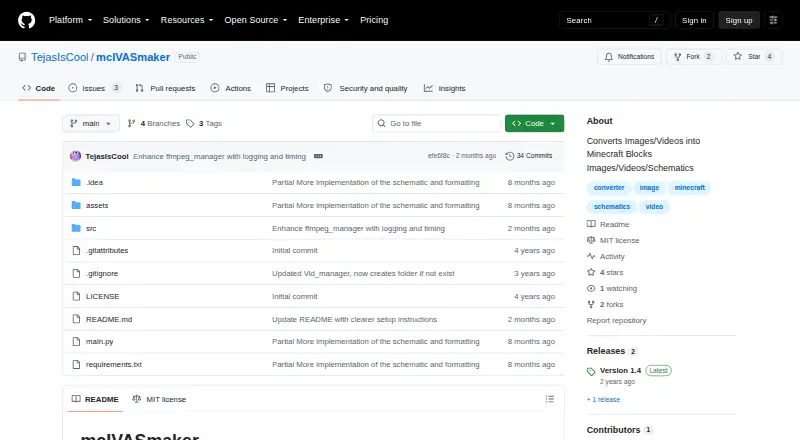
mcIVASmaker: A Windows tool for turning images and videos into Minecraft block visuals and schematics. Ranked #15 of 22 in Minecraft Pixel Art Generators by our editors (5.8/10); pricing: Free plan; best for video and redstone-lamp conversions.
At a glance
- Editor score5.8 / 10
- PricingFree plan
- Best forVideo and redstone-lamp conversions
- Free planYes
- Paid fromNone
- Facts checked20 Sep 2026
Where it wins
- Converts images and videos into Minecraft block-style outputs
- Exports image conversions as schematic files
- Offers custom palettes, matching algorithms, and multiprocessing
Where it doesn't
- Windows-only desktop availability
- FFmpeg is required for media processing
- Audio conversion is explicitly unfinished
Our verdict on mcIVASmaker
mcIVASmaker is a free, open-source Windows desktop program for converting images and videos into Minecraft block representations. Its image workflow produces Minecraft block-textured images or schematic files, while its video workflow converts video frames into block-style video. It is suited to Minecraft builders, pixel-art creators, and users who want to turn visual media into build-oriented outputs rather than only generate a static image. The tool also supports redstone-lamp display conversions, extending its use to animated or display-focused projects.
Its strongest area is conversion control. Users can select Minecraft blocks, restrict the available palette, and choose among multiple color-matching algorithms. Video conversion includes frame-rate changes, multiprocessing, and multithreading options, which are relevant for longer or more demanding media workflows. The project provides a Windows executable and a Python-based version, and integrates with FFmpeg and FFProbe for media processing. Image conversions can be exported as schematic files, giving the tool a practical path from source artwork to Minecraft placement workflows.
The main trade-offs are its platform scope and unfinished media coverage. It is available for Windows, and FFmpeg is required for media processing. The repository documents an audio conversion tab, but audio conversion is explicitly unfinished, so mcIVASmaker is better suited to image, video, and schematic work than to completed audio projects. Choose it if you want an open-source converter with palette control, algorithm selection, redstone-lamp support, and video processing options. Consider another tool if you need a non-Windows workflow or finished audio conversion.
mcIVASmaker pricing
mcIVASmaker fact sheet
| Free plan | Yes |
|---|---|
| Paid from | None |
| Input type | Image |
| Minecraft editions | Not verified |
| Output type | Schematic |
| Palette control | Custom |
| Maximum resolution | Not verified |
| 3D build preview | Not verified |
| Export formats | image, video, schematic |
| Deployment | Desktop |
| Platforms | Windows |
| Support | Community |
| Built for | Solo, Small business (editorial estimate) |
| Integrations | 2 integrations: FFmpeg, FFProbe |
| Pricing | Free plan |
| Website | github.com |
| Facts checked | 20 Sep 2026 |
mcIVASmaker integrations
mcIVASmaker lists 2 integrations on its own site.
- FFmpeg
- FFProbe
Alternatives to mcIVASmaker
- Minecraft Pixel Art GeneratorA free browser tool that combines AI layouts, editing, guides, calculations, and exports.9.0
- MinecraftArtA free web converter with editing, 3D previews, and WorldEdit-friendly exports.8.2
- MC Build Tools Pixel Art GeneratorA free browser generator with deep editing and export support for Java and Bedrock.7.7



See all mcIVASmaker alternatives →
Used mcIVASmaker? Be the first to review it
The editor score above is our own research. What this page doesn't have yet is a reader's view — what you used mcIVASmaker for, what worked and what didn't. No stars are seeded and no review is paid for; an editor reads every one before it appears.
Write a reviewTwo minutes · verified accounts only · read by an editor before it appears
Featured on iTechGuides

mcIVASmaker is listed in our Minecraft Pixel Art Generators directory. Add the badge to your site — it links back to this page.
<a href="https://www.itechguides.com/products/mcivasmaker/"><img src="https://www.itechguides.com/best/badge/mcivasmaker.svg" alt="Featured on iTechGuides" width="230" height="46"></a>
Reviewed by iTechGuides Editors · Editorial team · Updated Sep 2026
Advertiser disclosure: iTechGuides is reader-supported. We may earn a commission when you click some links. How we rank.
Last updated · How we research and update