
marimo
marimo: A free, Git-friendly Python and SQL notebook with reactive execution and broad integrations. Ranked #8 of 25 in Notebook Software by our editors (8.5/10); pricing: Free plan; best for git-friendly reactive Python notebooks.
At a glance
- Editor score8.5 / 10
- PricingFree plan
- Best forGit-friendly reactive Python notebooks
- Free planYes
- Paid fromFree
- Execution modelHybrid
- Founded2024
- Facts checked20 Sep 2026
Where it wins
- Reactive execution updates dependent cells automatically.
- Python-file notebooks fit Git-based workflows.
- Supports widgets, SQL, exports, scripts, and web applications.
Where it doesn't
- No version history is listed in the category specifications.
- Real-time collaboration is not part of the published positioning.
- The product is focused on Python and SQL workflows.
Our verdict on marimo
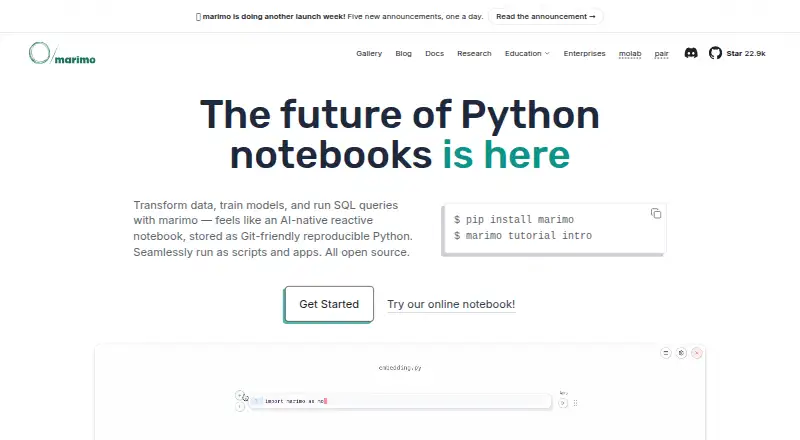
marimo is a free, open-source notebook environment for Python and SQL workflows. It is designed for developers, data scientists, ML engineers, researchers, educators, and analysts who need reproducible and shareable computational work. Its reactive execution model updates dependent cells, while interactive widgets, tables, plots, and forms support exploration. Notebooks are stored as Git-friendly Python files, and they can run locally, in hosted molab workspaces, in the browser through WebAssembly, or as deployed applications and scripts.
Its ecosystem fit is a major strength for data teams. marimo integrates with Polars, Pandas, PyArrow, DuckDB, SQLite, Postgres, MySQL, Google Drive, GitHub, and VS Code. Native SQL cells support database querying, while built-in package and dependency management keeps common notebook setup tasks within the environment. AI assistant and agent integrations are also available. Exports include HTML, PDF, Jupyter Notebook, and other formats, with Python, SQL, Markdown, and related notebook workflows represented across the supported formats. Choose marimo when Git compatibility, Python-based analysis, reactive execution, and data-tool connectivity matter together.
The product’s breadth makes it suitable for work that needs to move beyond an interactive notebook: notebooks can run as scripts or web applications, and GPU compute is included in the category specifications. At the same time, its positioning is narrower than a mature collaborative notebook suite: no version history is listed, and real-time collaboration is not part of the published positioning. marimo itself is free and open source, while molab is currently free in public preview as long as usage remains reasonable; resource limits and availability may change. Pick marimo for individual or Git-oriented computational work, and consider an alternative if shared editing, version history, or broader language support is central.
Your product? Our editors can test marimo in depth and publish a review, labelled as paid · from $149/mo →
marimo pricing
marimo fact sheet
| Free plan | Yes |
|---|---|
| Paid from | Free |
| Execution model | Hybrid |
| Real-time collaboration | Not verified |
| Version history | No |
| GPU compute | Yes |
| Supported languages | Python, SQL |
| Notebook formats | Python (.py), Jupyter Notebook (.ipynb), HTML, PDF, Markdown |
| Deployment | Cloud, Self-hosted |
| Platforms | Web |
| Support | Email, Community, Docs |
| Built for | Solo, Small business, Mid-market, Enterprise (editorial estimate) |
| Integrations | 10 integrations: Polars, Pandas, PyArrow, DuckDB, SQLite, Postgres … See all → |
| Pricing | Free plan |
| Website | marimo.io |
| Facts checked | 20 Sep 2026 |
marimo integrations
marimo lists 10 integrations on its own site.
- Polars
- Pandas
- PyArrow
- DuckDB
- SQLite
- Postgres
- MySQL
- Google Drive
- GitHub
- VS Code
Alternatives to marimo
- Google ColabA capable browser notebook with free compute and paid access to more resources.9.4
- Jupyter NotebookA flexible, free notebook environment for code, narrative, visualizations, and data-science work.9.2
- JupyterLabA free, open-source notebook IDE with kernels, terminals, debugging, and extensions.9.1



marimo vs the competition
- marimo vs Google Colab
- marimo vs Jupyter Notebook
- marimo vs JupyterLab
- marimo vs Kaggle Notebooks
- marimo vs Datalore
- marimo vs Deepnote



Compare marimo with any tool side by side →
Also Ranked In
marimo is ranked in 2 of our directories.
Used marimo? Be the first to review it
The editor score above is our own research. What this page doesn't have yet is a reader's view — what you used marimo for, what worked and what didn't. No stars are seeded and no review is paid for; an editor reads every one before it appears.
Write a reviewTwo minutes · verified accounts only · read by an editor before it appears
Featured on iTechGuides

marimo is listed in our Notebook Software directory. Add the badge to your site — it links back to this page.
<a href="https://www.itechguides.com/products/marimo/"><img src="https://www.itechguides.com/best/badge/marimo.svg" alt="Featured on iTechGuides" width="230" height="46"></a>
Reviewed by iTechGuides Editors · Editorial team · Updated Oct 2026
Advertiser disclosure: iTechGuides is reader-supported. Vendors can pay for top positions in our rankings and for a place on other products' pages, and we may earn a commission when you click some links. Bought places stand at the number bought; this page and our disclosure say so. Paying vendors may get a fuller, more detailed review from our editors, and that review can change their score. How we rank.
Last updated · How we research and update