
MakeZPL
MakeZPL: A free visual ZPL tool with variable data, batch export, and no per-label limits. Ranked #30 of 35 in Barcode Labeling Software by our editors (6.3/10); pricing: Free plan; best for free browser-based ZPL label creation.
At a glance
- Editor score6.3 / 10
- PricingFree plan
- Best forFree browser-based ZPL label creation
- Free planYes
- Paid fromNone
- DeploymentCloud
- Facts checked19 Sep 2026
Where it wins
- No account, trial, or per-label limits
- Visual WYSIWYG design with ZPL import and export
- CSV/JSON merges, variable fields, and batch-file export
Where it doesn't
- No verified integrations or API access
- Optional AI auto-design may send sample data to a provider
- Focused on web-based ZPL workflows rather than broader printing systems
Our verdict on MakeZPL
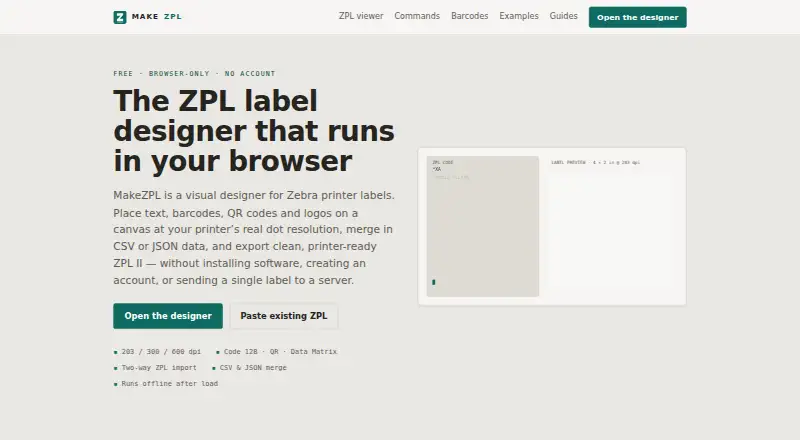
MakeZPL is a free, browser-based label design tool for Zebra and ZPL-compatible printers. It is aimed at teams and individuals creating barcode labels with variable records, existing ZPL templates, or printer-specific layouts. The visual canvas supports 203, 300, and 600 dpi designs, while barcode options include Code 128, Code 39, UPC-A, EAN-13, EAN-8, Interleaved 2 of 5, QR, and Data Matrix. No account is required, and the Free plan has no per-label limits.
Its strongest workflow is the combination of visual design and ZPL control. Users can import and export ZPL in both directions, create placeholder-based templates, and merge CSV or JSON records into those templates. Resolved ZPL, batch print files with one label per record, and field-mapping CSVs are available for export. Layout safeguards include text wrapping, shrink-to-fit, truncation, and overflow validation. PNG and JPEG images can also be converted into ZPL graphic fields, extending the tool beyond text and barcode elements.
MakeZPL processes work locally in the browser and uses IndexedDB autosave, with offline operation available after loading. The optional AI auto-design feature can send field names and sample values to a provider selected by the user, so that feature deserves separate consideration in workflows with sensitive label data. The documented platform is web, and no API access or integrations are verified. Choose MakeZPL for free, browser-based ZPL creation, data merges, and batch exports; choose an alternative if your operation depends on connected systems, API-driven automation, or a broader platform ecosystem.
MakeZPL pricing
All 1 MakeZPL plans and prices →
MakeZPL fact sheet
| Free plan | Yes |
|---|---|
| Paid from | None |
| Deployment | Cloud |
| Variable data | Yes |
| Batch printing | Yes |
| Data import | Yes |
| API access | No |
| Included users | Not verified |
| Print limit | Not verified |
| Deployment | Cloud |
| Platforms | Web |
| Pricing | Free plan (source) |
| Website | makezpl.com |
| Facts checked | 19 Sep 2026 |
Alternatives to MakeZPL
- BarcodeLabelGenA free, open-source workflow for designing, importing, and printing barcode labels.9.4
- ZPLabA free, open-source ZPL editor with validation, variable data, and batch printing.9.3
- PrintSpiritA broad labeling toolkit for teams that need APIs, databases, and remote printing.9.1

See all MakeZPL alternatives →
Also listed in
Used MakeZPL? Be the first to review it
The editor score above is our own research. What this page doesn't have yet is a reader's view — what you used MakeZPL for, what worked and what didn't. No stars are seeded and no review is paid for; an editor reads every one before it appears.
Write a reviewTwo minutes · verified accounts only · read by an editor before it appears
Featured on iTechGuides

MakeZPL is listed in our Barcode Labeling Software directory. Add the badge to your site — it links back to this page.
<a href="https://www.itechguides.com/products/makezpl/"><img src="https://www.itechguides.com/best/badge/makezpl.svg" alt="Featured on iTechGuides" width="230" height="46"></a>
Reviewed by iTechGuides Editors · Editorial team · Updated Oct 2026
Advertiser disclosure: iTechGuides is reader-supported. We may earn a commission when you click some links. How we rank.
Last updated · How we research and update