
LogMeister
LogMeister: A Windows-focused log manager for collecting, filtering, alerting on, and exporting server logs. Ranked #84 of 109 in Log Management Software by our editors (3.0/10); pricing: 30-day trial; best for windows teams monitoring event, syslog, and text logs.
At a glance
- Editor score3.0 / 10
- Pricing30-day trial
- Best forWindows teams monitoring event, syslog, and text logs
- Free planNo
- Facts checked23 Sep 2026
Where it wins
- Collects Windows event, syslog, and text logs from local and networked computers
- Combines filtering, aggregation, alerts, and automated actions
- Archives logs and exports data to SQL Server or MySQL through ODBC
Where it doesn't
- Supports Windows rather than a range of operating systems
- Has no free plan
- License packs cover installations, not a stated ingestion quota
Our verdict on LogMeister
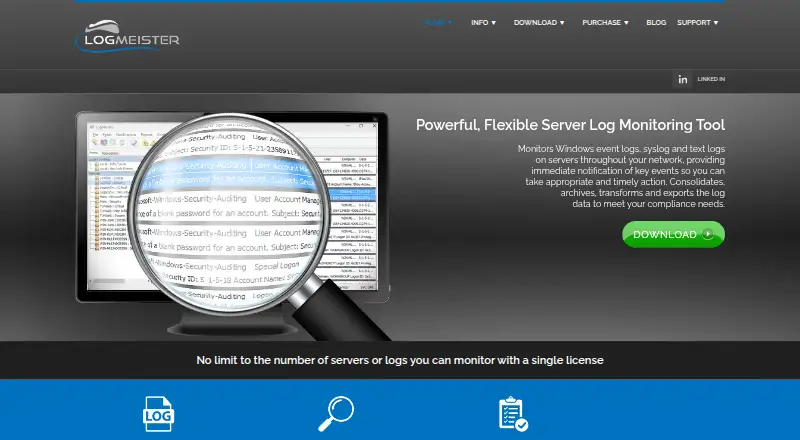
LogMeister is a Windows-based server log monitoring and management application from Technology Lighthouse. It is aimed at organizations managing Windows servers and network log sources, including teams that need to collect event logs, syslog messages, and text logs in one workflow. The software can monitor locally and across networked computers from a centralized installation without requiring agents on monitored computers. Its fit is strongest for Windows environments; teams seeking coverage across operating systems should consider a different tool.
Its monitoring covers real-time or scheduled collection, aggregation, rule-based filtering, and built-in viewing with timeline analysis. Configurable alerts can trigger automated actions, while archiving and scheduled exports support downstream handling. LogMeister can forward syslog messages and export through ODBC to SQL Server and MySQL, as well as to files and syslog servers. That combination suits teams that want to manage log collection and routing around Windows infrastructure, rather than a product centered on a broader multi-platform ecosystem.
LogMeister is paid, with a 30-day trial and a 90-day refund period. The published license options are Single License, for one installation, and 5 License Pack, for five installations; both allow monitoring as many servers as the host permits. This is a license-based model rather than one framed around a stated ingestion quota. The offer may suit organizations whose installation needs match those options and that want local log management, alerting, and database exports. It is less suitable for buyers who require a free plan or non-Windows coverage.
Questions about LogMeister
Is there a free trial of LogMeister? Yes: a 30-day free trial.
What does LogMeister run on? Windows. It runs self-hosted and as a desktop app.
What does LogMeister integrate with? 5 integrations: Syslog, ODBC, SQL Server, MySQL and Command line.
Does LogMeister offer a money-back guarantee? Yes: 90 days.
Who is LogMeister built for? Small businesses, mid-market companies and enterprises (our editorial estimate).
Your product? Our editors can test LogMeister in depth and publish a review, labelled as paid · from $149/mo →
LogMeister pricing
All 2 LogMeister plans and prices →
LogMeister fact sheet
| Free plan | No |
|---|---|
| Paid from | Not verified |
| Included ingestion | Not verified |
| Log retention | Not verified |
| Log pipelines | Yes |
| Archive export | Yes |
| Live log tailing | Yes |
| Deployment options | Self-hosted |
| Structured log parsing | Yes |
| Free trial | 30 days |
| Money-back guarantee | 90 days |
| Deployment | Self-hosted, Desktop |
| Platforms | Windows |
| Support | Email, Tickets, Docs |
| Built for | Small business, Mid-market, Enterprise (editorial estimate) |
| Integrations | 5 integrations: Syslog, ODBC, SQL Server, MySQL, Command line |
| Pricing | 30-day trial (source) |
| Website | logmeister.com |
| Facts checked | 23 Sep 2026 |
LogMeister integrations
LogMeister lists 5 integrations on its own site.
- Syslog
- ODBC
- SQL Server
- MySQL
- Command line
Alternatives to LogMeister
- ELK StackA flexible open-source log stack with broad deployment options and layered pricing.9.4
- Splunk EnterpriseA broad, self-managed log analytics platform for large enterprises with sales-led pricing.9.3
- Google Cloud LoggingA capable Google Cloud logging service with usage-based pricing and broad routing options.9.2



See all LogMeister alternatives →
Used LogMeister? Be the first to review it
The editor score above is our own research. What this page doesn't have yet is a reader's view — what you used LogMeister for, what worked and what didn't. No stars are seeded and no review is paid for; an editor reads every one before it appears.
Write a reviewTwo minutes · verified accounts only · read by an editor before it appears
Featured on iTechGuides

LogMeister is listed in our Log Management Software directory. Add the badge to your site — it links back to this page.
<a href="https://www.itechguides.com/products/logmeister/"><img src="https://www.itechguides.com/best/badge/logmeister.svg" alt="Featured on iTechGuides" width="230" height="46"></a>
Reviewed by iTechGuides Editors · Editorial team · Updated Nov 2026
Advertiser disclosure: iTechGuides is reader-supported. Vendors can pay for top positions in our rankings and for a place on other products' pages, and we may earn a commission when you click some links. Bought places stand at the number bought; this page and our disclosure say so. Paying vendors may get a fuller, more detailed review from our editors, and that review can change their score. How we rank.
Last updated · How we research and update