LogMeIn Central
LogMeIn Central: A broad remote management toolkit for teams that prioritize endpoint access and upkeep. Ranked #11 of 40 in Remote Monitoring and Management Software by our editors (8.1/10); pricing: Paid; best for teams focused on remote access plus endpoint upkeep.
At a glance
- Editor score8.1 / 10
- PricingPaid
- Best forTeams focused on remote access plus endpoint upkeep
- Free planNo
- Founded2003
- Facts checked23 Sep 2026
Where it wins
- HD remote control with background access, file transfer and desktop sharing
- Combines updates, scripting, alerts and endpoint monitoring
- Inventory, reporting and antivirus management support endpoint upkeep
Where it doesn't
- No free plan is available
- The supplied plan details cover only Central Base
- Pricing for Central Base is not stated on the pricing page
Our verdict on LogMeIn Central
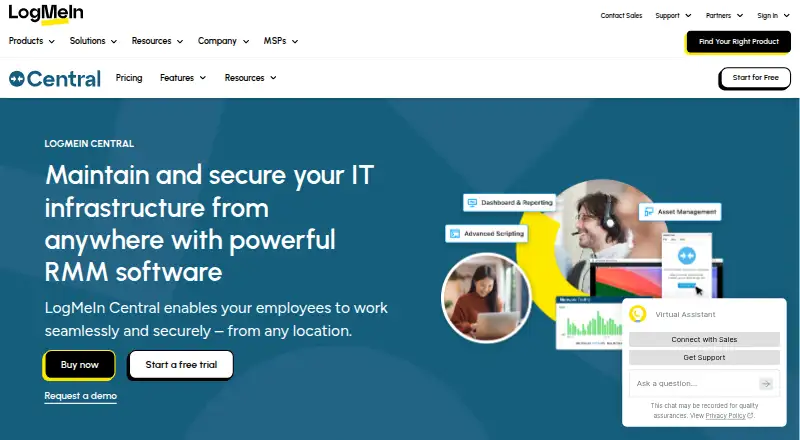
LogMeIn Central is a remote monitoring and management product for internal IT teams and managed service providers. Its focus is remote access alongside endpoint upkeep: administrators can manage users and devices, group computers, monitor endpoints, and handle updates and scripts. It also supports management of kiosks, point-of-sale systems and digital signage across multiple locations. That breadth makes it relevant to teams seeking remote control and ongoing PC and Mac administration in one product, rather than remote access alone.
The listed Central Base plan includes HD remote access, user and device management, multi-monitor support, background access, file transfer and desktop sharing. Beyond those plan highlights, the product’s features include Windows and third-party application updates, advanced scripting and automated task management, alerts, asset management, inventory, reporting and antivirus monitoring and management. This is a notable endpoint-maintenance scope for a product centered on remote access. The published pricing page shows monthly billing billed annually, but gives no numeric amount; organizations managing more than 250 computers are directed to sales. There is no free plan, so buyers should assess the paid offering against their budget before choosing it.
The cloud, desktop and mobile deployment options are paired with web, Windows, macOS, iOS and Android platforms. Support channels include tickets, community resources and documentation, and the listed compliance feature is two-factor authentication. The supplied category specifications identify Windows and macOS support, unattended access, patch management and script automation. Central suits teams that need those capabilities together, including organizations managing distributed devices. Teams that want a free tier, or whose decision depends on comparing a published price or a wider RMM and integration scope, should consider alternatives. Its appeal rests on combining access with upkeep, not on a narrow remote-control role alone.
Your product? Our editors can test LogMeIn Central in depth and publish a review, labelled as paid · from $149/mo →
LogMeIn Central pricing
All 1 LogMeIn Central plans and prices →
LogMeIn Central fact sheet
| Free plan | No |
|---|---|
| Paid from | Not verified |
| Managed endpoints | Not verified |
| Patch management | Yes |
| Unattended remote access | Yes |
| Script automation | Yes |
| Multi-tenant management | Not verified |
| Deployment model | Not verified |
| Supported operating systems | Windows, macOS |
| Deployment | Cloud, Desktop, Mobile |
| Platforms | Web, Windows, macOS, iOS, Android |
| Compliance & security | 2FA |
| Support | Tickets, Community, Docs |
| Built for | Small business, Mid-market, Enterprise (editorial estimate) |
| Pricing | Paid (source) |
| Website | logmein.com |
| Facts checked | 23 Sep 2026 |
Alternatives to LogMeIn Central
- Kaseya VSAA broad hybrid RMM for established IT teams and managed service providers.9.2
- N-able N-sight RMMA broad cloud RMM platform for MSPs that also covers service operations.8.9
- Datto RMMA broad cloud RMM suite for MSPs that need monitoring, automation, and security response.8.9


See all LogMeIn Central alternatives →
Used LogMeIn Central? Be the first to review it
The editor score above is our own research. What this page doesn't have yet is a reader's view — what you used LogMeIn Central for, what worked and what didn't. No stars are seeded and no review is paid for; an editor reads every one before it appears.
Write a reviewTwo minutes · verified accounts only · read by an editor before it appears
Featured on iTechGuides

LogMeIn Central is listed in our Remote Monitoring and Management Software directory. Add the badge to your site — it links back to this page.
<a href="https://www.itechguides.com/products/logmein-central/"><img src="https://www.itechguides.com/best/badge/logmein-central.svg" alt="Featured on iTechGuides" width="230" height="46"></a>
Reviewed by iTechGuides Editors · Editorial team · Updated Oct 2026
Advertiser disclosure: iTechGuides is reader-supported. Vendors can pay for top positions in our rankings and for a place on other products' pages, and we may earn a commission when you click some links. Bought places stand at the number bought; this page and our disclosure say so. Paying vendors may get a fuller, more detailed review from our editors, and that review can change their score. How we rank.
Last updated · How we research and update