LockHunter
LockHunter: A focused, free Windows utility for identifying and handling locked files. Ranked #86 of 100 in File Manager Software by our editors (3.0/10); pricing: Free plan; best for windows users troubleshooting locked files.
At a glance
- Editor score3.0 / 10
- PricingFree plan
- Best forWindows users troubleshooting locked files
- Free planYes
- Paid fromFree
- Supported platformswindows
- Founded2007 · Saint Petersburg, Russian Federation
- Facts checked22 Sep 2026
Where it wins
- Identifies locking processes and displays detailed process information
- Can unlock, delete, copy, rename, or schedule deletion of locked files
- Supports Explorer, command-line, portable, and silent operation
Where it doesn't
- Windows-only, with no support for other platforms
- Focused on file unlocking rather than general file management
- Free offering is specified for personal use
Our verdict on LockHunter
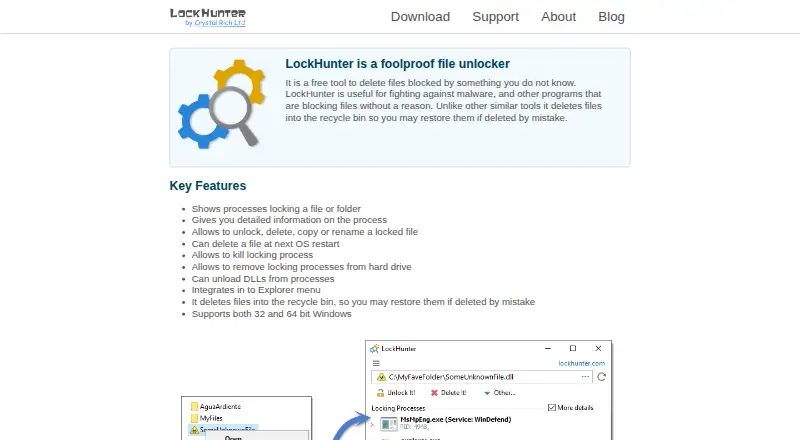
LockHunter is a Windows utility for handling files and folders held open by other processes. It identifies the applications locking a selected item, shows detailed information about those processes, and provides actions including unlocking, deleting, copying, and renaming. It is aimed at Windows users troubleshooting blocked file operations rather than managing files across a broader workspace. The software supports 32-bit and 64-bit Windows editions and has been available since 2007.
Its strongest fit is a Windows workflow that needs more visibility than a standard error message provides. LockHunter can terminate applications launched from a selected path, unload DLLs from processes, and schedule a file for deletion during the next operating-system restart. Deleted files can be sent to the Recycle Bin. Integration with the Windows Explorer context menu keeps the utility close to the file or folder being investigated, while command-line support enables unlocking, deletion, termination, and silent operation.
The published offering is free for personal use, and a portable version can run from an external or cloud drive. That makes the utility suitable for troubleshooting on more than one Windows installation without requiring a conventional installation. Its scope remains deliberately narrow: LockHunter addresses locked files and related process actions, not general-purpose file organization or broader file management. Choose it when the main problem is identifying or removing a process lock; choose a general file manager when you need wider file-browsing and organization features.
Your product? Our editors can test LockHunter in depth and publish a review, labelled as paid · from $149/mo →
LockHunter pricing
LockHunter fact sheet
| Free plan | Yes |
|---|---|
| Paid from | Free |
| Supported platforms | windows |
| Dual-pane view | Not verified |
| Tabbed interface | Not verified |
| Batch rename | Not verified |
| Archive support | Not verified |
| Cloud storage access | Not verified |
| Portable version | Yes |
| Deployment | Desktop |
| Platforms | Windows |
| Support | Email, Docs |
| Built for | Solo, Small business (editorial estimate) |
| Pricing | Free plan |
| Website | lockhunter.com |
| Facts checked | 22 Sep 2026 |
Alternatives to LockHunter
- Total CommanderA feature-rich file manager for Windows users who want power beyond Explorer.9.3
- DolphinA capable free file manager, especially for Linux and KDE-oriented desktops.9.1
- WinSCPA capable Windows file manager for secure transfers, automation, and synchronization.9.0



See all LockHunter alternatives →
Used LockHunter? Be the first to review it
The editor score above is our own research. What this page doesn't have yet is a reader's view — what you used LockHunter for, what worked and what didn't. No stars are seeded and no review is paid for; an editor reads every one before it appears.
Write a reviewTwo minutes · verified accounts only · read by an editor before it appears
Featured on iTechGuides

LockHunter is listed in our File Manager Software directory. Add the badge to your site — it links back to this page.
<a href="https://www.itechguides.com/products/lockhunter/"><img src="https://www.itechguides.com/best/badge/lockhunter.svg" alt="Featured on iTechGuides" width="230" height="46"></a>
Reviewed by iTechGuides Editors · Editorial team · Updated Oct 2026
Advertiser disclosure: iTechGuides is reader-supported. Vendors can pay for top positions in our rankings and for a place on other products' pages, and we may earn a commission when you click some links. Bought places stand at the number bought; this page and our disclosure say so. Paying vendors may get a fuller, more detailed review from our editors, and that review can change their score. How we rank.
Last updated · How we research and update