Local AI Culling
Local AI Culling: A privacy-focused local culling tool with strong automated analysis and limited workflow integration. Ranked #16 of 29 in AI Photo Culling Software by our editors (6.0/10); pricing: Free plan; best for privacy-focused users wanting free local automation.
At a glance
- Editor score6.0 / 10
- PricingFree plan
- Best forPrivacy-focused users wanting free local automation
- Free planYes
- Paid fromNone
- AI quality scoringYes
- Facts checked20 Sep 2026
Where it wins
- Local processing across Windows, macOS, and Linux
- Analyzes duplicates, bursts, quality, faces, eyes, and scenes
- Hardlink export organizes results without modifying originals
Where it doesn't
- No Lightroom catalog editing or Classic plugin integration
- No XMP sidecar generation
- Workflow is centered on folders rather than integrations
Our verdict on Local AI Culling
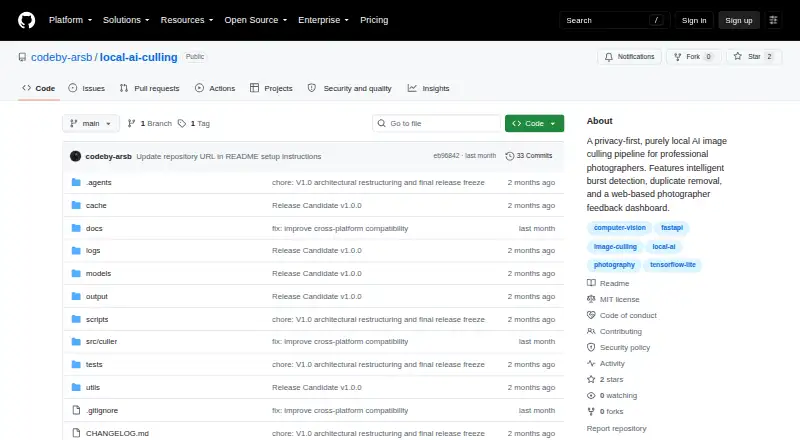
Local AI Culling is an open-source, offline photo-culling application for professional photographers who want automated analysis without sending image collections through cloud services. It processes collections locally across Windows, macOS, and Linux, identifying duplicates through visual similarity analysis and grouping burst sequences. Its AI classification places images into KEEP, REVIEW, and REJECT folders, giving photographers a direct way to separate likely selects, images needing review, and rejects.
Its strongest area is the breadth of local image analysis. The application evaluates blur, focus, noise, composition, and editability, while also analyzing faces, eye state, expressions, scenes, and subjects. Burst detection includes best-frame ranking, and duplicate detection helps reduce repeated images before further review. A local browser-based feedback dashboard provides a way to inspect results, while hardlink-based export organizes folders without modifying the original files. The project is distributed under the MIT License, which fits users who value open-source software and local control.
The main trade-off is workflow depth. Lightroom catalog editing, XMP sidecar generation, and Lightroom Classic plugin integration are not supported, so photographers who depend on Lightroom-centered organization may need additional manual steps after culling. The folder-based approach is better suited to users who are comfortable reviewing classified directories and managing the next stage of their workflow separately. Choose Local AI Culling for privacy-focused, free local automation across major desktop operating systems; choose an alternative if direct Lightroom integration or broader ecosystem connectivity is essential.
Local AI Culling pricing
Local AI Culling fact sheet
| Free plan | Yes |
|---|---|
| Paid from | None |
| AI quality scoring | Yes |
| Subject detection | Yes |
| Duplicate detection | Yes |
| RAW photo support | Yes |
| Blur detection | Yes |
| Closed-eye detection | Yes |
| Lightroom export | No |
| Deployment | Self-hosted, Browser extension |
| Platforms | Windows, macOS, Linux |
| Support | Docs, Community |
| Built for | Solo, Small business (editorial estimate) |
| Pricing | Free plan |
| Website | github.com |
| Facts checked | 20 Sep 2026 |
Alternatives to Local AI Culling
- AftershootAn all-in-one desktop workflow for high-volume photo post-production.9.0
- FacetA free, open-source culling engine with broad AI analysis and local deployment.8.2
- OptyxA budget-friendly Lightroom companion for AI-assisted photo selection.7.9


See all Local AI Culling alternatives →
Used Local AI Culling? Be the first to review it
The editor score above is our own research. What this page doesn't have yet is a reader's view — what you used Local AI Culling for, what worked and what didn't. No stars are seeded and no review is paid for; an editor reads every one before it appears.
Write a reviewTwo minutes · verified accounts only · read by an editor before it appears
Featured on iTechGuides

Local AI Culling is listed in our AI Photo Culling Software directory. Add the badge to your site — it links back to this page.
<a href="https://www.itechguides.com/products/local-ai-culling/"><img src="https://www.itechguides.com/best/badge/local-ai-culling.svg" alt="Featured on iTechGuides" width="230" height="46"></a>
Reviewed by iTechGuides Editors · Editorial team · Updated Sep 2026
Advertiser disclosure: iTechGuides is reader-supported. We may earn a commission when you click some links. How we rank.
Last updated · How we research and update