LabVIEW
LabVIEW: A specialized graphical IDE for engineering, hardware connectivity, testing, and data analysis. Ranked #14 of 65 in Integrated Development Environments by our editors (8.1/10); pricing: Free plan · 7-day trial; best for engineering and hardware-connected development.
At a glance
- Editor score8.1 / 10
- PricingFree plan · 7-day trial
- Best forEngineering and hardware-connected development
- Free planYes
- Founded1976 · Austin, Texas, United States
- Facts checked21 Sep 2026
Where it wins
- Connects NI and third-party hardware for test and measurement workflows
- Includes debugging, unit testing, validation, and application build tools
- Integrates with Python, C/C++, .NET, MATLAB, databases, and Microsoft Office
Where it doesn't
- Commercial macOS Full and Professional editions ended with LabVIEW 2023 Q3
- Community Edition excludes commercial and industrial use
- Advanced analysis and engineering tools require higher editions
Our verdict on LabVIEW
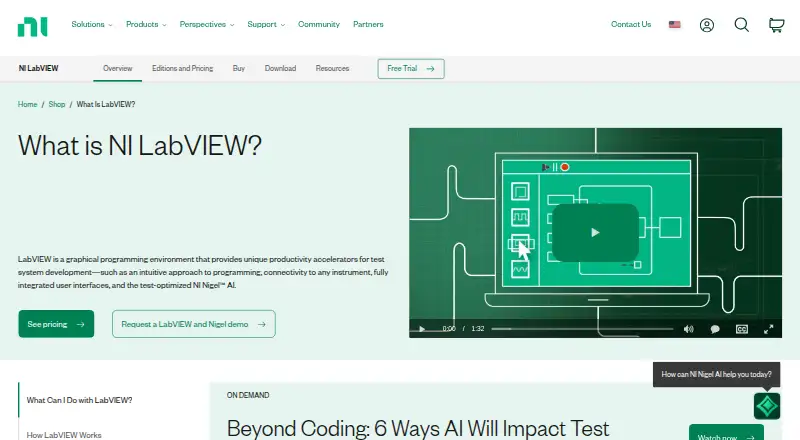
LabVIEW is a graphical programming environment for engineers building automated test, measurement, control, and data-acquisition systems. Its G programming language supports graphical application development alongside Python, C/C++, .NET, and MATLAB integration. The environment is aimed at engineering teams that need hardware connectivity, interactive interfaces, data analysis, debugging, testing, deployment, and project workflows in one desktop or cloud-capable development environment.
The edition structure separates core development from advanced engineering and software delivery features. Base includes standard data acquisition and hardware communication, interface creation, standard mathematics and statistics, and language integration. Full adds advanced analysis, signal processing, curve fitting, differential equations, linear algebra, signal generation, and control functions. Professional adds NI Nigel AI, Application Builder, software engineering tools, report generation, database connectivity, and advanced signal-processing toolkits. Each edition is also available with a perpetual development license. A free Community Edition supports qualifying personal, non-commercial, non-industrial use, while downloadable and web-based trials last 7 days; the downloadable trial may be extended up to 45 days.
LabVIEW’s main distinction is its connection between graphical development and physical systems. NI and third-party hardware support, probes, breakpoints, unit testing, functional validation, shared-library and installer building, and configuration-management workflows suit structured engineering programs. It runs on Windows, Linux, and macOS, but commercial Full and Professional macOS editions ended with LabVIEW 2023 Q3; LabVIEW 2025 Q3 macOS support is limited to Community Edition. Engineering organizations that need measurement, control, and hardware-oriented development should consider it. Teams seeking a general-purpose IDE without those requirements may prefer a narrower, conventional development environment.
Your product? Our editors can test LabVIEW in depth and publish a review, labelled as paid · from $149/mo →
LabVIEW pricing
All 3 LabVIEW plans and prices →
LabVIEW fact sheet
| Free plan | Yes |
|---|---|
| Paid from | Not verified |
| Supported operating systems | Not verified |
| Integrated debugger | Yes |
| Integrated testing tools | Yes |
| Build tools | Yes |
| Project management | Yes |
| Dev container support | Yes |
| Free trial | 7 days |
| Deployment | Desktop, Cloud |
| Platforms | Windows, Linux, macOS |
| Support | Tickets, Community, Docs |
| Built for | Mid-market, Enterprise (editorial estimate) |
| Integrations | 8 integrations: NI hardware, third-party hardware, Python, C/C++, .NET, MathWorks MATLAB … |
| Pricing | Free plan · 7-day trial (source) |
| Website | ni.com |
| Facts checked | 21 Sep 2026 |
LabVIEW integrations
LabVIEW lists 8 integrations on its own site.
- NI hardware
- third-party hardware
- Python
- C/C++
- .NET
- MathWorks MATLAB
- Microsoft Office
- databases
Alternatives to LabVIEW
- IntelliJ IDEAA full-featured, cross-platform IDE for Java and Kotlin teams.9.4
- Visual StudioA full-featured Windows IDE for .NET and C++ teams with broad tooling.9.3
- PyCharmA full-featured Python IDE with strong testing, debugging, data, and remote workflows.9.2



See all LabVIEW alternatives →
Also Ranked In
LabVIEW is ranked in 3 of our directories.
Used LabVIEW? Be the first to review it
The editor score above is our own research. What this page doesn't have yet is a reader's view — what you used LabVIEW for, what worked and what didn't. No stars are seeded and no review is paid for; an editor reads every one before it appears.
Write a reviewTwo minutes · verified accounts only · read by an editor before it appears
Featured on iTechGuides

LabVIEW is listed in our Integrated Development Environments directory. Add the badge to your site — it links back to this page.
<a href="https://www.itechguides.com/products/labview/"><img src="https://www.itechguides.com/best/badge/labview.svg" alt="Featured on iTechGuides" width="230" height="46"></a>
Reviewed by iTechGuides Editors · Editorial team · Updated Oct 2026
Advertiser disclosure: iTechGuides is reader-supported. Vendors can pay for top positions in our rankings and for a place on other products' pages, and we may earn a commission when you click some links. Bought places stand at the number bought; this page and our disclosure say so. Paying vendors may get a fuller, more detailed review from our editors, and that review can change their score. How we rank.
Last updated · How we research and update