Labelle
Labelle: A focused, free DYMO label tool with useful batch and barcode features. Ranked #34 of 35 in Barcode Labeling Software by our editors (6.0/10); pricing: Free plan; best for simple DYMO barcode printing.
At a glance
- Editor score6.0 / 10
- PricingFree plan
- Best forSimple DYMO barcode printing
- Free planYes
- Paid fromFree
- DeploymentDesktop
- Facts checked19 Sep 2026
Where it wins
- Free and open source
- Prints text, QR codes, barcodes, and images
- Live preview plus structured-input batch mode
Where it doesn't
- Printing is limited to supported DYMO devices
- Desktop software for Linux and Windows
- No documented variable-data or API features
Our verdict on Labelle
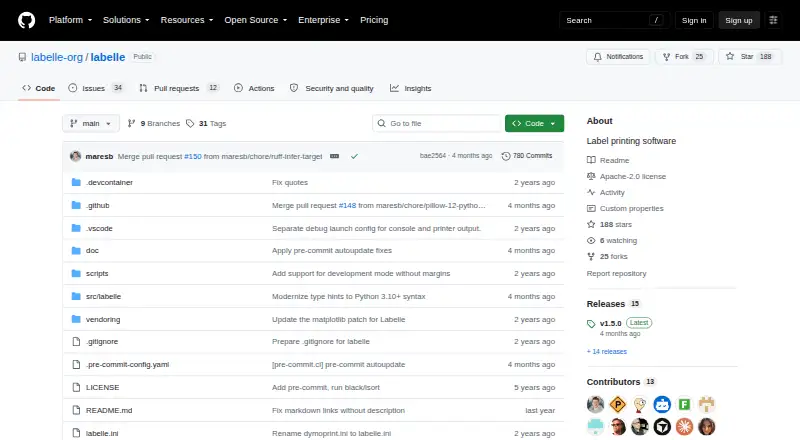
Labelle is open-source desktop software for designing and printing labels with supported DYMO label printers. It suits individuals and small teams that need straightforward text, QR code, barcode, or image printing without a commercial subscription. The PyQt6 graphical interface combines these elements on a label, while command-line tools support automated workflows. Its focus is practical rather than broad: it centers on DYMO output instead of serving as a general multi-brand labeling system.
The standout feature is the combination of visual editing and batch printing. In the graphical interface, users can preview labels live, adjust margins and type size, and arrange content through nodes. Labels can include multiple text, barcode, QR, and image blocks. Batch mode reads structured label specifications from standard input, giving technically oriented users a way to produce repeated labels without relying only on the graphical interface. Barcode types are selectable, which is useful when a workflow requires more than one barcode format.
Labelle is distributed as open-source software and includes a free plan, making its cost structure simple. It supports Linux and Windows, with Windows support documented through WinUSB, and its deployment model is desktop-based. The main trade-off is device scope: printing is tied to supported DYMO devices, so organizations needing broad printer compatibility should consider a different category fit. Labelle is a sensible choice for simple DYMO barcode printing, lightweight label composition, and command-line batch jobs. It is less suitable for teams seeking a documented API, variable-data tooling, or a wider enterprise labeling ecosystem.
Your product? Our editors can test Labelle in depth and publish a review, labelled as paid · from $149/mo →
Labelle pricing
Labelle fact sheet
| Free plan | Yes |
|---|---|
| Paid from | Free |
| Deployment | Desktop |
| Variable data | Not verified |
| Batch printing | Not verified |
| Data import | Yes |
| API access | Not verified |
| Included users | Not verified |
| Print limit | Not verified |
| Deployment | Desktop |
| Platforms | Linux, Windows |
| Pricing | Free plan |
| Website | github.com |
| Facts checked | 19 Sep 2026 |
Alternatives to Labelle
- BarcodeLabelGenA free, open-source workflow for designing, importing, and printing barcode labels.9.4
- ZPLabA free, open-source ZPL editor with validation, variable data, and batch printing.9.3
- PrintSpiritA broad labeling toolkit for teams that need APIs, databases, and remote printing.9.1

See all Labelle alternatives →
Also Ranked In
Labelle is ranked in 4 of our directories.
Used Labelle? Be the first to review it
The editor score above is our own research. What this page doesn't have yet is a reader's view — what you used Labelle for, what worked and what didn't. No stars are seeded and no review is paid for; an editor reads every one before it appears.
Write a reviewTwo minutes · verified accounts only · read by an editor before it appears
Featured on iTechGuides

Labelle is listed in our Barcode Labeling Software directory. Add the badge to your site — it links back to this page.
<a href="https://www.itechguides.com/products/labelle/"><img src="https://www.itechguides.com/best/badge/labelle.svg" alt="Featured on iTechGuides" width="230" height="46"></a>
Reviewed by iTechGuides Editors · Editorial team · Updated Oct 2026
Advertiser disclosure: iTechGuides is reader-supported. Vendors can pay for top positions in our rankings and for a place on other products' pages, and we may earn a commission when you click some links. Bought places stand at the number bought; this page and our disclosure say so. Paying vendors may get a fuller, more detailed review from our editors, and that review can change their score. How we rank.
Last updated · How we research and update