LabelForge
LabelForge: A free, open-source desktop label tool with programmable templates and multiple print paths. Ranked #11 of 35 in Barcode Labeling Software by our editors (8.2/10); pricing: Free plan; best for desktop teams needing programmable printing.
At a glance
- Editor score8.2 / 10
- PricingFree plan
- Best forDesktop teams needing programmable printing
- Free planYes
- Paid fromFree
- DeploymentDesktop
- Facts checked19 Sep 2026
Where it wins
- Visual editor with live preview and dynamic JSON templates
- CSV batch printing, scanning, and automatic print workflows
- Network, Windows, USB, REST, watch-folder, and CLI printing
Where it doesn't
- Designed for Zebra printers and centered on ZPL
- TSPL, EPL, CPCL, and EZPL support is experimental
- Desktop-focused rather than a cloud deployment
Our verdict on LabelForge
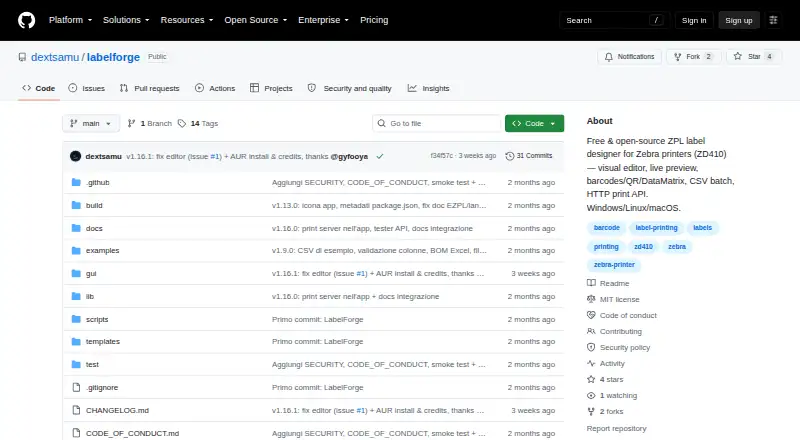
LabelForge is a free, open-source barcode and label-design application for Zebra printers. It suits desktop teams that need programmable printing alongside a visual design workflow. The drag-and-drop editor includes live preview, while templates can use JSON data with text, barcode, QR, and DataMatrix elements. Builds are available for Windows, Linux, and macOS, with an API-oriented option through its HTTP print server.
Its strongest area is workflow flexibility. CSV batch printing creates one label per row, and barcode scanning can trigger automatic printing. Teams can also send print jobs through network, Windows, or USB printer methods, use command-line printing, or place JSON job files in a watch folder. Printer calibration, print history, and reprinting add useful operational controls for recurring desktop workflows. REST endpoints extend the same print process to connected applications without requiring the editor for every job.
LabelForge is a focused choice for Zebra-oriented environments that want open-source software and several ways to automate label output. The documented hardware-tested language is ZPL, while TSPL, EPL, CPCL, and EZPL are experimental, so teams dependent on those languages should evaluate alternatives. It is also desktop-focused rather than a cloud deployment, making it better suited to local workstations, connected printers, and controlled print stations than distributed browser-based operations. Choose LabelForge when programmable templates, batch data, scanning, and multiple local print paths matter; choose another tool when broad printer-language coverage or cloud-first administration is the priority.
Your product? Our editors can test LabelForge in depth and publish a review, labelled as paid · from $149/mo →
LabelForge pricing
LabelForge fact sheet
| Free plan | Yes |
|---|---|
| Paid from | Free |
| Deployment | Desktop |
| Variable data | Yes |
| Batch printing | Yes |
| Data import | Yes |
| API access | Yes |
| Included users | Not verified |
| Print limit | Not verified |
| Deployment | Desktop |
| Platforms | Windows, Linux, macOS |
| Integrations | 3 integrations: HTTP print server, watch folder, command-line interface |
| Pricing | Free plan |
| Website | github.com |
| Facts checked | 19 Sep 2026 |
LabelForge integrations
LabelForge lists 3 integrations on its own site.
- HTTP print server
- watch folder
- command-line interface
Alternatives to LabelForge
- BarcodeLabelGenA free, open-source workflow for designing, importing, and printing barcode labels.9.4
- ZPLabA free, open-source ZPL editor with validation, variable data, and batch printing.9.3
- PrintSpiritA broad labeling toolkit for teams that need APIs, databases, and remote printing.9.1

See all LabelForge alternatives →
Also Ranked In
LabelForge is ranked in 2 of our directories.
Used LabelForge? Be the first to review it
The editor score above is our own research. What this page doesn't have yet is a reader's view — what you used LabelForge for, what worked and what didn't. No stars are seeded and no review is paid for; an editor reads every one before it appears.
Write a reviewTwo minutes · verified accounts only · read by an editor before it appears
Featured on iTechGuides

LabelForge is listed in our Barcode Labeling Software directory. Add the badge to your site — it links back to this page.
<a href="https://www.itechguides.com/products/labelforge/"><img src="https://www.itechguides.com/best/badge/labelforge.svg" alt="Featured on iTechGuides" width="230" height="46"></a>
Reviewed by iTechGuides Editors · Editorial team · Updated Oct 2026
Advertiser disclosure: iTechGuides is reader-supported. Vendors can pay for top positions in our rankings and for a place on other products' pages, and we may earn a commission when you click some links. Bought places stand at the number bought; this page and our disclosure say so. Paying vendors may get a fuller, more detailed review from our editors, and that review can change their score. How we rank.
Last updated · How we research and update