Label Toolkit
Label Toolkit: A free cloud label tool for variable-data designs, batch printing and ZPL workflows. Ranked #4 of 35 in Barcode Labeling Software by our editors (8.9/10); pricing: Free plan; best for cloud users wanting free label automation.
At a glance
- Editor score8.9 / 10
- PricingFree plan
- Best forCloud users wanting free label automation
- Free planYes
- Paid fromFree
- DeploymentCloud
- Facts checked19 Sep 2026
Where it wins
- Merges CSV or spreadsheet data into variable-data labels
- Exports designs to PDF and ZPL for Zebra printers
- Combines visual design with AI-assisted generation and a public ZPL API
Where it doesn't
- Browser-based access may not suit users seeking desktop software
- The printer integration focus is centered on Zebra printers
- Programmatic rendering is provided through a public ZPL API
Our verdict on Label Toolkit
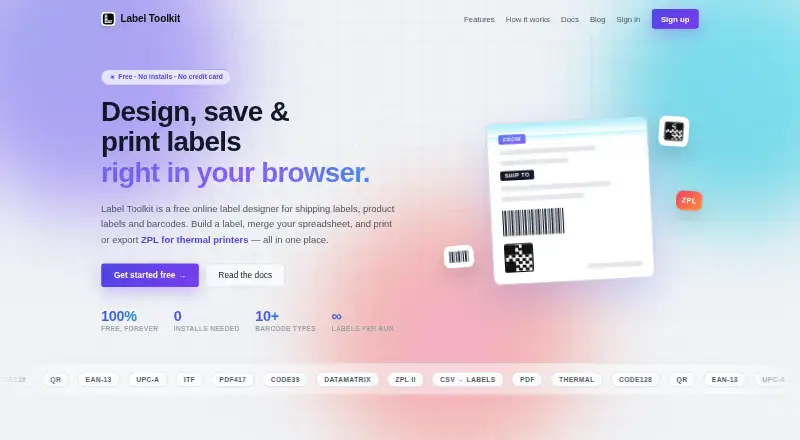
Label Toolkit is a browser-based application for designing shipping, product and barcode labels. It is aimed at users who need to create editable layouts and batch-print labels without installing desktop software. The visual drag-and-drop designer supports text, shapes, images, barcodes and QR codes, while live barcode and QR-code generation helps users work with scannable content during label creation. Its cloud deployment and web access make it suited to browser-based workflows, with API access available for programmatic use.
Its strongest capability is variable-data label production. Label Toolkit can merge CSV or spreadsheet data into designs, supporting batch labels where each output can contain changing information. Finished labels can be exported as PDF or Zebra Programming Language (ZPL), and ZPL can also be imported into editable designs. That combination gives users a path from visual layout work to printer-oriented output, while barcode previews and the public ZPL API extend the product beyond manual design. AI-assisted label generation is also part of the feature set, though the published details do not define its specific workflow.
The product is presented as free, with no paid tier required for the stated offering. Its platform fit is clearest for cloud users working with spreadsheets, PDFs, ZPL files or Zebra printers. Choose Label Toolkit when browser-based design, variable data, batch printing and ZPL workflows are the priority. Users who specifically need a desktop application, printer support beyond the listed Zebra integration, or a workflow outside web and API access should consider a different labeling tool.
Your product? Our editors can test Label Toolkit in depth and publish a review, labelled as paid · from $149/mo →
Label Toolkit pricing
Label Toolkit fact sheet
| Free plan | Yes |
|---|---|
| Paid from | Free |
| Deployment | Cloud |
| Variable data | Yes |
| Batch printing | Yes |
| Data import | Yes |
| API access | Yes |
| Included users | Not verified |
| Print limit | Not verified |
| Deployment | Cloud |
| Platforms | Web |
| Integrations | 1 integrations: Zebra printers |
| Pricing | Free plan |
| Website | labeltoolkit.com |
| Facts checked | 19 Sep 2026 |
Label Toolkit integrations
Label Toolkit lists 1 integrations on its own site.
- Zebra printers
Alternatives to Label Toolkit
- BarcodeLabelGenA free, open-source workflow for designing, importing, and printing barcode labels.9.4
- ZPLabA free, open-source ZPL editor with validation, variable data, and batch printing.9.3
- PrintSpiritA broad labeling toolkit for teams that need APIs, databases, and remote printing.9.1

See all Label Toolkit alternatives →
Label Toolkit vs the competition
- Label Toolkit vs BarcodeLabelGen
- Label Toolkit vs ZPLab
- Label Toolkit vs PrintSpirit
- Label Toolkit vs BarTender
- Label Toolkit vs Loftware NiceLabel
- Label Toolkit vs Rosistem Barcode Software



Compare Label Toolkit with any tool side by side →
Used Label Toolkit? Be the first to review it
The editor score above is our own research. What this page doesn't have yet is a reader's view — what you used Label Toolkit for, what worked and what didn't. No stars are seeded and no review is paid for; an editor reads every one before it appears.
Write a reviewTwo minutes · verified accounts only · read by an editor before it appears
Featured on iTechGuides

Label Toolkit is listed in our Barcode Labeling Software directory. Add the badge to your site — it links back to this page.
<a href="https://www.itechguides.com/products/label-toolkit/"><img src="https://www.itechguides.com/best/badge/label-toolkit.svg" alt="Featured on iTechGuides" width="230" height="46"></a>
Reviewed by iTechGuides Editors · Editorial team · Updated Oct 2026
Advertiser disclosure: iTechGuides is reader-supported. Vendors can pay for top positions in our rankings and for a place on other products' pages, and we may earn a commission when you click some links. Bought places stand at the number bought; this page and our disclosure say so. Paying vendors may get a fuller, more detailed review from our editors, and that review can change their score. How we rank.
Last updated · How we research and update