Kupfer
Kupfer: A free, open-source Linux launcher with search, scripts, accelerators, and plugins. Ranked #16 of 40 in App Launcher Software by our editors (7.6/10); pricing: Free plan; best for linux users wanting a keyboard-first launcher.
At a glance
- Editor score7.6 / 10
- PricingFree plan
- Best forLinux users wanting a keyboard-first launcher
- Free planYes
- Paid fromNone
- Supported platformsLinux
- Facts checked22 Sep 2026
Where it wins
- Searches applications, documents, files, folders, and cataloged objects
- Supports scripts, saved command lines, and actions on multiple objects
- Extends through plugins, Python modules, and external application integrations
Where it doesn't
- Available for Linux rather than multiple desktop platforms
- Plugin-based extensions may require Python modules or packages
- Integration scope depends on available plugins and external applications
Our verdict on Kupfer
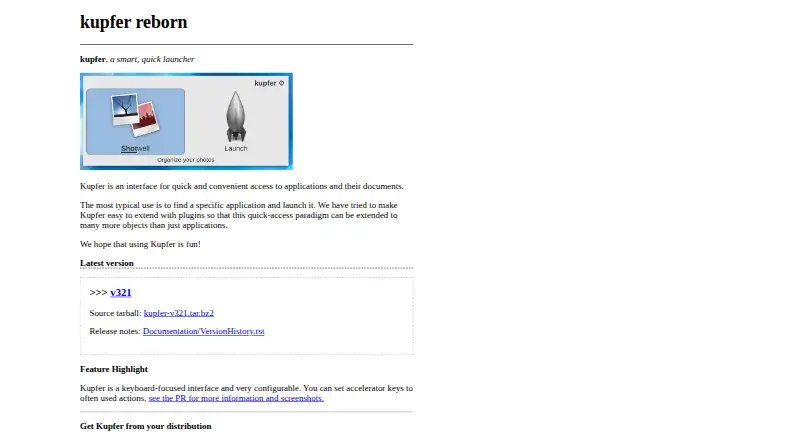
Kupfer is a free, GPL-licensed, open-source desktop launcher for Linux users who prefer keyboard-driven workflows. It searches applications, documents, files, folders, and other cataloged objects, then supports actions such as opening items, running commands, and working with multiple selected objects. Configurable keyboard accelerators and command-line interaction add control for users who want to focus the launcher or send files and text to it without relying on mouse navigation.
Its standout strength is the combination of launcher search and lightweight workflow support. Users can run executable scripts from catalog directories, save command lines as favorites or runnable command objects, and apply actions to multiple objects. Catalog search covers files, folders, applications, and documents, while plugins extend the launcher through external application integrations. Custom plugins can be installed from Python modules or packages, giving technically inclined Linux users a path to tailor Kupfer around their own tools and routines.
Kupfer is a strong fit for Linux users who want a keyboard-first application launcher with document search, accelerators, scripts, and extensibility in one desktop utility. The tradeoff is platform scope: it is Linux-only, so it does not suit teams seeking one launcher across different desktop operating systems. Its integration model is plugin-based, and customization may involve Python modules or packages. Choose Kupfer for local, keyboard-centered navigation and command execution; consider another launcher when cross-platform availability or a predefined integration ecosystem matters more than open-source extensibility.
Your product? Our editors can test Kupfer in depth and publish a review, labelled as paid · from $99/mo →
Kupfer pricing
Kupfer fact sheet
| Free plan | Yes |
|---|---|
| Paid from | None |
| Supported platforms | Linux |
| File search | Yes |
| Command launching | Yes |
| Workflow support | Yes |
| Plugin support | Yes |
| Cloud sync | Not verified |
| Shortcut limit | Not verified |
| Deployment | Desktop |
| Platforms | Linux |
| Support | Docs, Community |
| Built for | Solo, Small business (editorial estimate) |
| Pricing | Free plan |
| Website | kupferlauncher.github.io |
| Facts checked | 22 Sep 2026 |
Alternatives to Kupfer
- RaycastRaycast combines app and file search with commands, extensions, and optional AI.9.4
- WoxWox combines app launching, search, commands, plugins, and cloud sync in an open-source launcher.9.2
- AlfredA capable Mac launcher whose Powerpack adds automation and productivity tools.8.9



Used Kupfer? Be the first to review it
The editor score above is our own research. What this page doesn't have yet is a reader's view — what you used Kupfer for, what worked and what didn't. No stars are seeded and no review is paid for; an editor reads every one before it appears.
Write a reviewTwo minutes · verified accounts only · read by an editor before it appears
Featured on iTechGuides

Kupfer is listed in our App Launcher Software directory. Add the badge to your site — it links back to this page.
<a href="https://www.itechguides.com/products/kupfer/"><img src="https://www.itechguides.com/best/badge/kupfer.svg" alt="Featured on iTechGuides" width="230" height="46"></a>
Reviewed by iTechGuides Editors · Editorial team · Updated Oct 2026
Advertiser disclosure: iTechGuides is reader-supported. Vendors can pay for top positions in our rankings and for a place on other products' pages, and we may earn a commission when you click some links. How we rank.
Last updated · How we research and update