
Kunkun
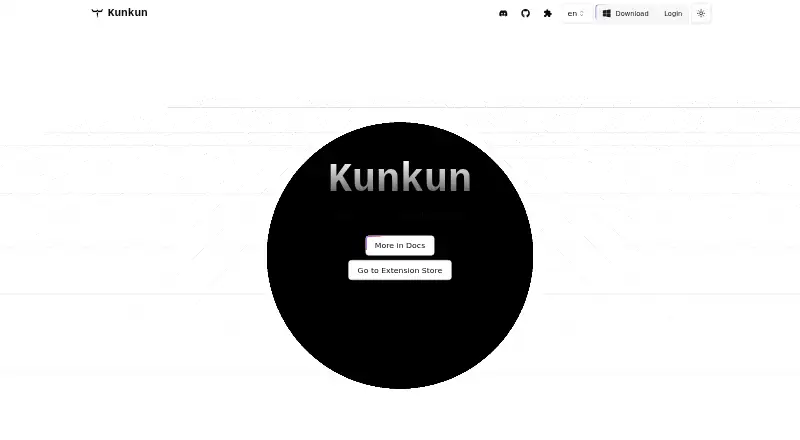
Kunkun: A cross-platform launcher built for developers who want to create or install JavaScript extensions. Ranked #36 of 40 in App Launcher Software by our editors (5.5/10); pricing: Open source; best for developers building extensions across desktop platforms.
At a glance
- Editor score5.5 / 10
- PricingOpen source
- Best forDevelopers building extensions across desktop platforms
- Paid fromFree
- Supported platformsCross-platform
- Facts checked19 Sep 2026
Where it wins
- Runs on macOS, Windows, and Linux
- Supports template UI, headless, and custom UI commands
- Extensions can come from its store, GitHub, npm, or tarballs
Where it doesn't
- Custom commands require JavaScript extension development
- Shell execution requires declared extension permissions
- Workflows depend on available extensions or building your own
Our verdict on Kunkun
Kunkun is an open-source application launcher for macOS, Windows, and Linux, aimed at people who want to extend a launcher with JavaScript rather than rely only on built-in commands. Developers can create extensions with template UI, headless, or custom UI commands, while people who prefer installing existing tools can discover them in an extension store. This cross-platform approach makes Kunkun a fit for extension developers working across desktop operating systems, as well as users comfortable choosing or creating extensions for their workflows.
Its extension model is the main point of distinction. Extensions can be installed from the store or from GitHub, npm, and tarball files. Documented APIs cover opening files and folders, file-system access, and opening URLs, alongside controlled shell-command and script execution. Permission declarations define extension capabilities, including access relevant to shell commands. That gives developers a way to describe what an extension can do, but it also means users should consider those declared capabilities when choosing extensions. The launcher’s flexibility is tied to its extension ecosystem and JavaScript development, rather than a promise that every workflow is available out of the box.
Kunkun makes sense for developers who want to build, share, or install launcher extensions across macOS, Windows, and Linux, especially when custom commands or UI matter. It is less suitable for someone seeking a launcher whose value depends on a broad set of built-in tools without extension work. The documented file-search scenario is an extension use case, while shell and file operations are exposed through APIs for extensions. Buyers should therefore evaluate the extensions they plan to use—or be ready to create one—before choosing it as the center of their launcher workflow.
Your product? Our editors can test Kunkun in depth and publish a review, labelled as paid · from $149/mo →
Kunkun pricing
Kunkun fact sheet
| Free plan | Not verified |
|---|---|
| Paid from | Free |
| Supported platforms | Cross-platform |
| File search | Not verified |
| Command launching | Yes |
| Workflow support | Not verified |
| Plugin support | Yes |
| Cloud sync | Not verified |
| Shortcut limit | Not verified |
| Deployment | Desktop |
| Platforms | macOS, Windows, Linux |
| Pricing | Open source |
| Website | kunkun.sh |
| Facts checked | 19 Sep 2026 |
Alternatives to Kunkun
- RaycastRaycast combines app and file search with commands, extensions, and optional AI.9.4
- WoxWox combines app launching, search, commands, plugins, and cloud sync in an open-source launcher.9.2
- AlfredA capable Mac launcher whose Powerpack adds automation and productivity tools.8.9



Used Kunkun? Be the first to review it
The editor score above is our own research. What this page doesn't have yet is a reader's view — what you used Kunkun for, what worked and what didn't. No stars are seeded and no review is paid for; an editor reads every one before it appears.
Write a reviewTwo minutes · verified accounts only · read by an editor before it appears
Featured on iTechGuides

Kunkun is listed in our App Launcher Software directory. Add the badge to your site — it links back to this page.
<a href="https://www.itechguides.com/products/kunkun/"><img src="https://www.itechguides.com/best/badge/kunkun.svg" alt="Featured on iTechGuides" width="230" height="46"></a>
Reviewed by iTechGuides Editors · Editorial team · Updated Oct 2026
Advertiser disclosure: iTechGuides is reader-supported. Vendors can pay for top positions in our rankings and for a place on other products' pages, and we may earn a commission when you click some links. Bought places stand at the number bought; this page and our disclosure say so. Paying vendors may get a fuller, more detailed review from our editors, and that review can change their score. How we rank.
Last updated · How we research and update