
KNULLI
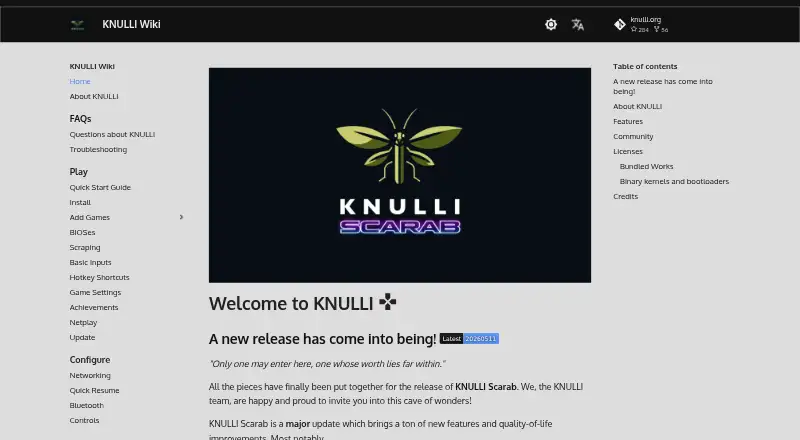
KNULLI: A focused handheld frontend with broad emulator, metadata, collection, and synchronization features. Ranked #10 of 25 in Emulation Frontends by our editors (8.3/10); pricing: Open source; best for supported Linux handheld devices.
At a glance
- Editor score8.3 / 10
- PricingOpen source
- Best forSupported Linux handheld devices
- Paid fromFree
- Supported platformsAnbernic RG series, GoRetroid Pocket 5/Mini, Miyoo Flip, Powkiddy RGB30/X55, Orange Pi Zero 2w, TrimUI Brick/Smart Pro
- Facts checked22 Sep 2026
Where it wins
- Supports RetroArch, multiple cores, standalone emulators, and PortMaster
- Scrapes metadata and media from three databases
- Adds collections, netplay, RetroAchievements, and Syncthing sync
Where it doesn't
- Device-specific installation requires flashing an image to storage
- Hardware support is limited to selected handhelds and boards
- Syncthing sync is local or NAS-based, not cloud-based
Our verdict on KNULLI
KNULLI is open-source custom firmware and an EmulationStation frontend for supported retro-gaming handhelds and bartops. It combines RetroArch with multiple libretro cores, standalone emulators, ports through PortMaster, game-library organization, controller navigation, themes, and bezel decorations. The supported hardware list includes Anbernic RG series, GoRetroid Pocket 5 and Mini, Miyoo Flip, Powkiddy RGB30 and X55, Orange Pi Zero 2w, and TrimUI Brick and Smart Pro. It is intended for users who want a device-focused emulation environment rather than a conventional desktop or hosted application.
Setup is tied to the target hardware. Installation uses a device-specific image flashed to an SD card or internal storage, while games can be added through SMB, USB, or SD-card methods. Once configured, KNULLI supports USB and Bluetooth controllers, dynamic and custom collections, and metadata and media scraping from ScreenScraper, TheGamesDB, and ArcadeDB. This makes it suitable for organizing libraries across supported devices, but the device-specific firmware model means hardware compatibility should guide the purchase decision before installation.
KNULLI’s feature set extends beyond basic emulator launching. Netplay and RetroAchievements add connected play and achievement support, while Syncthing can synchronize save games through a local network or NAS. The synchronization approach is explicitly not cloud-based, and the platform specification lists cloud sync as false. Choose KNULLI if you own compatible Linux handheld hardware and want an open-source frontend with multiple emulator paths, scraping, collections, and local save synchronization. Choose an alternative if you need broad desktop support, hosted access, or cloud-based synchronization.
Your product? Our editors can test KNULLI in depth and publish a review, labelled as paid · from $149/mo →
KNULLI pricing
KNULLI fact sheet
| Free plan | Not verified |
|---|---|
| Paid from | Free |
| Supported platforms | Anbernic RG series, GoRetroid Pocket 5/Mini, Miyoo Flip, Powkiddy RGB30/X55, Orange Pi Zero 2w, TrimUI Brick/Smart Pro |
| Emulators included | Yes |
| Library import | Yes |
| Metadata scraping | Yes |
| Controller navigation | Yes |
| Portable mode | Yes |
| Cloud sync | No |
| Deployment | Self-hosted |
| Platforms | Linux |
| Support | Community, Docs |
| Built for | Solo, Small business (editorial estimate) |
| Integrations | 6 integrations: Syncthing, ScreenScraper, TheGamesDB, ArcadeDB, RetroAchievements, PortMaster |
| Pricing | Open source |
| Website | knulli.org |
| Facts checked | 22 Sep 2026 |
KNULLI integrations
KNULLI lists 6 integrations on its own site.
- Syncthing
- ScreenScraper
- TheGamesDB
- ArcadeDB
- RetroAchievements
- PortMaster
Alternatives to KNULLI
- ES-DE FrontendA capable free desktop frontend for organizing and launching broad game collections.9.3
- LaunchBoxA flexible storefront and emulator library with free core features and one-time premium licenses.9.2
- RetroArchA broad, free frontend for organizing and running emulation across desktop, mobile, and web.9.1


Used KNULLI? Be the first to review it
The editor score above is our own research. What this page doesn't have yet is a reader's view — what you used KNULLI for, what worked and what didn't. No stars are seeded and no review is paid for; an editor reads every one before it appears.
Write a reviewTwo minutes · verified accounts only · read by an editor before it appears
Featured on iTechGuides

KNULLI is listed in our Emulation Frontends directory. Add the badge to your site — it links back to this page.
<a href="https://www.itechguides.com/products/knulli/"><img src="https://www.itechguides.com/best/badge/knulli.svg" alt="Featured on iTechGuides" width="230" height="46"></a>
Reviewed by iTechGuides Editors · Editorial team · Updated Oct 2026
Advertiser disclosure: iTechGuides is reader-supported. Vendors can pay for top positions in our rankings and for a place on other products' pages, and we may earn a commission when you click some links. Bought places stand at the number bought; this page and our disclosure say so. Paying vendors may get a fuller, more detailed review from our editors, and that review can change their score. How we rank.
Last updated · How we research and update