
Keysticks
Keysticks: A capable free mapper for Windows users who want controller-driven desktop control. Ranked #28 of 29 in Controller Mapping Software by our editors (6.4/10); pricing: Free plan; best for free Windows users mapping controllers to desktop tasks.
At a glance
- Editor score6.4 / 10
- PricingFree plan
- Best forFree Windows users mapping controllers to desktop tasks
- Free planYes
- Paid fromFree
- Per-app profilesYes
- Facts checked20 Sep 2026
Where it wins
- Free and open source
- Per-application control sets with automatic activation
- Maps XInput and DirectInput devices to keyboard and mouse actions
Where it doesn't
- Windows-only availability
- Narrower feature breadth than general-purpose mapping tools
- Custom layouts may require work in the Profile Designer
Our verdict on Keysticks
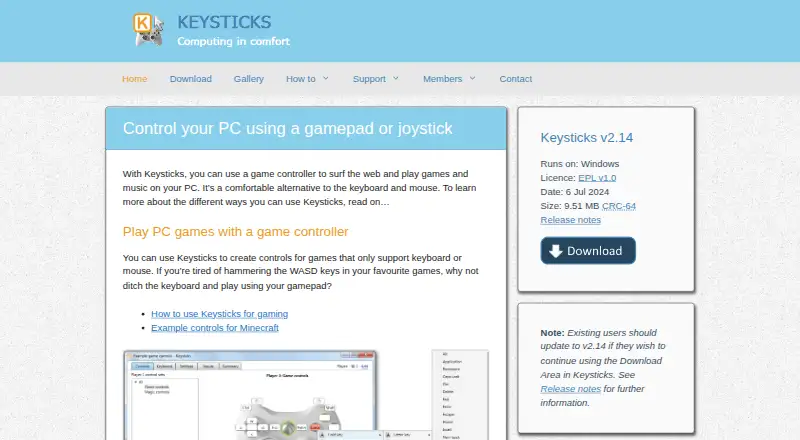
Keysticks is free, open-source Windows software for turning gamepads and joysticks into controls for desktop tasks. It supports keyboard and mouse mapping, media-player controls, PowerPoint presentations, gaming, wireless PC control, and more comfortable computer use. Its ready-made profiles, Profile Designer, and support for both XInput and DirectInput controllers make it a practical fit for Windows users who want to operate applications from a controller rather than a traditional keyboard and mouse.
Its strongest distinction is application-aware profile management. Profiles can contain separate control sets for different applications, players, and controllers, with automatic activation rules for specific windows. The profile browser and profile switching tools support changing layouts as tasks change. Keysticks also includes an on-screen virtual keyboard with word prediction, extending its use beyond simple button-to-key remapping.
The product has a focused scope rather than the breadth of higher-ranked general-purpose controller mapping tools. Windows-only availability narrows its platform fit, while users seeking a wider ecosystem or broader feature coverage may prefer another option. Keysticks is a strong choice for people who value free, open-source software and need tailored controller profiles for desktop applications, presentations, media playback, or keyboard and mouse input. It is less suitable for users who need support beyond Windows or want a broader general-purpose toolset.
Your product? Our editors can test Keysticks in depth and publish a review, labelled as paid · from $149/mo →
Keysticks pricing
Keysticks fact sheet
| Free plan | Yes |
|---|---|
| Paid from | Free |
| Supported platforms | Windows |
| Per-app profiles | Yes |
| Profile switching | Yes |
| Macro support | Not verified |
| Keyboard and mouse remap | Yes |
| Virtual controller output | Not verified |
| Simultaneous devices | Not verified |
| Deployment | Desktop |
| Platforms | Windows |
| Support | Docs |
| Built for | Solo, Small business (editorial estimate) |
| Pricing | Free plan |
| Website | keysticks.net |
| Facts checked | 20 Sep 2026 |
Alternatives to Keysticks
- Steam InputA free, flexible mapping system for Steam players across Windows, macOS, and Linux.9.4
- JoyShockMapperA powerful free mapper for players who want advanced gyro and layered controller configurations.9.2
- DS4WindowsA capable free mapper for Windows users who need profiles, emulation, and advanced input controls.9.0

See all Keysticks alternatives →
Used Keysticks? Be the first to review it
The editor score above is our own research. What this page doesn't have yet is a reader's view — what you used Keysticks for, what worked and what didn't. No stars are seeded and no review is paid for; an editor reads every one before it appears.
Write a reviewTwo minutes · verified accounts only · read by an editor before it appears
Featured on iTechGuides

Keysticks is listed in our Controller Mapping Software directory. Add the badge to your site — it links back to this page.
<a href="https://www.itechguides.com/products/keysticks/"><img src="https://www.itechguides.com/best/badge/keysticks.svg" alt="Featured on iTechGuides" width="230" height="46"></a>
Reviewed by iTechGuides Editors · Editorial team · Updated Oct 2026
Advertiser disclosure: iTechGuides is reader-supported. Vendors can pay for top positions in our rankings and for a place on other products' pages, and we may earn a commission when you click some links. Bought places stand at the number bought; this page and our disclosure say so. Paying vendors may get a fuller, more detailed review from our editors, and that review can change their score. How we rank.
Last updated · How we research and update