KCleaner
KCleaner: A focused free Windows cleaner with useful deletion controls and a dated release. Ranked #72 of 97 in PC Optimization Software by our editors (3.0/10); pricing: Free plan; best for free users wanting simple automatic cleanup.
At a glance
- Editor score3.0 / 10
- PricingFree plan
- Best forFree users wanting simple automatic cleanup
- Free planYes
- Paid fromFree
- Junk cleanupYes
- Facts checked22 Sep 2026
Where it wins
- Cleans temporary files, caches, and unused setup files
- Automatic background mode supports recurring cleanup
- Expert controls and secure deletion methods add control
Where it doesn't
- Windows-only desktop utility
- Does not provide verified startup or driver tools
- Official download lists version 1.2.1.39 from May 31, 2012
Our verdict on KCleaner
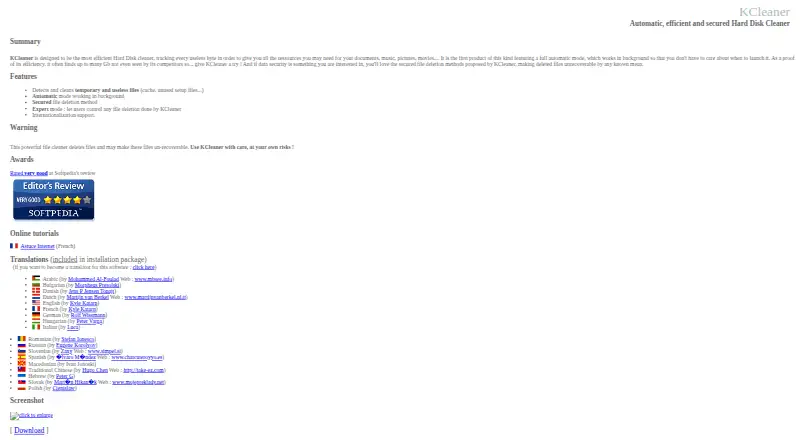
KCleaner is a free Windows desktop utility for removing temporary and unnecessary files. It scans areas such as caches and unused setup files, then removes selected items to help free disk space. Its audience is straightforward: Windows users who want automatic cleanup without a paid plan, especially those who prefer more control than a single one-click deletion option provides.
The free plan includes temporary and unnecessary file cleanup, automatic background mode, secure file-deletion methods, and expert deletion controls. KCleaner also supports cache cleanup, unused setup-file cleanup, and internationalization. The expert mode is the standout feature for users who want to control what gets deleted, while secure deletion methods are intended to make deleted data difficult to recover. The vendor warns that deleted files may be unrecoverable, so the product suits deliberate cleanup rather than casual experimentation.
KCleaner's focus is narrow and clear: file cleanup on Windows. It does not cover verified startup management, driver tools, scheduling, restore points, or broader platform support. The official download page lists version 1.2.1.39, dated May 31, 2012, which makes the release date an important consideration for anyone evaluating a current Windows maintenance utility. Pick KCleaner for free automatic junk cleanup with expert deletion controls; choose a broader alternative if startup, driver, scheduling, restore, or cross-platform capabilities matter.
Your product? Our editors can test KCleaner in depth and publish a review, labelled as paid · from $149/mo →
KCleaner pricing
All 1 KCleaner plans and prices →
KCleaner fact sheet
| Free plan | Yes |
|---|---|
| Paid from | Free |
| Junk cleanup | Yes |
| Startup manager | Not verified |
| Driver updates | Not verified |
| Scheduled maintenance | Not verified |
| Windows support | Not verified |
| Device limit | Not verified |
| Restore-point tools | Not verified |
| Deployment | Desktop |
| Platforms | Windows |
| Support | Docs |
| Built for | Solo, Small business (editorial estimate) |
| Pricing | Free plan (source) |
| Website | kcsoftwares.com |
| Facts checked | 22 Sep 2026 |
Alternatives to KCleaner
- Microsoft PC ManagerA broad free toolkit for routine Windows cleanup, health checks, and maintenance.9.4
- CCleanerA mature PC cleaner with broad maintenance tools and a useful free plan.9.3
- Advanced SystemCareA broad Windows optimizer with a capable free plan and one-device scope.9.2


See all KCleaner alternatives →
Used KCleaner? Be the first to review it
The editor score above is our own research. What this page doesn't have yet is a reader's view — what you used KCleaner for, what worked and what didn't. No stars are seeded and no review is paid for; an editor reads every one before it appears.
Write a reviewTwo minutes · verified accounts only · read by an editor before it appears
Featured on iTechGuides

KCleaner is listed in our PC Optimization Software directory. Add the badge to your site — it links back to this page.
<a href="https://www.itechguides.com/products/kcleaner/"><img src="https://www.itechguides.com/best/badge/kcleaner.svg" alt="Featured on iTechGuides" width="230" height="46"></a>
Reviewed by iTechGuides Editors · Editorial team · Updated Oct 2026
Advertiser disclosure: iTechGuides is reader-supported. Vendors can pay for top positions in our rankings and for a place on other products' pages, and we may earn a commission when you click some links. Bought places stand at the number bought; this page and our disclosure say so. Paying vendors may get a fuller, more detailed review from our editors, and that review can change their score. How we rank.
Last updated · How we research and update