JSHint
JSHint: A configurable JavaScript linter with web, CLI, API, and editor support. Ranked #27 of 33 in Linters by our editors (6.5/10); pricing: Open source; best for javaScript teams needing basic configurable analysis.
At a glance
- Editor score6.5 / 10
- PricingOpen source
- Best forJavaScript teams needing basic configurable analysis
- Paid fromFree
- CI supportYes
- Facts checked22 Sep 2026
Where it wins
- Supports web, CLI, and JavaScript API workflows
- Configures checks through .jshintrc, package.json, and directives
- Works with VIM, Emacs, Sublime Text, and Eclipse IDE
Where it doesn't
- Focuses on JavaScript rather than multiple languages
- No verified autofix capability
- Does not provide custom rules
Our verdict on JSHint
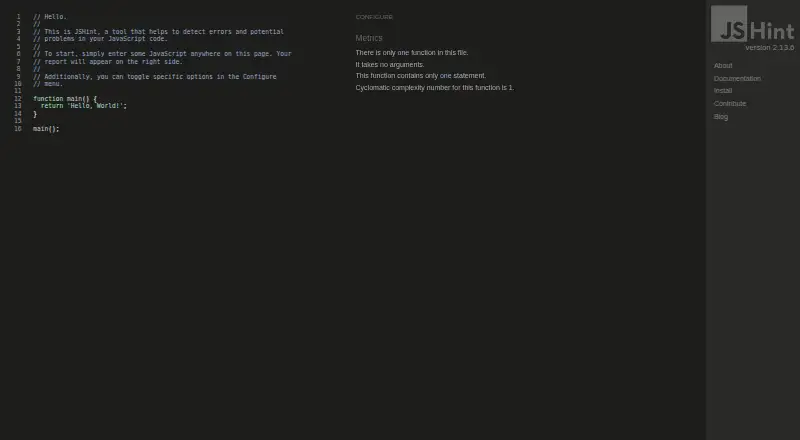
JSHint is an open-source static analysis tool for JavaScript. It scans source code for syntax errors, potential bugs, suspicious usage, and code-quality issues. JavaScript teams can access it through an online linting interface, a command-line program, or a JavaScript API for browser and Node.js environments. Its audience is developers who want configurable analysis across local workflows, editor environments, and automated checks without adopting a broader multi-language platform.
Configuration is a central part of JSHint’s design. Teams can define settings in .jshintrc or package.json, adjust ECMAScript version and environment options, and apply inline linting directives when individual files or sections need different treatment. Custom output reporters support different reporting formats, while JavaScript extraction from HTML files extends analysis beyond standalone source files. The published integrations cover VIM, Emacs, Sublime Text, and Eclipse IDE, giving it a practical fit for teams working in those environments. Its web, CLI, API, self-hosted, and CI support also provide several ways to place linting within a development workflow.
JSHint’s focus is narrow: JavaScript analysis rather than a wider code-quality suite. That focus can suit teams that need basic configurable checks, security rules, and syntax or problem detection without a larger platform. The tradeoff is that the product does not offer verified autofix capability or custom rules, and its integration footprint is smaller than tools designed around extensive ecosystem coverage. Choose JSHint when JavaScript-only analysis, configuration, and flexible access methods are the priority. Consider an alternative if a team needs broader language coverage, custom rule development, or established automated code correction.
Your product? Our editors can test JSHint in depth and publish a review, labelled as paid · from $149/mo →
JSHint pricing
JSHint fact sheet
| Free plan | Not verified |
|---|---|
| Paid from | Free |
| Languages supported | 1 |
| Autofix | Not verified |
| Custom rules | Not verified |
| Security rules | Yes |
| IDE support | Ide |
| CI support | Yes |
| Deployment | Cloud, Self-hosted |
| Platforms | Web |
| Support | Email, Docs |
| Built for | Solo, Small business, Mid-market, Enterprise (editorial estimate) |
| Integrations | 4 integrations: VIM, Emacs, Sublime Text, Eclipse IDE |
| Pricing | Open source |
| Website | jshint.com |
| Facts checked | 22 Sep 2026 |
JSHint integrations
JSHint lists 4 integrations on its own site.
- VIM
- Emacs
- Sublime Text
- Eclipse IDE
Alternatives to JSHint
- ESLintA free, extensible JavaScript linter with autofix, plugins, and broad developer-tool integrations.9.4
- RuffFree Python linting and formatting with more than 900 built-in rules.9.2
- ShellCheckA free, open-source linter for shell syntax, portability, robustness and security checks.9.0



Used JSHint? Be the first to review it
The editor score above is our own research. What this page doesn't have yet is a reader's view — what you used JSHint for, what worked and what didn't. No stars are seeded and no review is paid for; an editor reads every one before it appears.
Write a reviewTwo minutes · verified accounts only · read by an editor before it appears
Featured on iTechGuides

JSHint is listed in our Linters directory. Add the badge to your site — it links back to this page.
<a href="https://www.itechguides.com/products/jshint/"><img src="https://www.itechguides.com/best/badge/jshint.svg" alt="Featured on iTechGuides" width="230" height="46"></a>
Reviewed by iTechGuides Editors · Editorial team · Updated Oct 2026
Advertiser disclosure: iTechGuides is reader-supported. Vendors can pay for top positions in our rankings and for a place on other products' pages, and we may earn a commission when you click some links. Bought places stand at the number bought; this page and our disclosure say so. Paying vendors may get a fuller, more detailed review from our editors, and that review can change their score. How we rank.
Last updated · How we research and update