
jq
jq: A focused, free JSON processor for composable command-line pipelines and large streams. Ranked #14 of 29 in JSON Tools by our editors (7.8/10); pricing: Free plan; best for command-line pipelines and large JSON streams.
At a glance
- Editor score7.8 / 10
- PricingFree plan
- Best forCommand-line pipelines and large JSON streams
- Free planYes
- Paid fromFree
- Schema validationYes
- Facts checked21 Sep 2026
Where it wins
- Composable filters, pipelines, user-defined functions, and reusable modules
- Streaming and slurp modes support large or multi-value JSON inputs
- Runs on Linux, macOS, and Windows as standalone binaries
Where it doesn't
- Command-line workflow may not suit users seeking visual JSON editing
- Focused on JSON processing rather than broader data-management workflows
- Requires familiarity with filter programs and terminal-based operation
Our verdict on jq
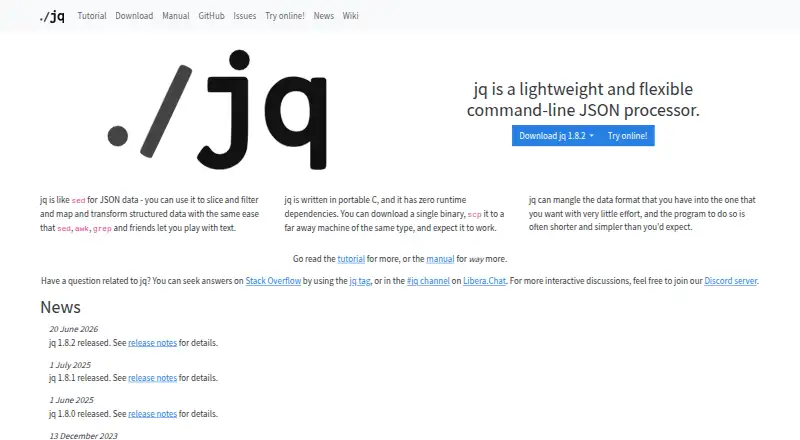
jq is a lightweight, portable command-line processor for JSON data. It reads JSON values or streams, applies composable filter programs, and writes transformed, formatted, or compact JSON output. Its feature set covers parsing, validation, pretty-printing, field and array indexing, mapping, reduction, raw input and output, command-line arguments, and JSON arguments. jq is a strong fit for developers, analysts, and automation workflows that need repeatable JSON transformations across Linux, macOS, or Windows.
The standout capability is its composable pipeline model. Filters can be combined to select fields, reshape arrays, map values, reduce inputs, and produce different output forms. Streaming processing is designed for large JSON inputs, while slurp mode treats an input stream as an array for workflows that need to process multiple values together. Raw, compact, sorted-key, colored, and ASCII output modes give command-line pipelines control over how results are emitted. User-defined functions and reusable modules also support repeatable processing beyond one-off commands.
jq is open source and free, with no hosted SaaS plan structure to manage. The published product details describe standalone binaries, a C implementation, and no runtime dependencies, which suit portable command-line deployment. Its narrow focus is also the main boundary: jq is built around terminal-based JSON processing rather than visual editing or a broader data platform. Choose it when composable filters, batch processing, validation, and stream handling matter more than a graphical interface. Users who need visual JSON work or workflows beyond JSON transformation should consider a tool designed for those needs instead.
Your product? Our editors can test jq in depth and publish a review, labelled as paid · from $149/mo →
jq pricing
jq fact sheet
| Free plan | Yes |
|---|---|
| Paid from | Free |
| Schema validation | Yes |
| JSONPath querying | Not verified |
| jq querying | Yes |
| Batch processing | Yes |
| JSON diff and compare | Not verified |
| Available platforms | linux, macos, windows |
| Deployment | Desktop |
| Platforms | Windows, macOS, Linux |
| Support | Community, Docs |
| Built for | Solo, Small business, Mid-market, Enterprise (editorial estimate) |
| Pricing | Free plan |
| Website | jqlang.org |
| Facts checked | 21 Sep 2026 |
Alternatives to jq
- BracketViewA broad JSON toolkit with querying, schemas, diffs, snapshots, and webhook testing.9.4
- JSON CrackA broad, free toolkit for visualizing, querying, validating, and converting structured data.9.2
- jsonfmt.devA broad JSON toolkit with local browser processing, API access, and a $9 one-time Pro plan.9.0



Also Ranked In
jq is ranked in 4 of our directories.
Used jq? Be the first to review it
The editor score above is our own research. What this page doesn't have yet is a reader's view — what you used jq for, what worked and what didn't. No stars are seeded and no review is paid for; an editor reads every one before it appears.
Write a reviewTwo minutes · verified accounts only · read by an editor before it appears
Featured on iTechGuides

jq is listed in our JSON Tools directory. Add the badge to your site — it links back to this page.
<a href="https://www.itechguides.com/products/jq/"><img src="https://www.itechguides.com/best/badge/jq.svg" alt="Featured on iTechGuides" width="230" height="46"></a>
Reviewed by iTechGuides Editors · Editorial team · Updated Oct 2026
Advertiser disclosure: iTechGuides is reader-supported. Vendors can pay for top positions in our rankings and for a place on other products' pages, and we may earn a commission when you click some links. Bought places stand at the number bought; this page and our disclosure say so. Paying vendors may get a fuller, more detailed review from our editors, and that review can change their score. How we rank.
Last updated · How we research and update