
JoyToKey
JoyToKey: A focused Windows remapper with profiles, macros, and application-specific switching. Ranked #13 of 29 in Controller Mapping Software by our editors (7.9/10); pricing: From $7.50; best for windows users wanting basic controller remapping.
At a glance
- Editor score7.9 / 10
- PricingFrom $7.50
- Best forWindows users wanting basic controller remapping
- Free planNo
- Paid from$7.5 one-time
- Per-app profilesYes
- Facts checked20 Sep 2026
Where it wins
- Application-specific profiles switch automatically with focused apps
- Supports multi-key sequences, aliases, and SHIFT-style assignments
- Maps controller input to keyboard, mouse movement, and clicks
Where it doesn't
- Windows only
- No free plan
- Focused on keyboard and mouse mapping, not virtual-controller output
Our verdict on JoyToKey
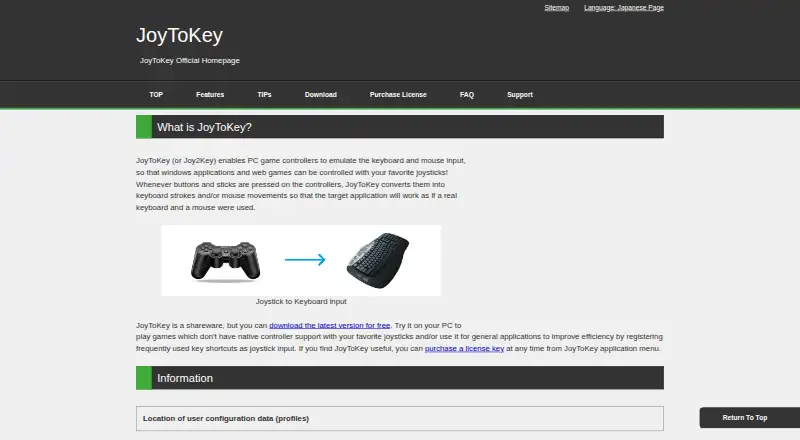
JoyToKey is a Windows desktop utility that converts controller buttons, sticks, and other inputs into keyboard strokes and mouse actions. It is designed for games without native controller support and for general Windows applications. Users can create multiple input profiles, associate them with applications, switch assignments during play, trigger multi-action sequences, and control mouse movement, wheel movement, and clicks. It suits Windows users who want established basic remapping without a broader virtual-controller layer.
The available license is JoyToKey License Key, priced at $7.50 as a one-time purchase. The license supports continued usage after the evaluation period, while the software can be downloaded and evaluated before licensing. Its feature set is practical for users who need more than simple button-to-key assignments: profiles can switch automatically for focused applications, one controller button can trigger multi-key sequences, and button aliases can combine or extend assignments. Command-line profile switching and device refresh add control for more structured setups.
JoyToKey’s main strength is focused breadth within keyboard-and-mouse remapping rather than broad platform coverage. It supports controller buttons and sticks, multiple profiles, virtual-joystick/SHIFT functionality for changing assignments, and command-line controls, but it is available only on Windows. It is a good fit for games and desktop applications that accept keyboard or mouse input. Users who need macOS support, a free plan, or virtual-controller output should choose a different type of controller-mapping tool.
Your product? Our editors can test JoyToKey in depth and publish a review, labelled as paid · from $99/mo →
JoyToKey pricing
All 1 JoyToKey plans and prices →
JoyToKey fact sheet
| Free plan | No |
|---|---|
| Paid from | $7.5 one-time |
| Supported platforms | windows |
| Per-app profiles | Yes |
| Profile switching | Yes |
| Macro support | Yes |
| Keyboard and mouse remap | Yes |
| Virtual controller output | No |
| Simultaneous devices | 50 devices |
| Deployment | Desktop |
| Platforms | Windows |
| Support | Docs |
| Built for | Solo, Small business (editorial estimate) |
| Pricing | From $7.50 (source) |
| Website | joytokey.net |
| Facts checked | 20 Sep 2026 |
Alternatives to JoyToKey
- Steam InputA free, flexible mapping system for Steam players across Windows, macOS, and Linux.9.4
- JoyShockMapperA powerful free mapper for players who want advanced gyro and layered controller configurations.9.2
- DS4WindowsA capable free mapper for Windows users who need profiles, emulation, and advanced input controls.9.0


See all JoyToKey alternatives →
Also Ranked In
JoyToKey is ranked in 3 of our directories.
Used JoyToKey? Be the first to review it
The editor score above is our own research. What this page doesn't have yet is a reader's view — what you used JoyToKey for, what worked and what didn't. No stars are seeded and no review is paid for; an editor reads every one before it appears.
Write a reviewTwo minutes · verified accounts only · read by an editor before it appears
Featured on iTechGuides

JoyToKey is listed in our Controller Mapping Software directory. Add the badge to your site — it links back to this page.
<a href="https://www.itechguides.com/products/joytokey/"><img src="https://www.itechguides.com/best/badge/joytokey.svg" alt="Featured on iTechGuides" width="230" height="46"></a>
Reviewed by iTechGuides Editors · Editorial team · Updated Oct 2026
Advertiser disclosure: iTechGuides is reader-supported. Vendors can pay for top positions in our rankings and for a place on other products' pages, and we may earn a commission when you click some links. How we rank.
Last updated · How we research and update