
Jelly
Jelly: Jelly brings Gmail and Outlook team inboxes together with assignment and collaboration tools. Ranked #12 of 30 in Shared Inbox Software by our editors (6.6/10); pricing: From $29/mo · 14-day trial; best for teams sharing Gmail and Outlook inboxes.
At a glance
- Editor score6.6 / 10
- PricingFrom $29/mo · 14-day trial
- Best forTeams sharing Gmail and Outlook inboxes
- Free planNo
- Shared mailboxes3
- Facts checked19 Sep 2026
Where it wins
- Supports shared inboxes connected to Gmail and Outlook.
- Assignments, comments, mentions, and collision warnings coordinate replies.
- Unlimited users on both monthly plans; the entry plan includes three addresses.
Where it doesn't
- Starts at $29 per month, with no permanent free plan.
- Unlimited shared addresses and integrations require the $69 plan.
- Available on the web; no dedicated mobile app is verified.
Our verdict on Jelly
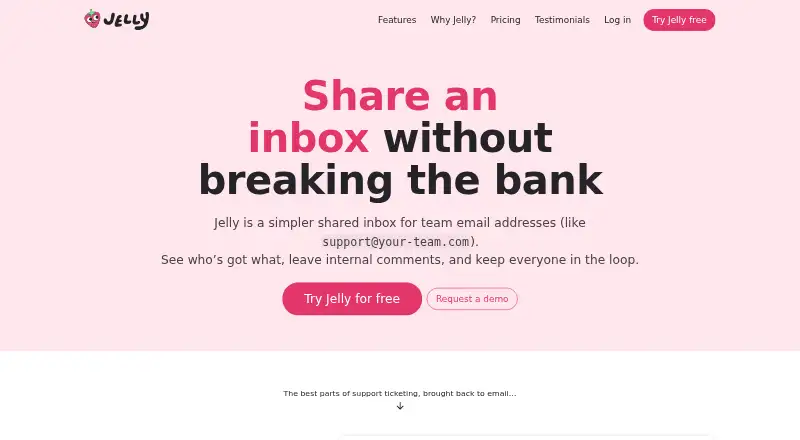
Jelly gives small teams a shared workspace for addresses such as support@ or billing@, connecting inboxes from Gmail, Outlook, or other email providers. Team members can assign conversations, add internal comments and @mentions, and see when colleagues are present or drafting. Collision warnings help flag simultaneous replies. It is aimed at teams that need shared responsibility for incoming email rather than individual inboxes, especially those working across Gmail and Outlook. Both plans include unlimited users and conversations, so the monthly price is not calculated per seat.
The Jelly plan costs $29 per month and includes up to three shared team email addresses, collaboration features, and saved replies. A 14-day free trial is available, but there is no permanent free plan. Royal Jelly costs $69 per month and adds unlimited shared team email addresses, Advanced Rules, Mailboxes, API access, and Slack, Discord, and webhook integrations. Mailboxes include visibility controls; rules can label, assign, archive, forward, or mark messages as spam. Teams with only a few shared addresses may find the entry plan sufficient, while those needing more addresses or the higher-tier tools must budget for Royal Jelly.
Jelly’s collaboration features extend beyond assignment: activity history and team notifications provide context, while presence and draft indicators help teammates coordinate. Gmail and Outlook support makes it relevant to teams using either or both, and IMAP is also listed among its integrations. The platform is web-only; although the vendor describes it as mobile-friendly, that is not the same as a dedicated mobile app. Choose Jelly if shared email coordination and flat team pricing fit your workflow. Consider alternatives if you need a permanent free option, a lower monthly starting price, or a dedicated iOS or Android app.
Jelly pricing
All 2 Jelly plans and prices →
Jelly fact sheet
| Free plan | No |
|---|---|
| Paid from | Not verified |
| Shared mailboxes | 3 |
| Internal comments | Yes |
| Collision detection | Yes |
| Assignment automation | Yes |
| Mail platforms | Gmail and outlook |
| Mobile apps | Not verified |
| Free trial | 14 days |
| Deployment | Cloud |
| Platforms | Web |
| Integrations | 6 integrations: Gmail, Outlook, Slack, Discord, Webhooks, IMAP |
| Pricing | From $29/mo · 14-day trial (source) |
| Website | letsjelly.com |
| Facts checked | 19 Sep 2026 |
Jelly integrations
Jelly lists 6 integrations on its own site.
- Gmail
- Outlook
- Slack
- Discord
- Webhooks
- IMAP
Alternatives to Jelly
- FrontA full-service support workspace with shared inboxes, ticketing, and omnichannel tools.9.0
- HiverHiver combines collaborative email, ticketing and helpdesk features, with a free plan and paid tiers.8.4
- Help ScoutA free-to-paid support platform with strong collaboration, automation, and help-center depth.7.9



Used Jelly? Be the first to review it
The editor score above is our own research. What this page doesn't have yet is a reader's view — what you used Jelly for, what worked and what didn't. No stars are seeded and no review is paid for; an editor reads every one before it appears.
Write a reviewTwo minutes · verified accounts only · read by an editor before it appears
Featured on iTechGuides

Jelly is listed in our Shared Inbox Software directory. Add the badge to your site — it links back to this page.
<a href="https://www.itechguides.com/products/jelly/"><img src="https://www.itechguides.com/best/badge/jelly.svg" alt="Featured on iTechGuides" width="230" height="46"></a>
Guides on shared inbox software
Reviewed by iTechGuides Editors · Editorial team · Updated Sep 2026
Advertiser disclosure: iTechGuides is reader-supported. We may earn a commission when you click some links. How we rank.
Last updated · How we research and update