JD-GUI
JD-GUI: A free, focused Java decompiler for browsing reconstructed source across desktop platforms. Ranked #19 of 24 in Decompiler Software by our editors (6.7/10); pricing: Free plan; best for simple cross-platform Java source viewing.
At a glance
- Editor score6.7 / 10
- PricingFree plan
- Best forSimple cross-platform Java source viewing
- Free planYes
- Paid fromFree
- Native-code decompilationNo
- Facts checked20 Sep 2026
Where it wins
- Free, open-source Java decompilation under the GPLv3 license
- Opens CLASS, JAR, WAR, EAR, AAR, KAR, JMOD and ZIP files
- Runs on Windows, macOS and Linux with drag-and-drop opening
Where it doesn't
- Does not provide verified debugging features
- Lacks scripting and integrations
- Offers less depth for advanced analysis workflows
Our verdict on JD-GUI
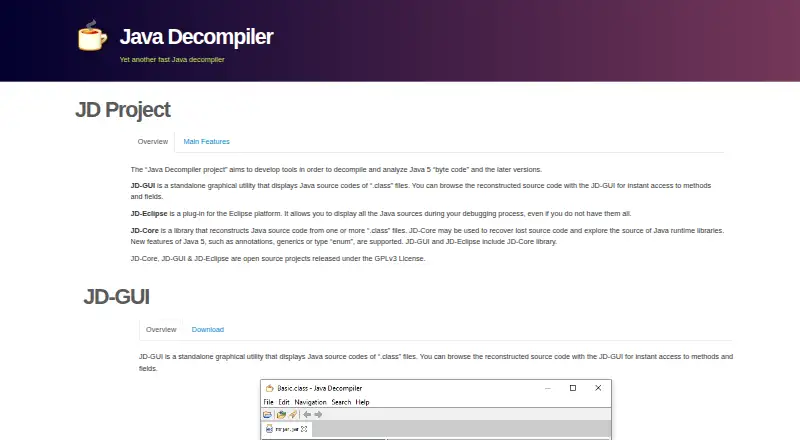
JD-GUI is a standalone desktop utility that reconstructs Java source code from compiled .class files. It is aimed at developers, analysts and support teams who need a straightforward way to inspect Java bytecode without a broader reverse-engineering environment. The application supports Java bytecode from Java 5 and later versions, runs on Windows, macOS and Linux, and is released as open-source software under the GPLv3 license.
Its strongest area is practical source browsing. JD-GUI can open CLASS, JAR, WAR, EAR, AAR, KAR, JMOD and ZIP files, then display color-coded reconstructed Java source. Users can browse methods and fields, inspect class files and Java module hierarchies, and open files through drag and drop. Stack-trace support adds a useful diagnostic path by displaying source lines referenced in Java stack traces. Extensions loaded through the Java classpath also give the utility a defined plugin path without changing its focused desktop workflow.
That focus also defines the boundary of the product. JD-GUI is not positioned as a full analysis suite: it lacks verified debugging, scripting, integrations and deeper analysis features. Choose it when free, cross-platform Java source viewing and archive coverage are the main requirements. Consider an alternative when the workflow depends on debugging validation, automation, connected tooling or more advanced code analysis. The published release information lists version 1.6.6 as the latest release and provides packages for all three supported desktop platforms.
Your product? Our editors can test JD-GUI in depth and publish a review, labelled as paid · from $149/mo →
JD-GUI pricing
JD-GUI fact sheet
| Free plan | Yes |
|---|---|
| Paid from | Free |
| Native-code decompilation | No |
| Bytecode decompilation | Yes |
| Debugger integration | Not verified |
| Scripting API | Not verified |
| Plugin support | Yes |
| License type | Free |
| Deployment | Desktop |
| Platforms | Windows, macOS, Linux |
| Built for | Solo, Small business (editorial estimate) |
| Pricing | Free plan |
| Website | java-decompiler.github.io |
| Facts checked | 20 Sep 2026 |
Alternatives to JD-GUI
- GhidraA free, broad toolkit for native-code, Java, and DEX analysis.9.4
- Binary NinjaA broad native reverse-engineering toolkit with perpetual paid licenses and a free plan.9.2
- IDA ProA deep native reverse-engineering suite for teams that need broad architecture support.9.0


Used JD-GUI? Be the first to review it
The editor score above is our own research. What this page doesn't have yet is a reader's view — what you used JD-GUI for, what worked and what didn't. No stars are seeded and no review is paid for; an editor reads every one before it appears.
Write a reviewTwo minutes · verified accounts only · read by an editor before it appears
Featured on iTechGuides

JD-GUI is listed in our Decompiler Software directory. Add the badge to your site — it links back to this page.
<a href="https://www.itechguides.com/products/jd-gui/"><img src="https://www.itechguides.com/best/badge/jd-gui.svg" alt="Featured on iTechGuides" width="230" height="46"></a>
Reviewed by iTechGuides Editors · Editorial team · Updated Oct 2026
Advertiser disclosure: iTechGuides is reader-supported. Vendors can pay for top positions in our rankings and for a place on other products' pages, and we may earn a commission when you click some links. Bought places stand at the number bought; this page and our disclosure say so. Paying vendors may get a fuller, more detailed review from our editors, and that review can change their score. How we rank.
Last updated · How we research and update