INTRIGUA Backup Office 365
INTRIGUA Backup Office 365: A low-cost Windows utility for local Microsoft 365 mailbox exports. Ranked #33 of 36 in Backup and Disaster Recovery Software by our editors (6.2/10); pricing: Paid; best for low-cost local Microsoft 365 mailbox export.
At a glance
- Editor score6.2 / 10
- PricingPaid
- Best forLow-cost local Microsoft 365 mailbox export
- Free planNo
- Founded2007 · Pune, India
- Facts checked22 Sep 2026
Where it wins
- Exports emails, contacts, calendars, tasks and to-do items
- Supports PST and EML output with preserved metadata and attachments
- Processes multiple mailboxes through administrator impersonation
Where it doesn't
- Windows-only deployment limits platform flexibility
- Focused on mailbox export rather than broad disaster recovery
- Demo saves only the first 25 items and first 100 emails
Our verdict on INTRIGUA Backup Office 365
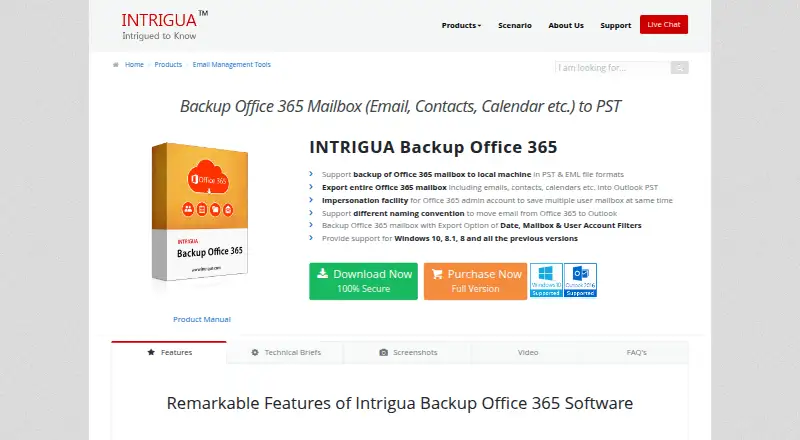
INTRIGUA Backup Office 365 is a Windows desktop utility for creating local, offline copies of Microsoft 365 mailbox data. It is suited to individuals and organizations that need mailbox exports in PST or EML format rather than cloud-based disaster-recovery orchestration. The software covers emails, contacts, calendars, tasks and to-do items, and it works with Microsoft 365 and Microsoft Outlook. Filters for user accounts, mailbox items and date ranges help narrow the exported content, while naming conventions support more organized email files.
Pricing is straightforward. The Demo plan supports single-user backup, saves the first 25 items and saves the first 100 emails. The Full Version costs $19 and adds complete Office 365 mailbox export, multiple-user processing through impersonation, and PST and EML export. The paid version also supports separate PST files for each account, along with preserved email metadata and attachments. This makes the product a practical fit when the main requirement is a low-cost local export, especially for users who need an offline copy that can be handled outside the service.
Its main limitation is scope. INTRIGUA Backup Office 365 focuses on exporting SaaS mailbox data to local files, with account, item and date filters, rather than providing broad backup administration or disaster-recovery orchestration. Windows is the only listed platform, and the product is deployed on-premises. Choose it for targeted Microsoft 365 mailbox preservation and export; choose another category solution if you need wider workload protection, cloud recovery workflows or a more comprehensive disaster-recovery system.
Your product? Our editors can test INTRIGUA Backup Office 365 in depth and publish a review, labelled as paid · from $149/mo →
INTRIGUA Backup Office 365 pricing
All 2 INTRIGUA Backup Office 365 plans and prices →
INTRIGUA Backup Office 365 fact sheet
| Free plan | No |
|---|---|
| Paid from | Not verified |
| Deployment model | On-premises |
| Protected workloads | SaaS apps |
| Maximum retention | Not verified |
| Immutable backups | Not verified |
| Recovery orchestration | Not verified |
| Ransomware recovery | Not verified |
| Money-back guarantee | 30 days |
| Deployment | Desktop |
| Platforms | Windows |
| Support | Email, Live chat · 24/7 |
| Built for | Solo, Small business, Mid-market (editorial estimate) |
| Integrations | 2 integrations: Microsoft 365, Microsoft Outlook |
| Pricing | Paid (source) |
| Website | intrigua.com |
| Facts checked | 22 Sep 2026 |
INTRIGUA Backup Office 365 integrations
INTRIGUA Backup Office 365 lists 2 integrations on its own site.
- Microsoft 365
- Microsoft Outlook
Alternatives to INTRIGUA Backup Office 365
- Veeam Backup & ReplicationA broad backup and recovery platform with a free option and strong recovery controls.9.4
- Acronis Cyber ProtectA broad hybrid platform for backup, ransomware protection, and workload recovery.9.3
- Commvault Cloud Backup & RecoveryEnterprise recovery with immutable copies, cleanroom recovery, and hybrid workload coverage.9.2



See all INTRIGUA Backup Office 365 alternatives →
Also Ranked In
INTRIGUA Backup Office 365 is ranked in 2 of our directories.
Used INTRIGUA Backup Office 365? Be the first to review it
The editor score above is our own research. What this page doesn't have yet is a reader's view — what you used INTRIGUA Backup Office 365 for, what worked and what didn't. No stars are seeded and no review is paid for; an editor reads every one before it appears.
Write a reviewTwo minutes · verified accounts only · read by an editor before it appears
Featured on iTechGuides

INTRIGUA Backup Office 365 is listed in our Backup and Disaster Recovery Software directory. Add the badge to your site — it links back to this page.
<a href="https://www.itechguides.com/products/intrigua-backup-office-365/"><img src="https://www.itechguides.com/best/badge/intrigua-backup-office-365.svg" alt="Featured on iTechGuides" width="230" height="46"></a>
Reviewed by iTechGuides Editors · Editorial team · Updated Oct 2026
Advertiser disclosure: iTechGuides is reader-supported. Vendors can pay for top positions in our rankings and for a place on other products' pages, and we may earn a commission when you click some links. Bought places stand at the number bought; this page and our disclosure say so. Paying vendors may get a fuller, more detailed review from our editors, and that review can change their score. How we rank.
Last updated · How we research and update