
Insights Capture
Insights Capture: A focused Windows recorder for automatic match capture, review, clipping, and sharing. Ranked #19 of 30 in Game Recording Software by our editors (7.0/10); pricing: Free plan; best for teams needing match review and sharing.
At a glance
- Editor score7.0 / 10
- PricingFree plan
- Best forTeams needing match review and sharing
- Free planYes
- Instant replayYes
- Facts checked20 Sep 2026
Where it wins
- Automatic recording, event bookmarks, instant replay, and hotkey clips
- Timeline review, editing tools, overlays, and montage creation
- Shares clips to Discord, YouTube, and TikTok
Where it doesn't
- Windows-only desktop support
- Basic includes 5 GB of active storage
- Paid plans range from $39 to $229 per month
Our verdict on Insights Capture
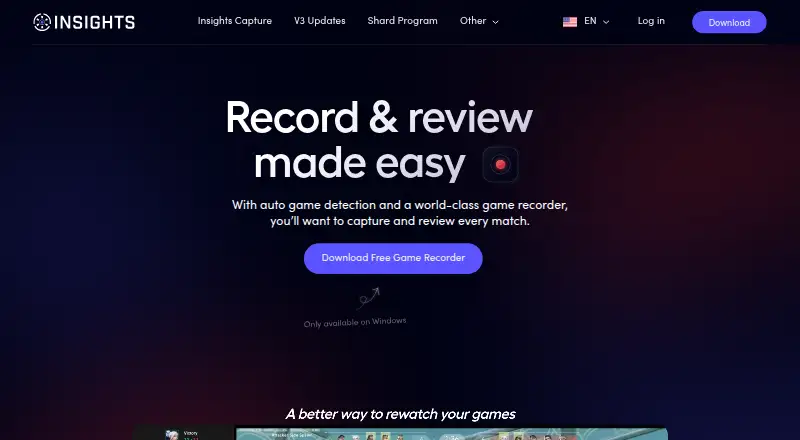
Insights Capture is a Windows desktop application for recording PC gameplay, saving clips, and reviewing matches. It supports automatic recording for supported games, manual recording, hotkey-based clips, instant replay, and highlight-focused recording modes. Individual gamers can use it for capture and sharing, while teams and coaches can use the Team Portal and Coaching Tools alongside Insights.gg’s broader VOD-review platform.
Its strongest area is match-focused capture rather than general screen recording. Automatic game-event bookmarks can organize moments such as kills, deaths, and objectives, while timeline-based review helps teams examine footage. Built-in trimming, cutting, and merging support editing, and highlights-only montage creation can turn selected moments into a shareable collection. Mouse and input overlays add context to recorded gameplay, while local storage management gives users control over saved footage.
The published plans show a free Basic tier with an Automatic Game Recorder, Team Portal, Coaching Tools, Clipping, highlight creation, and 5 GB of active storage. Monthly paid plans start with Silver at $39 for 5 Elite Seats and 200 GB, followed by Gold at $79, Platinum at $109, and Diamond at $229, with additional seats, storage, onboarding, demos, or account management depending on the tier. Annual billing lists Silver at $27 per month, Gold at $55, and Platinum at $76. Integrations include Discord, YouTube, and TikTok. Choose Insights Capture if your team needs structured match review, clipping, and sharing on Windows; choose an alternative if you need other platforms or a lower-cost paid storage model.
Your product? Our editors can test Insights Capture in depth and publish a review, labelled as paid · from $149/mo →
Insights Capture pricing
All 5 Insights Capture plans and prices →
Insights Capture fact sheet
| Free plan | Yes |
|---|---|
| Paid from | Not verified |
| Instant replay | Yes |
| Capture resolution | Not verified |
| Recording modes | Multi-mode |
| Watermark-free video | Not verified |
| GPU encoding | Not verified |
| Webcam overlay | Not verified |
| Supported platforms | Windows |
| Deployment | Desktop |
| Platforms | Windows |
| Support | Community, Docs |
| Built for | Solo, Small business, Mid-market (editorial estimate) |
| Integrations | 3 integrations: Discord, YouTube, TikTok |
| Pricing | Free plan (source) |
| Website | insights.gg |
| Facts checked | 20 Sep 2026 |
Insights Capture integrations
Insights Capture lists 3 integrations on its own site.
- Discord
- YouTube
- TikTok
Alternatives to Insights Capture
- OBS StudioA flexible free recorder and streaming tool for creators who want control.9.3
- SteelSeries MomentsA free Windows clip editor with automatic highlights, multi-track audio, and direct sharing.9.1
- OutplayedA versatile Windows recorder for automatic highlights, full sessions, and clip sharing.9.0

See all Insights Capture alternatives →
Used Insights Capture? Be the first to review it
The editor score above is our own research. What this page doesn't have yet is a reader's view — what you used Insights Capture for, what worked and what didn't. No stars are seeded and no review is paid for; an editor reads every one before it appears.
Write a reviewTwo minutes · verified accounts only · read by an editor before it appears
Featured on iTechGuides

Insights Capture is listed in our Game Recording Software directory. Add the badge to your site — it links back to this page.
<a href="https://www.itechguides.com/products/insights-capture/"><img src="https://www.itechguides.com/best/badge/insights-capture.svg" alt="Featured on iTechGuides" width="230" height="46"></a>
Reviewed by iTechGuides Editors · Editorial team · Updated Oct 2026
Advertiser disclosure: iTechGuides is reader-supported. Vendors can pay for top positions in our rankings and for a place on other products' pages, and we may earn a commission when you click some links. Bought places stand at the number bought; this page and our disclosure say so. Paying vendors may get a fuller, more detailed review from our editors, and that review can change their score. How we rank.
Last updated · How we research and update