
Inno3D TuneIT
Inno3D TuneIT: A focused free tuner for INNO3D owners who need clocks, cooling, power, and RGB controls. Ranked #15 of 19 in GPU Overclocking Software by our editors (6.3/10); pricing: Free plan; best for inno3D GPU owners.
At a glance
- Editor score6.3 / 10
- PricingFree plan
- Best forInno3D GPU owners
- Free planYes
- Paid fromNone
- Founded1998 · Singapore
- Facts checked20 Sep 2026
Where it wins
- Adjusts GPU and memory clocks with saved tuning profiles
- Controls fan speed, power targets, and temperature settings
- Combines GPU monitoring with RGB configuration tools
Where it doesn't
- Windows-only support limits it to compatible Windows systems
- Not aimed at voltage, curve, or overlay tuning
- Feature availability may vary between utility versions
Our verdict on Inno3D TuneIT
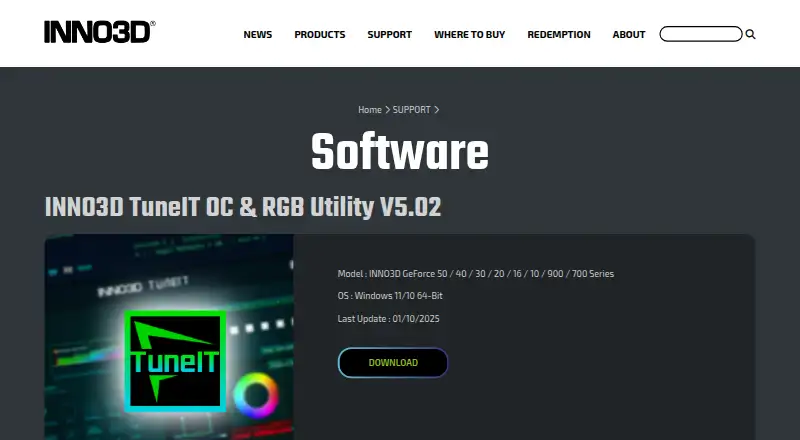
Inno3D TuneIT is a free Windows desktop utility for owners of supported INNO3D GeForce graphics cards. It brings together GPU and memory clock adjustment, fan-speed control, power-target and temperature settings, real-time hardware monitoring, profile management, and RGB lighting controls. The published compatibility range covers INNO3D GeForce 50, 40, 30, 20, 16, 10, 900, and 700 series cards, with Windows 10/11 64-bit support. It is a focused choice for INNO3D users who want core tuning controls without a separate commercial application.
The utility's main strength is its combination of performance and hardware controls. Users can adjust GPU and memory clocks, manage fan speed, set power and temperature targets, and load or save memory profiles. Real-time GPU monitoring helps keep those adjustments visible, while software startup options can control how TuneIT behaves when Windows starts. This makes it suitable for owners who want a compact tuning workflow centered on supported INNO3D cards rather than a broad multi-vendor tool.
TuneIT also extends beyond clock adjustments with RGB mode, brightness, effect-speed, and custom-effect controls. Its limits matter for more advanced overclocking workflows: the stated positioning does not include verified voltage, curve, or overlay controls. The current download is TuneIT OC & RGB Utility V5.02, while the feature-verification guide is an older V3.01 guide, so the exact feature set can differ by version. Choose TuneIT for free Windows-based tuning and RGB management on an INNO3D GeForce card; choose another utility if voltage, curve, or overlay controls are central requirements.
Your product? Our editors can test Inno3D TuneIT in depth and publish a review, labelled as paid · from $99/mo →
Inno3D TuneIT pricing
Inno3D TuneIT fact sheet
| Free plan | Yes |
|---|---|
| Paid from | None |
| GPU vendor support | Nvidia |
| Custom voltage control | Not verified |
| Fan curve control | Not verified |
| Power limit control | Yes |
| Tuning profiles | Yes |
| On-screen overlay | Not verified |
| Operating systems | Windows |
| Deployment | Desktop |
| Platforms | Windows |
| Support | Email, Docs |
| Built for | Solo, Small business (editorial estimate) |
| Pricing | Free plan |
| Website | inno3d.com |
| Facts checked | 20 Sep 2026 |
Alternatives to Inno3D TuneIT
- MSI AfterburnerA full-featured, free Windows tuner for multi-vendor GPU overclocking and monitoring.9.4
- ASUS GPU Tweak IIIA free, feature-rich Windows toolkit for guided GPU tuning, profiles, and monitoring.9.2
- Arc PowerA free Windows utility for deep Intel Arc tuning, monitoring, profiles, and overlays.8.9



See all Inno3D TuneIT alternatives →
Also Ranked In
Inno3D TuneIT is ranked in 2 of our directories.
Used Inno3D TuneIT? Be the first to review it
The editor score above is our own research. What this page doesn't have yet is a reader's view — what you used Inno3D TuneIT for, what worked and what didn't. No stars are seeded and no review is paid for; an editor reads every one before it appears.
Write a reviewTwo minutes · verified accounts only · read by an editor before it appears
Featured on iTechGuides

Inno3D TuneIT is listed in our GPU Overclocking Software directory. Add the badge to your site — it links back to this page.
<a href="https://www.itechguides.com/products/inno3d-tuneit/"><img src="https://www.itechguides.com/best/badge/inno3d-tuneit.svg" alt="Featured on iTechGuides" width="230" height="46"></a>
Guides on GPU overclocking software
Reviewed by iTechGuides Editors · Editorial team · Updated Oct 2026
Advertiser disclosure: iTechGuides is reader-supported. Vendors can pay for top positions in our rankings and for a place on other products' pages, and we may earn a commission when you click some links. How we rank.
Last updated · How we research and update