
InfiniDesk
InfiniDesk: InfiniDesk keeps separate Mac desktop views for projects, tasks, or presentations. Ranked #30 of 47 in Desktop Organization Software by our editors (6.5/10); pricing: Paid; best for mac users switching between distinct desktop views.
At a glance
- Editor score6.5 / 10
- PricingPaid
- Best forMac users switching between distinct desktop views
- Free planNo
- Paid from$12.99/device one-time
- Platform supportMacos_only
- Facts checked23 Sep 2026
Where it wins
- Give each desktop view its own files, folders, wallpaper, and widget visibility
- Switch from the menu bar, keyboard shortcuts, or assigned Mission Control Spaces
- Connect switching to Shortcuts, Raycast, Alfred, and other Mac apps
Where it doesn't
- Available only for macOS
- A Lifetime License covers one Mac
- Does not automatically sort files into desktop views
Our verdict on InfiniDesk
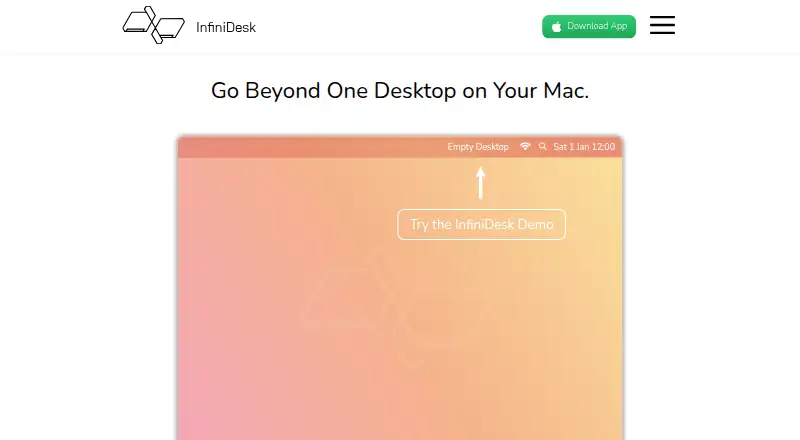
Projects, presentations, and personal tasks often call for different desktop arrangements. InfiniDesk is a macOS app for creating distinct desktop views, each with its own file and folder layout, wallpaper, and widget visibility. It is aimed at Mac users who want to switch contexts without manually rearranging their desktop. The app is focused on views rather than automatic file sorting: its visibility controls hide or reveal desktop files without moving, copying, renaming, or deleting them.
Switching options are the main distinction. Users can change views from the menu bar or with global keyboard shortcuts, and Follow Spaces Mode can assign a view to a Mission Control Space and display it when switching to that Space. Other Mac apps can trigger desktop switching, with integrations including Apple Shortcuts, Raycast, Alfred, BetterTouchTool, and Keyboard Maestro. This makes InfiniDesk a fit for people who already organize work around distinct Spaces or app-driven workflows. Those looking for a tool that sorts files automatically should consider a different approach.
The Lifetime License costs $12.99 one time for a single Mac, with all future updates included. The vendor's homepage also describes a trial limited to 100 desktop switches; it is not a time-limited free plan. The purchase is a straightforward fit for an individual Mac user who wants persistent project-specific layouts and values a one-time license. It is less suitable for people who need a free plan, support beyond macOS, or automatic file organization. Choose InfiniDesk for switching between desktop environments, not for managing files through sorting rules.
Your product? Our editors can test InfiniDesk in depth and publish a review, labelled as paid · from $149/mo →
InfiniDesk pricing
All 1 InfiniDesk plans and prices →
InfiniDesk fact sheet
| Free plan | No |
|---|---|
| Paid from | $12.99/device one-time |
| Platform support | Macos_only |
| Organization model | Virtual_containers |
| Automatic sorting | Not verified |
| Maximum containers | Not verified |
| Saved layouts | Not verified |
| Multi-monitor support | Not verified |
| Deployment | Desktop |
| Platforms | macOS |
| Built for | Solo, Small business (editorial estimate) |
| Integrations | 5 integrations: Apple Shortcuts, Raycast, Alfred, BetterTouchTool, Keyboard Maestro |
| Pricing | Paid (source) |
| Website | infinidesk.app |
| Facts checked | 23 Sep 2026 |
InfiniDesk integrations
InfiniDesk lists 5 integrations on its own site.
- Apple Shortcuts
- Raycast
- Alfred
- BetterTouchTool
- Keyboard Maestro
Alternatives to InfiniDesk
- AutoShelfDeep automated file sorting for Mac users who want precise control.9.4
- Desktop Frames+A flexible Windows desktop organizer with frames, profiles, rules, and search.9.3
- DeskBoxDeskBox combines automatic desktop organization with search, widgets, todos, and recovery tools.9.2


See all InfiniDesk alternatives →
Used InfiniDesk? Be the first to review it
The editor score above is our own research. What this page doesn't have yet is a reader's view — what you used InfiniDesk for, what worked and what didn't. No stars are seeded and no review is paid for; an editor reads every one before it appears.
Write a reviewTwo minutes · verified accounts only · read by an editor before it appears
Featured on iTechGuides

InfiniDesk is listed in our Desktop Organization Software directory. Add the badge to your site — it links back to this page.
<a href="https://www.itechguides.com/products/infinidesk/"><img src="https://www.itechguides.com/best/badge/infinidesk.svg" alt="Featured on iTechGuides" width="230" height="46"></a>
Reviewed by iTechGuides Editors · Editorial team · Updated Oct 2026
Advertiser disclosure: iTechGuides is reader-supported. Vendors can pay for top positions in our rankings and for a place on other products' pages, and we may earn a commission when you click some links. Bought places stand at the number bought; this page and our disclosure say so. Paying vendors may get a fuller, more detailed review from our editors, and that review can change their score. How we rank.
Last updated · How we research and update