
iMindQ
iMindQ: A feature-rich Windows mind mapper for Microsoft-centric research and planning teams. Ranked #35 of 72 in Mind Mapping Software by our editors (5.5/10); pricing: 15-day trial; best for microsoft-centric Windows research and planning teams.
At a glance
- Editor score5.5 / 10
- Pricing15-day trial
- Best forMicrosoft-centric Windows research and planning teams
- Free planNo
- Paid from$114/user/yr
- AI assistanceYes
- Founded2009 · Santa Venera, Malta
- Facts checked20 Sep 2026
Where it wins
- Combines mind maps, flowcharts, WBS, org charts, and project planning
- Integrates with Word, Excel, PowerPoint, Project, Outlook, and SharePoint
- Includes AI-assisted research, presentations, and version history
Where it doesn't
- Windows-only availability limits platform flexibility
- No free plan; Individual Subscription costs $114 per user annually
- Published category specifications list a one-person collaborator limit
Our verdict on iMindQ
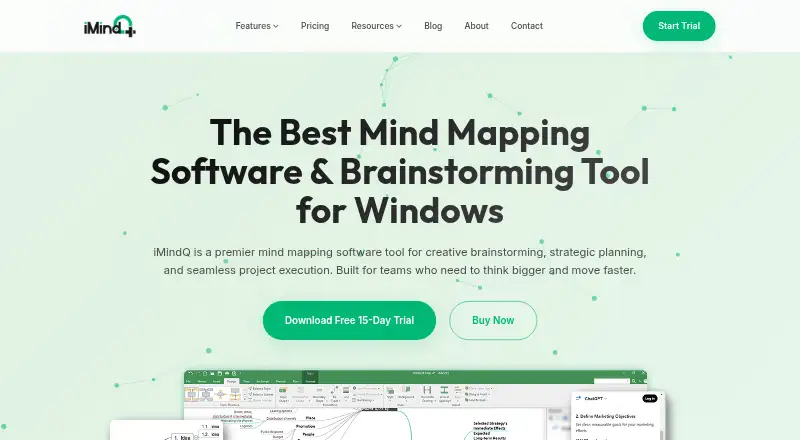
iMindQ is a Windows application for individuals, professionals, students, educators, and teams that need to organize ideas, research, projects, or presentations. It supports mind maps, concept maps, flowcharts, work breakdown structures, organization charts, and project plans with tasks, Gantt charts, resources, and dependencies. Maps can include notes, hyperlinks, files, images, icons, and custom properties, giving research and planning work a structured workspace.
Pricing is subscription-based. The Individual Subscription costs $114 per user per year and includes a single-user license, all features, and support and maintenance during the subscription period. The For Teams and Companies plan provides concurrent and company-based multi-user licenses, with all features plus support and maintenance; pricing requires a quote. The For Students and Educational Institutions plan covers individual students and campuses with the same all-feature access and support and maintenance, also with quote-based pricing. A 15-day trial is available, but there is no free plan.
Microsoft ecosystem fit is a central strength. iMindQ connects with Word, Excel, PowerPoint, Project, Outlook, and SharePoint, including real-time concurrent editing through SharePoint. It also offers presentation mode, multiple layouts, auto-structuring, broad export formats, a research panel for web searches, a ChatGPT-powered research assistant, and version history for brainstorming sessions. Choose it if Windows and Microsoft integration align with your workflow and you want mapping alongside project and research tools. Teams needing broader platform availability or collaboration beyond the listed one-person limit should consider an alternative.
Your product? Our editors can test iMindQ in depth and publish a review, labelled as paid · from $149/mo →
iMindQ pricing
All 3 iMindQ plans and prices →
iMindQ fact sheet
| Free plan | No |
|---|---|
| Paid from | $114/user/yr |
| Supported platforms | windows |
| Export formats | JPG, PNG, SVG, HTML, CSV, ODT, OPML, PDF, XML, Microsoft Word, Microsoft Excel, Microsoft PowerPoint, Microsoft Project, Microsoft Outlook |
| Real-time collaboration | Yes |
| Offline mode | Not verified |
| AI assistance | Yes |
| Presentation mode | Yes |
| Collaborator limit | 1 people |
| Free trial | 15 days · no card needed |
| Deployment | Desktop |
| Platforms | Windows |
| Support | Email, Docs |
| Built for | Solo, Small business, Mid-market, Enterprise (editorial estimate) |
| Integrations | 6 integrations: Microsoft SharePoint, Microsoft Outlook, Microsoft Word, Microsoft Excel, Microsoft PowerPoint, Microsoft Project |
| Pricing | 15-day trial (source) |
| Website | imindq.com |
| Facts checked | 20 Sep 2026 |
iMindQ integrations
iMindQ lists 6 integrations on its own site.
- Microsoft SharePoint
- Microsoft Outlook
- Microsoft Word
- Microsoft Excel
- Microsoft PowerPoint
- Microsoft Project
Alternatives to iMindQ
- XmindA flexible mind-mapping workspace with AI, presentations, collaboration, and broad exports.9.3
- MindomoA broad mind-mapping workspace with AI, collaboration, planning, and multi-platform access.9.2
- MindMeisterA collaborative mind mapping workspace with AI generation, presentations, exports, and mobile apps.9.1



Also Ranked In
iMindQ is ranked in 2 of our directories.
Used iMindQ? Be the first to review it
The editor score above is our own research. What this page doesn't have yet is a reader's view — what you used iMindQ for, what worked and what didn't. No stars are seeded and no review is paid for; an editor reads every one before it appears.
Write a reviewTwo minutes · verified accounts only · read by an editor before it appears
Featured on iTechGuides

iMindQ is listed in our Mind Mapping Software directory. Add the badge to your site — it links back to this page.
<a href="https://www.itechguides.com/products/imindq/"><img src="https://www.itechguides.com/best/badge/imindq.svg" alt="Featured on iTechGuides" width="230" height="46"></a>
Reviewed by iTechGuides Editors · Editorial team · Updated Sep 2026
Advertiser disclosure: iTechGuides is reader-supported. Vendors can pay for top positions in our rankings and for a place on other products' pages, and we may earn a commission when you click some links. Bought places stand at the number bought; this page and our disclosure say so. Paying vendors may get a fuller, more detailed review from our editors, and that review can change their score. How we rank.
Last updated · How we research and update