ImageSnap
ImageSnap: A focused, free utility for scripted still-image capture on macOS. Ranked #39 of 41 in Webcam Software by our editors (4.2/10); pricing: Free plan; best for command-line Mac still capture.
At a glance
- Editor score4.2 / 10
- PricingFree plan
- Best forCommand-line Mac still capture
- Free planYes
- Paid fromFree
- Virtual cameraNo
- Facts checked22 Sep 2026
Where it wins
- Selects connected cameras by full or partial device name
- Captures time-lapse sequences with intervals and capture limits
- Supports JPEG, PNG, TIFF, GIF, and BMP output
Where it doesn't
- Captures still images rather than video
- Does not provide virtual-camera output or effects
- Requires macOS 13 or later
Our verdict on ImageSnap
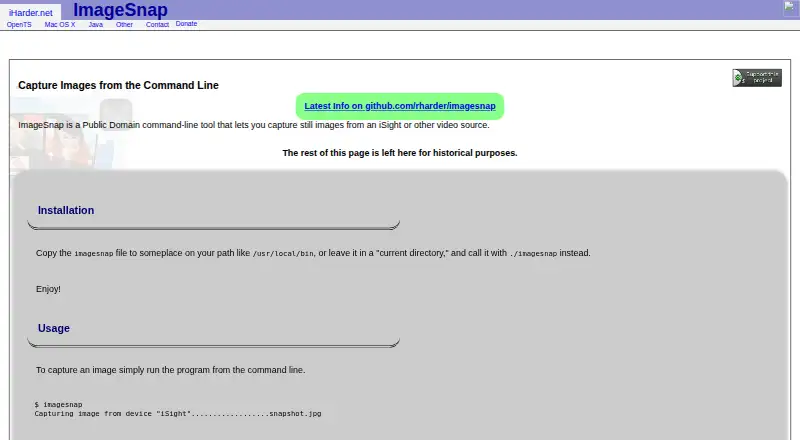
ImageSnap is a free macOS command-line utility for capturing still images from an iSight, FaceTime, or other connected video camera. It suits solo users and small teams that need camera selection and image capture from scripts or terminal workflows rather than a graphical webcam suite. The tool can use the default camera, list available video devices, or select a device by its full or partial name. Its current Swift implementation uses Apple’s AVFoundation APIs and requires macOS 13 or later.
Its strongest area is still-image automation. ImageSnap supports JPEG, PNG, TIFF, GIF, and BMP output, and it can send JPEG data to standard output for command-line pipelines. A configurable camera warmup delay can help accommodate cameras that need time before capture. For repeated capture, it supports time-lapse image sequences, including configurable intervals and limits on the number of images. These controls give the utility a useful scope for scripted snapshots, monitoring workflows, and lightweight image collection.
The trade-off is a deliberately narrow feature set. ImageSnap does not record video, produce a virtual camera, apply effects, or provide integrations. It is therefore a better fit for command-line Mac still capture than for video meetings, streaming, webcam effects, or applications that need to present a processed camera feed to other software. Choose it when a free, focused still-image utility meets the requirement; choose an alternative when video capture, virtual-camera output, effects, or broader ecosystem connectivity is central.
Your product? Our editors can test ImageSnap in depth and publish a review, labelled as paid · from $149/mo →
ImageSnap pricing
ImageSnap fact sheet
| Free plan | Yes |
|---|---|
| Paid from | Free |
| Virtual camera | No |
| Background tools | Not verified |
| Video effects | Not verified |
| Camera controls | Not verified |
| Webcam recording | No |
| Supported platforms | macos |
| Deployment | Desktop |
| Platforms | macOS |
| Built for | Solo, Small business (editorial estimate) |
| Pricing | Free plan |
| Website | iharder.sourceforge.net |
| Facts checked | 22 Sep 2026 |
Alternatives to ImageSnap
- NVIDIA BroadcastA free Windows tool for RTX users who want AI audio cleanup and webcam effects.9.2
- SplitCam MultistreamA free encoder for scene-based production, virtual cameras, audio mixing and multistreaming.8.8
- ManyCamA flexible webcam studio for layered scenes, streaming, audio routing, and video calls.8.5



See all ImageSnap alternatives →
Used ImageSnap? Be the first to review it
The editor score above is our own research. What this page doesn't have yet is a reader's view — what you used ImageSnap for, what worked and what didn't. No stars are seeded and no review is paid for; an editor reads every one before it appears.
Write a reviewTwo minutes · verified accounts only · read by an editor before it appears
Featured on iTechGuides

ImageSnap is listed in our Webcam Software directory. Add the badge to your site — it links back to this page.
<a href="https://www.itechguides.com/products/imagesnap/"><img src="https://www.itechguides.com/best/badge/imagesnap.svg" alt="Featured on iTechGuides" width="230" height="46"></a>
Reviewed by iTechGuides Editors · Editorial team · Updated Oct 2026
Advertiser disclosure: iTechGuides is reader-supported. Vendors can pay for top positions in our rankings and for a place on other products' pages, and we may earn a commission when you click some links. Bought places stand at the number bought; this page and our disclosure say so. Paying vendors may get a fuller, more detailed review from our editors, and that review can change their score. How we rank.
Last updated · How we research and update