
IDAutomation Check Design and Printing Software
IDAutomation Check Design and Printing Software: A customizable Windows check designer with file connections and MICR printing support. Ranked #20 of 28 in Check Printing Software by our editors (7.4/10); pricing: Paid; best for developers and Windows form designers.
At a glance
- Editor score7.4 / 10
- PricingPaid
- Best forDevelopers and Windows form designers
- Free planNo
- Paid from$159/user one-time
- MICR printingYes
- Facts checked21 Sep 2026
Where it wins
- Drag-and-drop check layouts with blank or pre-designed stock
- MICR printing includes calibration support and incrementing check numbers
- Connects to Excel, Access, CSV, text files, Oracle, and SQL Server
Where it doesn't
- Windows desktop software only
- Single User License limits coverage to one user
- MICR E13B font package is required for MICR generation
Our verdict on IDAutomation Check Design and Printing Software
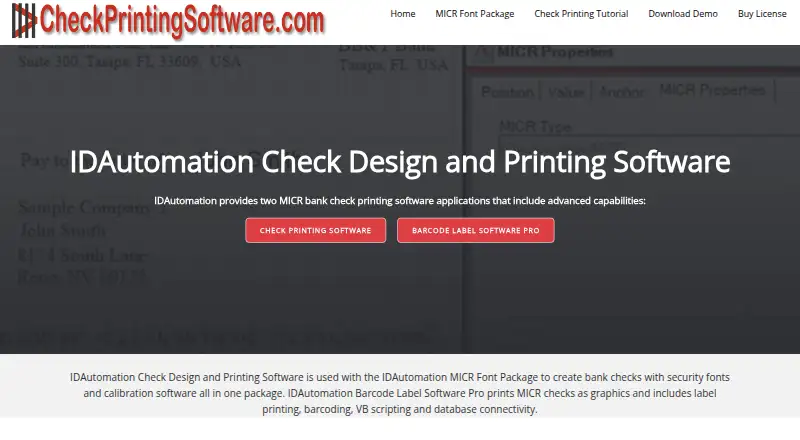
IDAutomation Check Design and Printing Software is a Windows desktop application for designing, creating, and printing bank checks. It is aimed at developers and Windows form designers who need locally printed checks on blank or pre-designed stock. The application supports MICR characters, text, graphics, signatures, logos, security fonts, incrementing check numbers, VB scripting, date macros, and embedded data sets. Its design tools suit organizations that need control over check layouts and printing workflows rather than a hosted check-printing service.
The strongest fit is its connection to existing business data. The software can link to Microsoft Excel, Microsoft Access, CSV files, text files, Oracle, and SQL Server, while embedded data sets support locally managed records. Designers can import signatures and logos, assign incrementing check numbers, and use scripting and macros to shape output. MICR calibration support adds a specific control for printing MICR characters, and the ability to work with blank or pre-designed stock gives the application a wider printing workflow than a tool limited to fixed templates.
The published plan shows a Single User License at $159 USD with one-time annual billing. The MICR E13B font package is required for MICR generation, and the software is provided with the IDAutomation MICR E-13B Font Advantage Package. The single-user, Windows-only desktop model makes the product most suitable for an individual developer or form designer responsible for a local check-printing process. Choose it when customizable layouts, scripting, file connections, and MICR printing matter; choose another option when multiple users, non-Windows platforms, or a broader shared deployment are priorities.
Questions about IDAutomation Check Design and Printing Software
What does IDAutomation Check Design and Printing Software run on? Windows. It runs as a desktop app.
What does IDAutomation Check Design and Printing Software integrate with? 6 integrations, including Microsoft Excel, Microsoft Access, CSV, Text files and Oracle.
Does IDAutomation Check Design and Printing Software offer a money-back guarantee? Yes: 30 days.
Who is IDAutomation Check Design and Printing Software built for? Solo users and small businesses (our editorial estimate).
IDAutomation Check Design and Printing Software pricing
All 1 IDAutomation Check Design and Printing Software plans and prices →
IDAutomation Check Design and Printing Software fact sheet
| Free plan | No |
|---|---|
| Paid from | $159/user one-time |
| Delivery model | Desktop |
| MICR printing | Yes |
| Blank-check support | Yes |
| Accounting import | File |
| Layout customization | Customizable |
| User limit | 1 users |
| Money-back guarantee | 30 days |
| Deployment | Desktop |
| Platforms | Windows |
| Support | Email, Live chat, Docs |
| Built for | Solo, Small business (editorial estimate) |
| Integrations | 6 integrations: Microsoft Excel, Microsoft Access, CSV, Text files, Oracle, SQL Server |
| Pricing | Paid (source) |
| Website | checkprintingsoftware.com |
| Facts checked | 21 Sep 2026 |
IDAutomation Check Design and Printing Software integrations
IDAutomation Check Design and Printing Software lists 6 integrations on its own site.
- Microsoft Excel
- Microsoft Access
- CSV
- Text files
- Oracle
- SQL Server
Alternatives to IDAutomation Check Design and Printing Software
- Zil MoneyA free web-based platform for customizable checks, payments, imports, and business workflows.9.4
- OnlineCheckWriter.comA web-based check and payment platform with broad accounting integrations.9.2
- CheckrunA control-focused QuickBooks Online payment tool with meaningful setup and usage fees.9.1



See all IDAutomation Check Design and Printing Software alternatives →
Used IDAutomation Check Design and Printing Software? Be the first to review it
The editor score above is our own research. What this page doesn't have yet is a reader's view — what you used IDAutomation Check Design and Printing Software for, what worked and what didn't. No stars are seeded and no review is paid for; an editor reads every one before it appears.
Write a reviewTwo minutes · verified accounts only · read by an editor before it appears
Featured on iTechGuides

IDAutomation Check Design and Printing Software is listed in our Check Printing Software directory. Add the badge to your site — it links back to this page.
<a href="https://www.itechguides.com/products/idautomation-check-design-and-printing-software/"><img src="https://www.itechguides.com/best/badge/idautomation-check-design-and-printing-software.svg" alt="Featured on iTechGuides" width="230" height="46"></a>
Reviewed by iTechGuides Editors · Editorial team · Updated Nov 2026
Advertiser disclosure: iTechGuides is reader-supported. Vendors can pay for top positions in our rankings and for a place on other products' pages, and we may earn a commission when you click some links. Bought places stand at the number bought; this page and our disclosure say so. Paying vendors may get a fuller, more detailed review from our editors, and that review can change their score. How we rank.
Last updated · How we research and update