
iBeesoft Disk Partition Wizard
iBeesoft Disk Partition Wizard: A broad Windows partition toolkit with free essentials and paid migration options. Ranked #13 of 22 in Disk Partition Software by our editors (7.6/10); pricing: Free plan; best for windows users needing recovery and migration tools.
At a glance
- Editor score7.6 / 10
- PricingFree plan
- Best forWindows users needing recovery and migration tools
- Free planYes
- Paid from$39.95/user/yr
- Partition table supportBoth
- Founded2011
- Facts checked15 Sep 2026
Where it wins
- Free Basic plan includes unlimited computers
- Covers partition management, cloning, recovery, and OS migration
- Supports bootable media, MBR/GPT conversion, and filesystem conversion
Where it doesn't
- Available only for Windows PCs and Windows Server
- Paid editions use annual licenses that automatically renew
- Pro limits one license to one PC
Our verdict on iBeesoft Disk Partition Wizard
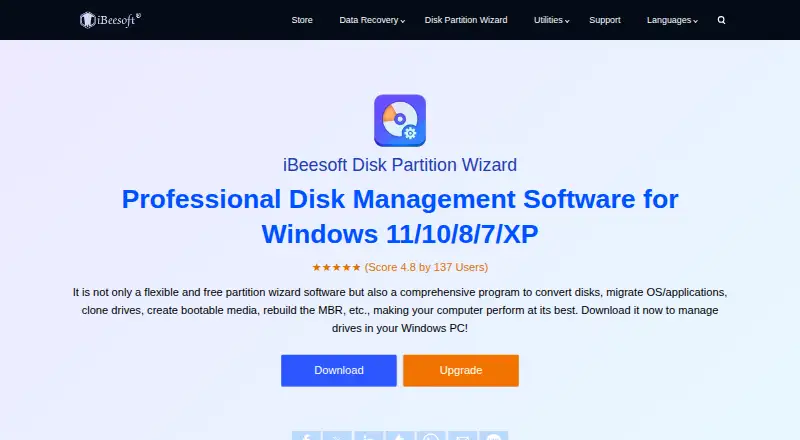
iBeesoft Disk Partition Wizard is Windows disk-management software for home users, professionals, and server administrators. Its feature set covers creating, resizing, moving, expanding, shrinking, merging, and splitting partitions, along with cloning disks or partitions, recovering RAW or deleted partitions, and migrating operating systems, programs, and data. It also supports Windows PCs and Windows Server, with compatibility for NTFS, exFAT, FAT, EXT, ReFS, and related storage formats. The product is a fit for users who want partition maintenance, recovery, and migration tools in one Windows-focused application.
Pricing is organized around a free Basic plan and three paid annual editions. Basic costs $0 per license and supports unlimited computers. Pro costs $39.95 per license annually and includes one license for 1 PC with a one-year license. Home costs $59.95 per license annually and covers 3 PCs, while Server costs $199.95 per license annually for multiple PCs or servers. The paid editions automatically renew, so buyers should account for recurring licensing when choosing between a single-PC, household, or server-oriented plan.
The main strength is breadth within disk and partition work. Alongside everyday partition changes, iBeesoft includes MBR rebuilding, MBR-to-GPT conversion, bad-sector scanning, filesystem-error repair, filesystem conversion, and bootable-media creation. That makes it suited to recovery and migration scenarios as well as routine storage administration. Its limitation is platform scope: the product is currently available only for Windows PCs, with Windows Server support described for the server-oriented offering. Windows users who need partition recovery, cloning, or operating-system migration should find the feature coverage relevant; users working on macOS should choose a different platform-specific option.
Your product? Our editors can test iBeesoft Disk Partition Wizard in depth and publish a review, labelled as paid · from $149/mo →
iBeesoft Disk Partition Wizard pricing
All 4 iBeesoft Disk Partition Wizard plans and prices →
iBeesoft Disk Partition Wizard fact sheet
| Free plan | Yes |
|---|---|
| Paid from | $39.95/user/yr |
| Bootable media | Yes |
| Partition table support | Both |
| Filesystem support | NTFS, exFAT, FAT32/16/12, EXT4/3/2, ReFS |
| Operating systems | Windows |
| Move partitions | Yes |
| Merge partitions | Yes |
| Deployment | Desktop |
| Platforms | Windows |
| Pricing | Free plan (source) |
| Website | ibeesoft.com |
| Facts checked | 15 Sep 2026 |
Alternatives to iBeesoft Disk Partition Wizard
- EaseUS Partition MasterA broad freemium toolkit for partition changes, cloning, migration, and recovery.9.4
- AOMEI Partition AssistantA Windows-focused partition manager with a free edition and lifetime paid options.9.2
- GPartedA free, open-source partition editor with unusually broad filesystem support.9.0


See all iBeesoft Disk Partition Wizard alternatives →
Used iBeesoft Disk Partition Wizard? Be the first to review it
The editor score above is our own research. What this page doesn't have yet is a reader's view — what you used iBeesoft Disk Partition Wizard for, what worked and what didn't. No stars are seeded and no review is paid for; an editor reads every one before it appears.
Write a reviewTwo minutes · verified accounts only · read by an editor before it appears
Featured on iTechGuides

iBeesoft Disk Partition Wizard is listed in our Disk Partition Software directory. Add the badge to your site — it links back to this page.
<a href="https://www.itechguides.com/products/ibeesoft-disk-partition-wizard/"><img src="https://www.itechguides.com/best/badge/ibeesoft-disk-partition-wizard.svg" alt="Featured on iTechGuides" width="230" height="46"></a>
Reviewed by iTechGuides Editors · Editorial team · Updated Sep 2026
Advertiser disclosure: iTechGuides is reader-supported. Vendors can pay for top positions in our rankings and for a place on other products' pages, and we may earn a commission when you click some links. Bought places stand at the number bought; this page and our disclosure say so. Paying vendors may get a fuller, more detailed review from our editors, and that review can change their score. How we rank.
Last updated · How we research and update