hx
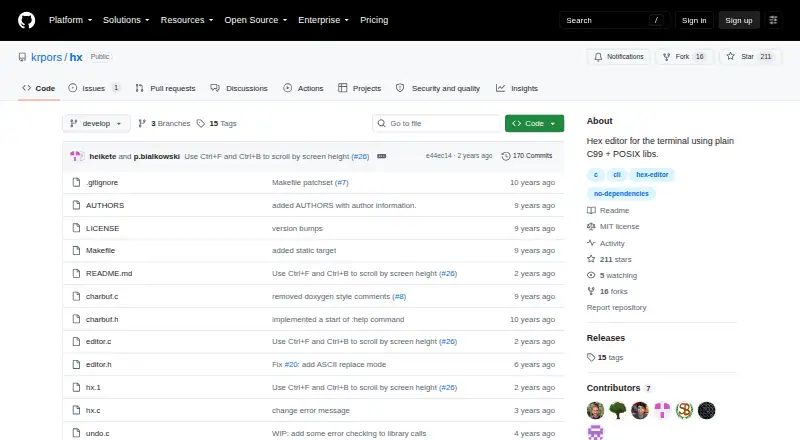
hx: A focused, open-source terminal hex editor for straightforward byte editing on Linux. Ranked #23 of 32 in Hex Editors by our editors (6.5/10); pricing: Free plan; best for linux terminal users needing straightforward byte editing.
At a glance
- Editor score6.5 / 10
- PricingFree plan
- Best forLinux terminal users needing straightforward byte editing
- Free planYes
- Paid fromFree
- Facts checked21 Sep 2026
Where it wins
- Free and open source under the MIT License
- Supports byte editing, searching, offsets, and undo/redo
- Configurable display with command mode controls
Where it doesn't
- Linux-focused, with no formal broader platform support matrix
- No comparison, templates, or scripting features
- No disk-editing workflow is described
Our verdict on hx
hx is an open-source hex editor for terminal environments, aimed at Linux users who want direct control over file bytes without a graphical interface. Written in plain C99 with POSIX libraries and without a curses dependency, it supports opening files, navigating by byte offset and file position, and editing data directly. The core workflow covers inserting, appending, replacing, and deleting bytes, with search for both text and hexadecimal byte values. It is distributed as source code under the MIT License and can be compiled and installed with make.
Editing depth is the product's clearest strength. Users can save changes in place and undo or redo editing actions, while command mode handles writing, quitting, and display settings. Configurable octets per line and byte grouping make the byte view adjustable for different files and inspection preferences. This gives hx a practical set of operations for focused terminal work, especially when navigation, search, and direct byte changes matter more than visual tooling.
The trade-off is a deliberately narrow scope. hx does not provide comparison, templates, scripting, or disk editing, so users needing broader analysis workflows should choose a hex editor built around those capabilities instead. Its platform positioning is also centered on Linux terminal use; POSIX support is documented, and FreeBSD is mentioned in the build configuration, but the product is best considered for users comfortable compiling source code and working in a terminal. Pick hx for straightforward file-byte editing with a small, focused interface; choose an alternative for graphical workflows or wider hex-editor functionality.
Your product? Our editors can test hx in depth and publish a review, labelled as paid · from $149/mo →
hx pricing
hx fact sheet
| Free plan | Yes |
|---|---|
| Paid from | Free |
| Supported platforms | linux |
| Binary comparison | Not verified |
| Binary templates | Not verified |
| Scripting support | Not verified |
| Plugin support | Not verified |
| Disk editing | Not verified |
| Deployment | Self-hosted |
| Platforms | Linux |
| Support | Docs |
| Built for | Solo, Small business (editorial estimate) |
| Pricing | Free plan |
| Website | github.com |
| Facts checked | 21 Sep 2026 |
Alternatives to hx
- ImHexImHex packs advanced binary analysis, editing, and inspection into a free cross-platform desktop tool.9.4
- 010 EditorA deep cross-platform editor for structured binary work, debugging, and disk analysis.9.2
- Hex Editor NeoA broad free Windows toolkit for binary editing, analysis, comparison, and recovery work.8.9


Used hx? Be the first to review it
The editor score above is our own research. What this page doesn't have yet is a reader's view — what you used hx for, what worked and what didn't. No stars are seeded and no review is paid for; an editor reads every one before it appears.
Write a reviewTwo minutes · verified accounts only · read by an editor before it appears
Featured on iTechGuides

hx is listed in our Hex Editors directory. Add the badge to your site — it links back to this page.
<a href="https://www.itechguides.com/products/hx/"><img src="https://www.itechguides.com/best/badge/hx.svg" alt="Featured on iTechGuides" width="230" height="46"></a>
Reviewed by iTechGuides Editors · Editorial team · Updated Oct 2026
Advertiser disclosure: iTechGuides is reader-supported. Vendors can pay for top positions in our rankings and for a place on other products' pages, and we may earn a commission when you click some links. Bought places stand at the number bought; this page and our disclosure say so. Paying vendors may get a fuller, more detailed review from our editors, and that review can change their score. How we rank.
Last updated · How we research and update