
HttpWatch
HttpWatch: Focused browser request diagnostics with free basics and $625 professional licensing. Ranked #26 of 37 in Network Diagnostic Software by our editors (6.0/10); pricing: Free plan; best for browser HTTP and HTTPS request diagnostics.
At a glance
- Editor score6.0 / 10
- PricingFree plan
- Best forBrowser HTTP and HTTPS request diagnostics
- Free planYes
- Paid from$625 one-time
- Facts checked22 Sep 2026
Where it wins
- Captures headers, cookies, timing, HTTPS, and browser events
- Charts page-level and request-level performance data
- Exports traces to CSV, HAR, and XML for sharing and analysis
Where it doesn't
- Professional licensing starts at a $625 one-time purchase
- Browser coverage centers on Google Chrome and Microsoft Edge
- The product is Windows-based, with Mac still in development
Our verdict on HttpWatch
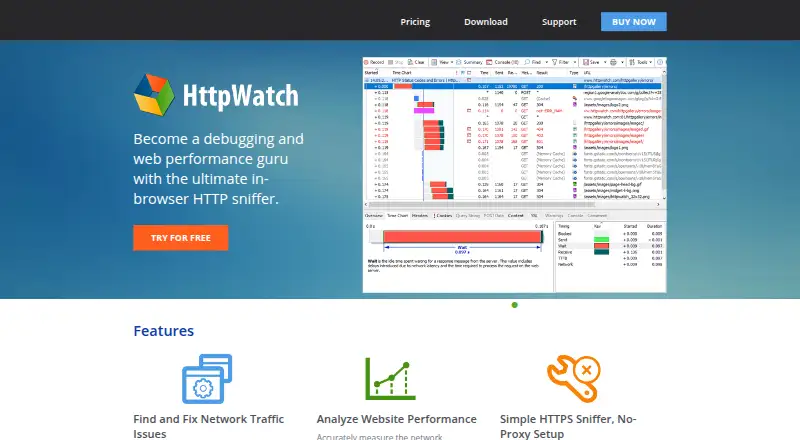
HttpWatch is a Windows-based HTTP sniffer and network diagnostics tool for developers, testers, and support teams investigating browser requests, responses, and website performance. It records activity in Google Chrome and Microsoft Edge, displaying HTTP headers, cookies, query strings, timing data, HTTPS activity, and browser events. Page-level and request-level charts help organize performance details, while HttpWatch Studio provides a standalone viewer for reviewing and sharing recorded sessions.
The published plans offer a useful free starting point. The Basic Edition costs $0 one time and includes Chrome and Edge extensions, a standalone log file viewer, basic HTTP information, and page and request time charts. Professional licensing begins with the Single User plan at $625 one time, including one year of maintenance, the Professional Edition, and unrestricted diagnostics. Team and organization options include Four User Team at $2,365, Ten User Team at $5,670, Site License at $13,285, and Enterprise License at $62,370. These paid plans add team, site, or worldwide employee use according to the selected license.
HttpWatch is strongest when browser-level HTTP and HTTPS investigation is the priority. Professional capabilities include HTTP request testing automation support, broader trace-file analysis, and exports to CSV, HAR, and XML, while shared trace files support remote diagnosis. Its platform fit is focused: deployment is desktop-based on Windows, with Chrome and Edge integrations and an API listed among its platforms. Organizations working within that browser and operating-system scope should find the feature set aligned with request diagnostics; teams needing a broader platform footprint should consider whether this coverage matches their environment.
Your product? Our editors can test HttpWatch in depth and publish a review, labelled as paid · from $149/mo →
HttpWatch pricing
All 6 HttpWatch plans and prices →
HttpWatch fact sheet
| Free plan | Yes |
|---|---|
| Paid from | $625 one-time |
| Deployment | Desktop |
| Path visualization | Not verified |
| DNS diagnostics | Yes |
| Packet-loss analysis | Not verified |
| Command-line interface | Not verified |
| Target limit | Not verified |
| Supported platforms | Windows 10+, Windows Server 2016+, Google Chrome 105+, Microsoft Edge 105+ |
| Deployment | Desktop, Browser extension |
| Platforms | Windows, Chrome extension |
| Support | Email, Community, Docs |
| Built for | Solo, Small business, Mid-market, Enterprise (editorial estimate) |
| Integrations | 2 integrations: Google Chrome, Microsoft Edge |
| Pricing | Free plan (source) |
| Website | httpwatch.com |
| Facts checked | 22 Sep 2026 |
HttpWatch integrations
HttpWatch lists 2 integrations on its own site.
- Google Chrome
- Microsoft Edge
Alternatives to HttpWatch
- GlobalpingA broad, open-source toolkit for diagnosing network behavior across global locations.9.4
- RIPE AtlasA free platform for distributed measurements, path analysis, and public Internet reachability data.9.2
- PingPlotterA focused tool for tracking latency, packet loss, jitter, and network paths.9.0



See all HttpWatch alternatives →
Used HttpWatch? Be the first to review it
The editor score above is our own research. What this page doesn't have yet is a reader's view — what you used HttpWatch for, what worked and what didn't. No stars are seeded and no review is paid for; an editor reads every one before it appears.
Write a reviewTwo minutes · verified accounts only · read by an editor before it appears
Featured on iTechGuides

HttpWatch is listed in our Network Diagnostic Software directory. Add the badge to your site — it links back to this page.
<a href="https://www.itechguides.com/products/httpwatch/"><img src="https://www.itechguides.com/best/badge/httpwatch.svg" alt="Featured on iTechGuides" width="230" height="46"></a>
Reviewed by iTechGuides Editors · Editorial team · Updated Oct 2026
Advertiser disclosure: iTechGuides is reader-supported. Vendors can pay for top positions in our rankings and for a place on other products' pages, and we may earn a commission when you click some links. Bought places stand at the number bought; this page and our disclosure say so. Paying vendors may get a fuller, more detailed review from our editors, and that review can change their score. How we rank.
Last updated · How we research and update