Hayabusa
Hayabusa: A focused EVTX parser for Sigma-based Windows threat hunting and timeline work. Ranked #28 of 30 in Digital Forensics Software by our editors (6.5/10); pricing: Open source; best for windows event-log threat hunting.
At a glance
- Editor score6.5 / 10
- PricingOpen source
- Best forWindows event-log threat hunting
- Paid fromFree
- Mobile forensicsNo
- Facts checked20 Sep 2026
Where it wins
- Sigma-based detection rules support focused threat hunting.
- Generates CSV, JSON, and JSONL forensic timelines.
- Works with Timesketch, Elastic Stack, and Velociraptor.
Where it doesn't
- Focuses on Windows EVTX rather than broader forensic evidence.
- Command-line workflows may require technical setup.
- Does not provide mobile, disk, memory, or case collaboration features.
Our verdict on Hayabusa
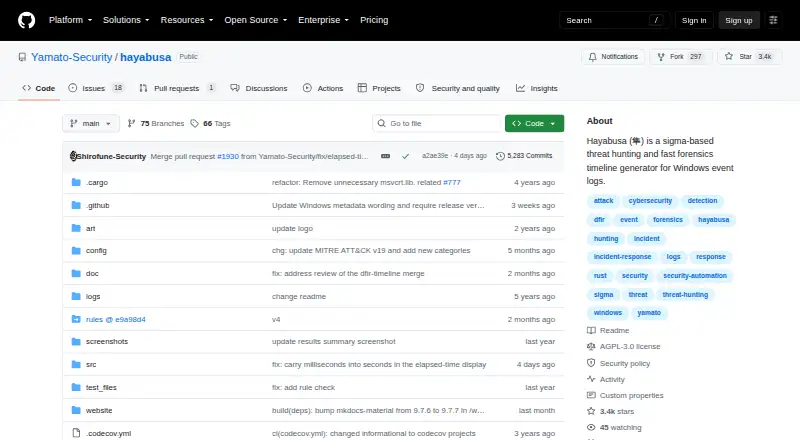
Hayabusa is an open-source, command-line tool for Windows event-log forensics and threat hunting. It parses EVTX files, applies Sigma-based detection rules, and consolidates events from one or many systems into forensic timelines. Its audience includes incident responders, threat hunters, and forensic teams whose investigations center on Windows event logs. Hayabusa runs on Windows, macOS, and Linux, while its evidence source remains Windows EVTX data.
Its strongest fit is an investigation workflow that needs structured output and connections to other analysis tools. Hayabusa can generate CSV, JSON, and JSONL timelines, along with HTML reports and detection-frequency timelines. Keyword and regular-expression searches help narrow event data, while event, computer, log, and logon metrics provide additional views. Timesketch-compatible output profiles support timeline review, and integrations with Elastic Stack, Timeline Explorer, Velociraptor, and jq extend its place in an existing toolkit. Live analysis and offline log collection cover different collection situations.
Hayabusa stays deliberately focused rather than acting as a complete digital forensics suite. Its published capabilities address Windows event-log analysis, not mobile forensics, disk imaging, memory forensics, or case collaboration. The command-line format also suits technical users more than teams seeking a broad graphical case-management environment. Choose Hayabusa when Sigma hunting, EVTX parsing, metrics, searches, and timeline exports are the priority. Choose a broader alternative when an investigation requires multiple evidence types or built-in case collaboration alongside event-log analysis.
Your product? Our editors can test Hayabusa in depth and publish a review, labelled as paid · from $149/mo →
Hayabusa pricing
Hayabusa fact sheet
| Free plan | Not verified |
|---|---|
| Paid from | Free |
| Evidence sources | Windows event logs (EVTX) |
| Mobile forensics | No |
| Disk imaging | No |
| Memory forensics | No |
| Case collaboration | No |
| Supported platforms | Windows, macOS, Linux |
| Export formats | CSV, JSON, JSONL |
| Deployment | Desktop |
| Platforms | Windows, macOS, Linux |
| Support | Docs |
| Built for | Small business, Mid-market, Enterprise (editorial estimate) |
| Integrations | 5 integrations: Elastic Stack, Timesketch, Timeline Explorer, Velociraptor, jq |
| Pricing | Open source |
| Website | github.com |
| Facts checked | 20 Sep 2026 |
Hayabusa integrations
Hayabusa lists 5 integrations on its own site.
- Elastic Stack
- Timesketch
- Timeline Explorer
- Velociraptor
- jq
Alternatives to Hayabusa
- AutopsyA free, cross-platform platform for broad, case-based digital investigations.9.4
- Paraben E3 Forensic PlatformA broad evidence-processing platform for teams handling varied digital investigations.9.3
- Magnet AXIOM CyberA broad investigation platform for collecting and analyzing endpoint, mobile, cloud, and memory evidence.9.2



See all Hayabusa alternatives →
Used Hayabusa? Be the first to review it
The editor score above is our own research. What this page doesn't have yet is a reader's view — what you used Hayabusa for, what worked and what didn't. No stars are seeded and no review is paid for; an editor reads every one before it appears.
Write a reviewTwo minutes · verified accounts only · read by an editor before it appears
Featured on iTechGuides

Hayabusa is listed in our Digital Forensics Software directory. Add the badge to your site — it links back to this page.
<a href="https://www.itechguides.com/products/hayabusa/"><img src="https://www.itechguides.com/best/badge/hayabusa.svg" alt="Featured on iTechGuides" width="230" height="46"></a>
Reviewed by iTechGuides Editors · Editorial team · Updated Oct 2026
Advertiser disclosure: iTechGuides is reader-supported. Vendors can pay for top positions in our rankings and for a place on other products' pages, and we may earn a commission when you click some links. Bought places stand at the number bought; this page and our disclosure say so. Paying vendors may get a fuller, more detailed review from our editors, and that review can change their score. How we rank.
Last updated · How we research and update