
Gradekeeper
Gradekeeper: A low-cost, one-time-license gradebook with broad platform support. Ranked #10 of 24 in Gradebook Software by our editors (8.1/10); pricing: 30-day trial; best for teachers wanting a low-cost one-time license.
At a glance
- Editor score8.1 / 10
- Pricing30-day trial
- Best forTeachers wanting a low-cost one-time license
- Free planNo
- Paid from$20/user one-time
- Facts checked21 Sep 2026
Where it wins
- Automatic grade computation with points and category weighting
- Imports and exports data using text, CSV, and Excel formats
- Works across web, desktop, iOS, and Android applications
Where it doesn't
- No perpetual free plan; access requires a paid license after the trial
- The grading approach centers on points and category weighting
- School and district licenses require higher one-time payments
Our verdict on Gradekeeper
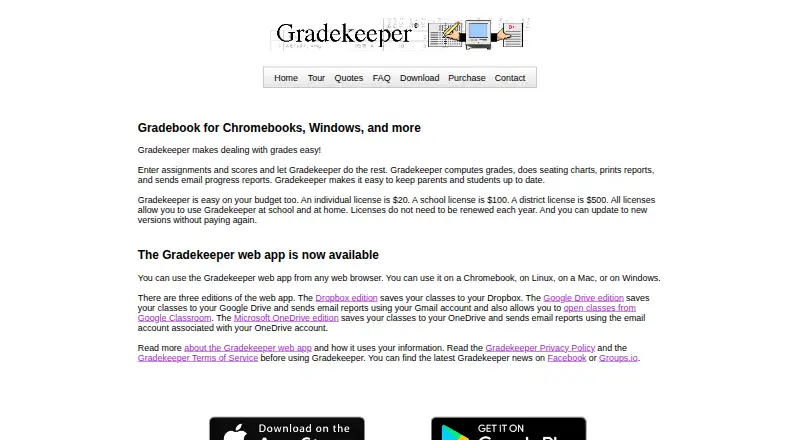
Gradekeeper is gradebook software for teachers, schools, and districts. It records assignments and scores, computes grades automatically, tracks attendance, creates seating charts, and produces printable or emailed progress reports. Teachers can use it through a browser-based web app, Windows desktop application, and companion iPhone, iPad, and Android apps. Its feature set suits educators who want a straightforward gradebook with attendance, reporting, data exchange, and Google Classroom synchronization in one product.
Pricing is built around one-time licensing rather than a recurring subscription. The Single license costs $20 one time and is for personal use, including the web and desktop applications. The School license costs $100 one time for everyone at a school or university department, while the District license costs $500 one time for everyone in a school district or university. A 30-day trial is available, but the product does not have a perpetual free plan. This structure is especially suitable for an individual teacher seeking a low upfront cost, while schools and districts can extend access across their organization through higher-priced licenses.
Gradekeeper also has practical ecosystem coverage. The web app supports Dropbox, Google Drive, Microsoft OneDrive, and Google Classroom workflows, while imports and exports cover students, assignments, scores, grades, and student data through text, CSV, and Excel formats. Reports can be emailed to students and parents. Choose Gradekeeper if one-time pricing, automatic computation, attendance, reporting, and cross-platform access are priorities. Educators who need grading workflows beyond points-based and category-weighted models should compare products designed around those requirements.
Questions about Gradekeeper
Is there a free trial of Gradekeeper? Yes: a 30-day free trial.
What does Gradekeeper run on? Web, Windows, macOS, Linux, iOS and Android. It runs in the cloud, as a desktop app and as a mobile app.
What does Gradekeeper integrate with? 4 integrations: Dropbox, Google Drive, Microsoft OneDrive and Google Classroom.
Who is Gradekeeper built for? Solo users, small businesses, mid-market companies and enterprises (our editorial estimate).
Your product? Our editors can test Gradekeeper in depth and publish a review, labelled as paid · from $149/mo →
Gradekeeper pricing
All 3 Gradekeeper plans and prices →
Gradekeeper fact sheet
| Free plan | No |
|---|---|
| Paid from | $20/user one-time |
| Student limit | Not verified |
| Grading models | Mixed |
| Progress reports | Yes |
| Parent/student portal | Not verified |
| Standards-based grading | Not verified |
| Data import/export | Yes |
| Mobile app coverage | Both |
| Free trial | 30 days |
| Deployment | Cloud, Desktop, Mobile |
| Platforms | Web, Windows, macOS, Linux, iOS, Android |
| Support | Email, Community, Docs |
| Built for | Solo, Small business, Mid-market, Enterprise (editorial estimate) |
| Integrations | 4 integrations: Dropbox, Google Drive, Microsoft OneDrive, Google Classroom |
| Pricing | 30-day trial (source) |
| Website | gradekeeper.com |
| Facts checked | 21 Sep 2026 |
Gradekeeper integrations
Gradekeeper lists 4 integrations on its own site.
- Dropbox
- Google Drive
- Microsoft OneDrive
- Google Classroom
Alternatives to Gradekeeper
- JupiterA broad K–12 gradebook suite covering grading, assignments, reporting, portals, and SIS workflows.9.3
- Additio AppA broad assessment and classroom-management toolkit with clear teacher pricing.9.1
- TeacherEaseA mature gradebook for schools that need standards, rubrics, portals, and reporting.8.8



See all Gradekeeper alternatives →
Used Gradekeeper? Be the first to review it
The editor score above is our own research. What this page doesn't have yet is a reader's view — what you used Gradekeeper for, what worked and what didn't. No stars are seeded and no review is paid for; an editor reads every one before it appears.
Write a reviewTwo minutes · verified accounts only · read by an editor before it appears
Featured on iTechGuides

Gradekeeper is listed in our Gradebook Software directory. Add the badge to your site — it links back to this page.
<a href="https://www.itechguides.com/products/gradekeeper/"><img src="https://www.itechguides.com/best/badge/gradekeeper.svg" alt="Featured on iTechGuides" width="230" height="46"></a>
Reviewed by iTechGuides Editors · Editorial team · Updated Nov 2026
Advertiser disclosure: iTechGuides is reader-supported. Vendors can pay for top positions in our rankings and for a place on other products' pages, and we may earn a commission when you click some links. Bought places stand at the number bought; this page and our disclosure say so. Paying vendors may get a fuller, more detailed review from our editors, and that review can change their score. How we rank.
Last updated · How we research and update