
GoPro Player
GoPro Player: A capable free option for 8K 360 reframing, playback, and batch export. Ranked #2 of 30 in 360 Video Software by our editors (8.4/10); pricing: Free plan; best for free 8K reframing and playback.
At a glance
- Editor score8.4 / 10
- PricingFree plan
- Best forFree 8K reframing and playback
- Free planYes
- 360 editingYes
- Founded2002 · San Mateo, California, USA
- Facts checked21 Sep 2026
Where it wins
- Free 360 reframing with keyframes and horizon leveling
- Batch export with 8K, custom formats, and multiple codecs
- Full-resolution frame grabs from 360 and traditional footage
Where it doesn't
- HyperSmooth Pro stabilization does not apply to 360 content
- Does not verify stitching or provide broad 360 workflow coverage
- Runs only on macOS and Windows desktop systems
Our verdict on GoPro Player
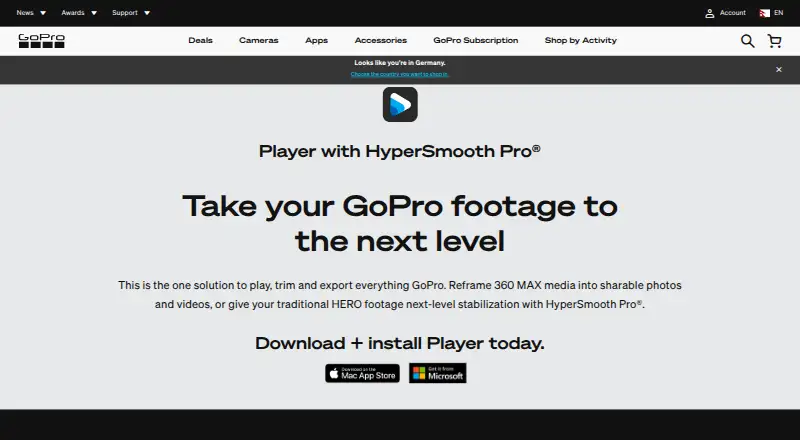
GoPro Player is desktop software for viewing, trimming, reframing, and exporting GoPro footage, including 360 media from HERO and MAX cameras. It suits GoPro owners, 360-video creators, and editors who want a focused desktop workflow for playback, reframing, frame capture, and format conversion on macOS or Windows.
The Free plan costs $0 per user per month and includes playback for GoPro photos and videos, 360 MAX reframing, frame-accurate trimming, batch export, and frame capture from 360 and traditional video. Its standout capability is 360 reframing with keyframes, supported by post-production horizon leveling and exports in 8K, 4K, custom formats, and multiple codecs. Apple Projected Media Profile export also supports Apple Vision Pro workflows. HyperSmooth Pro is a premium in-app purchase that adds post-production stabilization and real-time stabilized playback for supported HERO footage.
GoPro Player is a strong fit when the priority is reframing and exporting existing GoPro 360 footage rather than managing the entire 360 production process. The published product details identify camera import, but the software does not verify stitching, and HyperSmooth Pro is not available for 360 content. That limits its usefulness for creators who need stitching checks or stabilization specifically for spherical video. Choose it for free desktop playback, keyframed reframing, horizon leveling, frame grabs, and high-resolution export; consider an alternative when stitching validation or broader 360 correction tools are central to the workflow.
Your product? Our editors can test GoPro Player in depth and publish a review, labelled as paid · from $149/mo →
GoPro Player pricing
All 2 GoPro Player plans and prices →
GoPro Player fact sheet
| Free plan | Yes |
|---|---|
| Paid from | Not verified |
| 360 editing | Yes |
| 360 stitching | Not verified |
| 360 stabilization | No |
| VR preview | Not verified |
| Max export resolution | 8k+ |
| Desktop platforms | macOS 10.14 Mojave or later; Windows 10 or later |
| 360 camera import | Yes |
| Deployment | Desktop |
| Platforms | Windows, macOS |
| Built for | Solo, Small business (editorial estimate) |
| Pricing | Free plan (source) |
| Website | gopro.com |
| Facts checked | 21 Sep 2026 |
Alternatives to GoPro Player
- Garmin VIRB EditA focused, no-cost choice for Garmin 360 editing, stitching and telemetry overlays.8.8
- GoPro QuikA strong mobile and web option for reframing 360 footage, especially from GoPro cameras.7.9
- Mistika VRA focused VR stitching tool with strong stereo 3D and render workflows.7.9



See all GoPro Player alternatives →
GoPro Player vs the competition
- GoPro Player vs Garmin VIRB Edit
- GoPro Player vs GoPro Quik
- GoPro Player vs Mistika VR
- GoPro Player vs VideoStitch Studio
- GoPro Player vs QooCam Studio
- GoPro Player vs PIXPRO 360 VR Suite

Compare GoPro Player with any tool side by side →
Also Ranked In
GoPro Player is ranked in 2 of our directories.
Used GoPro Player? Be the first to review it
The editor score above is our own research. What this page doesn't have yet is a reader's view — what you used GoPro Player for, what worked and what didn't. No stars are seeded and no review is paid for; an editor reads every one before it appears.
Write a reviewTwo minutes · verified accounts only · read by an editor before it appears
Featured on iTechGuides

GoPro Player is listed in our 360 Video Software directory. Add the badge to your site — it links back to this page.
<a href="https://www.itechguides.com/products/gopro-player/"><img src="https://www.itechguides.com/best/badge/gopro-player.svg" alt="Featured on iTechGuides" width="230" height="46"></a>
Reviewed by iTechGuides Editors · Editorial team · Updated Oct 2026
Advertiser disclosure: iTechGuides is reader-supported. Vendors can pay for top positions in our rankings and for a place on other products' pages, and we may earn a commission when you click some links. Bought places stand at the number bought; this page and our disclosure say so. Paying vendors may get a fuller, more detailed review from our editors, and that review can change their score. How we rank.
Last updated · How we research and update