
Garmin VIRB Edit
Garmin VIRB Edit: A focused, no-cost choice for Garmin 360 editing, stitching and telemetry overlays. Ranked #1 of 30 in 360 Video Software by our editors (8.8/10); pricing: Free plan; best for free Garmin 360 editing and telemetry overlays.
At a glance
- Editor score8.8 / 10
- PricingFree plan
- Best forFree Garmin 360 editing and telemetry overlays
- Free planYes
- Paid fromFree
- 360 editingYes
- Facts checked21 Sep 2026
Where it wins
- Stitches RAW 360 footage and exports 360-degree video
- Adds G-Metrix gauges and graphs to supported footage
- Supports stabilization, HyperFrame reframing and multi-camera editing
Where it doesn't
- Designed around Garmin VIRB camera footage
- The latest documented version, 5.4.3, dates to 2018
- Desktop support is limited to Windows and macOS
Our verdict on Garmin VIRB Edit
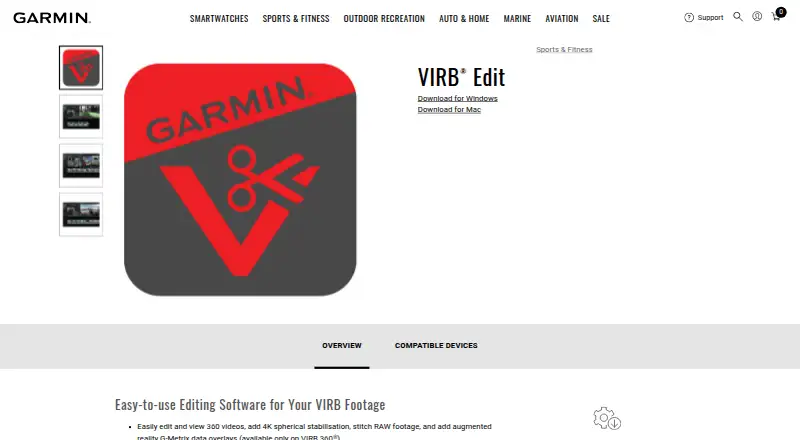
Garmin VIRB Edit is free desktop video-editing software for Garmin VIRB camera footage. It is aimed at Garmin camera owners who need to review, organize and edit recordings, including VIRB 360 footage. The feature set covers camera import, playback, titles, transitions, stabilization, multi-camera editing and sharing. For 360 workflows, it supports RAW stitching, spherical reframing through HyperFrame and 360-degree export, making it more focused than a general editor for Garmin users.
Its clearest strength is the combination of 360 production tools and Garmin telemetry. VIRB 360 footage can be stitched, stabilized, reframed and exported as 360-degree video, while G-Metrix gauges and graphs can add ride, activity or camera data to compatible edits. The software also supports editing footage from multiple cameras, which suits projects that combine several Garmin recordings. Windows and macOS versions give it a straightforward desktop fit, but it remains closely tied to the Garmin VIRB ecosystem rather than serving as a broad camera-agnostic editor.
The pricing is simple: Garmin describes VIRB Edit as free, with no paid tier to compare. That makes it suitable for users who want core 360 editing without a software purchase. The main consideration is product currency: the latest documented VIRB Edit version is 5.4.3 from 2018. Users who prioritize a current editing environment, wider camera support or newer platform coverage should look elsewhere. Garmin VIRB owners who value RAW 360 stitching, stabilization, HyperFrame reframing and G-Metrix overlays should find the feature focus more relevant than the dated release history.
Your product? Our editors can test Garmin VIRB Edit in depth and publish a review, labelled as paid · from $149/mo →
Garmin VIRB Edit pricing
Garmin VIRB Edit fact sheet
| Free plan | Yes |
|---|---|
| Paid from | Free |
| 360 editing | Yes |
| 360 stitching | Yes |
| 360 stabilization | Yes |
| VR preview | Not verified |
| Max export resolution | 6k |
| Desktop platforms | Windows and Mac |
| 360 camera import | Yes |
| Deployment | Desktop |
| Platforms | Windows, macOS |
| Support | Docs |
| Built for | Solo, Small business (editorial estimate) |
| Pricing | Free plan |
| Website | garmin.com |
| Facts checked | 21 Sep 2026 |
Alternatives to Garmin VIRB Edit
- GoPro PlayerA capable free option for 8K 360 reframing, playback, and batch export.8.4
- GoPro QuikA strong mobile and web option for reframing 360 footage, especially from GoPro cameras.7.9
- Mistika VRA focused VR stitching tool with strong stereo 3D and render workflows.7.9


See all Garmin VIRB Edit alternatives →
Garmin VIRB Edit vs the competition
- Garmin VIRB Edit vs GoPro Player
- Garmin VIRB Edit vs GoPro Quik
- Garmin VIRB Edit vs Mistika VR
- Garmin VIRB Edit vs VideoStitch Studio
- Garmin VIRB Edit vs QooCam Studio
- Garmin VIRB Edit vs PIXPRO 360 VR Suite

Compare Garmin VIRB Edit with any tool side by side →
Used Garmin VIRB Edit? Be the first to review it
The editor score above is our own research. What this page doesn't have yet is a reader's view — what you used Garmin VIRB Edit for, what worked and what didn't. No stars are seeded and no review is paid for; an editor reads every one before it appears.
Write a reviewTwo minutes · verified accounts only · read by an editor before it appears
Featured on iTechGuides

Garmin VIRB Edit is listed in our 360 Video Software directory. Add the badge to your site — it links back to this page.
<a href="https://www.itechguides.com/products/garmin-virb-edit/"><img src="https://www.itechguides.com/best/badge/garmin-virb-edit.svg" alt="Featured on iTechGuides" width="230" height="46"></a>
Reviewed by iTechGuides Editors · Editorial team · Updated Oct 2026
Advertiser disclosure: iTechGuides is reader-supported. Vendors can pay for top positions in our rankings and for a place on other products' pages, and we may earn a commission when you click some links. Bought places stand at the number bought; this page and our disclosure say so. Paying vendors may get a fuller, more detailed review from our editors, and that review can change their score. How we rank.
Last updated · How we research and update