
Google Antigravity IDE
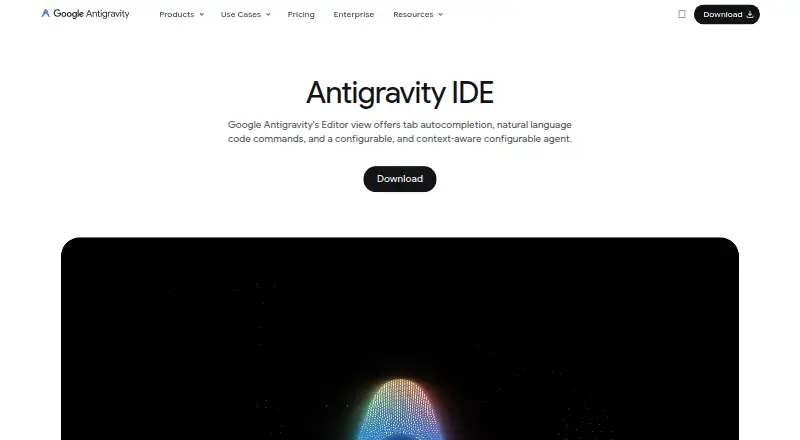
Google Antigravity IDE: A broad desktop IDE for developers who want AI agents operating across code, terminals, and browsers. Ranked #3 of 26 in AI Code Editors by our editors (9.2/10); pricing: Free plan; best for developers wanting browser-aware AI coding agents.
At a glance
- Editor score9.2 / 10
- PricingFree plan
- Best forDevelopers wanting browser-aware AI coding agents
- Free planYes
- Paid from$20/mo
- Facts checked20 Sep 2026
Where it wins
- Agents work across the editor, terminal, and browser
- Parallel local agents support multiple workspaces and codebases
- Artifacts include plans, diffs, diagrams, images, and recordings
Where it doesn't
- The free Individual plan has basic weekly rate limits
- Paid plans range from $20 to $200 per month
- Its broad agent workflow may be more than simple coding requires
Our verdict on Google Antigravity IDE
Google Antigravity IDE is a desktop development environment for individual developers, from hobbyists to professional developers, who want AI assistance across coding and browser-based work. It combines Tab autocomplete and natural-language commands with agents that can operate in the editor, terminal, and browser. Parallel local agents can work across multiple workspaces and codebases, while artifacts can include implementation plans, code diffs, diagrams, images, and browser recordings. The application runs on macOS, Windows, and Linux.
Pricing starts with the free Individual plan, which includes Gemini model access, unlimited Tab completions, unlimited Command requests, and basic weekly rate limits. Google AI Pro costs $20 per month and adds more generous rate limits plus a flexible AI credit pool. Google AI Ultra plans are listed at $100 and $200 per month, with higher Gemini model access, more generous rate limits, flexible AI credits, or the highest quota tier. The paid tiers suit developers who expect heavier agent use; occasional users may find the free plan’s limits or the higher monthly prices more relevant to their decision.
Its main distinction is breadth: browser agents can read dashboards, perform source-control actions, and support UI testing, while MCP installation, custom configuration, terminal sandboxing, and permission controls extend the working environment. Database and developer-service integrations include AlloyDB, BigQuery, Bigtable, ClickHouse, Cloud SQL, MongoDB, Neon, Pinecone, Prisma, Redis, Spanner, Supabase, GitHub, and GitLab. Choose Antigravity if you want browser-aware agents and parallel desktop workflows. Developers seeking a simpler editor with narrower AI assistance may prefer a less expansive tool.
Your product? Our editors can test Google Antigravity IDE in depth and publish a review, labelled as paid · from $149/mo →
Google Antigravity IDE pricing
All 3 Google Antigravity IDE plans and prices →
Google Antigravity IDE fact sheet
| Free plan | Yes |
|---|---|
| Paid from | $20/mo |
| Agent mode | Not verified |
| Model choice | Not verified |
| Codebase indexing | Not verified |
| Supported platforms | Not verified |
| Built-in terminal | Not verified |
| Extensions support | Not verified |
| Included AI usage | Not verified |
| Deployment | Desktop |
| Platforms | Windows, macOS, Linux |
| Support | Docs |
| Built for | Solo, Small business, Mid-market (editorial estimate) |
| Integrations | 20 integrations: AlloyDB, BigQuery, Bigtable, ClickHouse, Cloud SQL, Dataplex … See all → |
| Pricing | Free plan (source) |
| Website | antigravity.google |
| Facts checked | 20 Sep 2026 |
Google Antigravity IDE integrations
Google Antigravity IDE lists 20 integrations on its own site.
- AlloyDB
- BigQuery
- Bigtable
- ClickHouse
- Cloud SQL
- Dataplex
- MongoDB
- Neon
- Pinecone
- Prisma
- Redis
- Spanner
- Supabase
- GitHub
- GitLab
- Heroku
- Linear
- Netlify
- Postman
- SonarQube
See all Google Antigravity IDE integrations →
Alternatives to Google Antigravity IDE
- ZedA capable open-source AI editor with native development tools and collaboration.9.4
- Devin DesktopA full desktop IDE for teams coordinating multiple coding agents.9.3
- CreorA broad AI coding workspace for developers who want agents, indexing, and model choice.9.1



See all Google Antigravity IDE alternatives →
Google Antigravity IDE vs the competition
- Google Antigravity IDE vs Zed
- Google Antigravity IDE vs Devin Desktop
- Google Antigravity IDE vs Creor
- Google Antigravity IDE vs Qoder
- Google Antigravity IDE vs Tidet
- Google Antigravity IDE vs Kiro



Compare Google Antigravity IDE with any tool side by side →
Also Ranked In
Google Antigravity IDE is ranked in 4 of our directories.
Used Google Antigravity IDE? Be the first to review it
The editor score above is our own research. What this page doesn't have yet is a reader's view — what you used Google Antigravity IDE for, what worked and what didn't. No stars are seeded and no review is paid for; an editor reads every one before it appears.
Write a reviewTwo minutes · verified accounts only · read by an editor before it appears
Featured on iTechGuides

Google Antigravity IDE is listed in our AI Code Editors directory. Add the badge to your site — it links back to this page.
<a href="https://www.itechguides.com/products/google-antigravity-ide/"><img src="https://www.itechguides.com/best/badge/google-antigravity-ide.svg" alt="Featured on iTechGuides" width="230" height="46"></a>
Reviewed by iTechGuides Editors · Editorial team · Updated Oct 2026
Advertiser disclosure: iTechGuides is reader-supported. Vendors can pay for top positions in our rankings and for a place on other products' pages, and we may earn a commission when you click some links. Bought places stand at the number bought; this page and our disclosure say so. Paying vendors may get a fuller, more detailed review from our editors, and that review can change their score. How we rank.
Last updated · How we research and update