
Glitter
Glitter: A focused way to turn desktop and browser recordings into editable documentation. Ranked #18 of 39 in AI Screen Recorders by our editors (7.1/10); pricing: Free plan; best for turning screen recordings into guides.
At a glance
- Editor score7.1 / 10
- PricingFree plan
- Best forTurning screen recordings into guides
- Free planYes
- Paid from$12/seat/mo
- AI transcriptionYes
- Founded2024
- Facts checked20 Sep 2026
Where it wins
- Converts recordings into editable step-by-step guides
- Captures screenshots at clicks and transcribes narration
- Exports to PDF, HTML, Markdown, and text transcript
Where it doesn't
- Free plan allows only 10 guides total
- Free recordings are limited to 5 minutes
- Capture is focused on desktop and browser workflows
Our verdict on Glitter
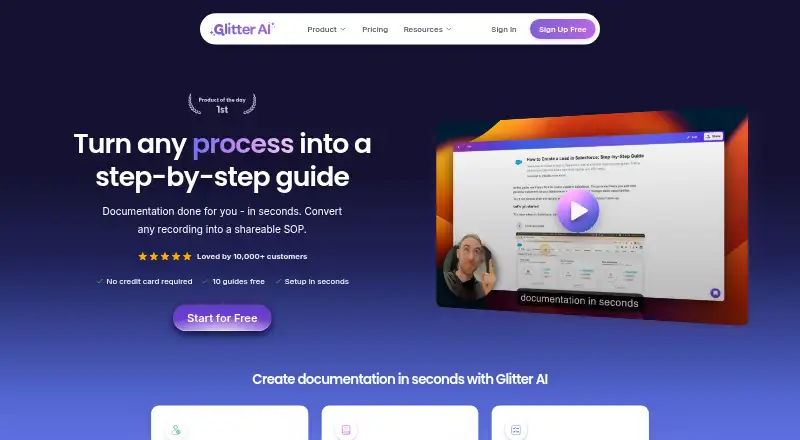
Glitter turns desktop and browser workflows into documentation. It records full-screen video, captures screenshots at clicks, transcribes narration, and generates editable step-by-step guides. The product is suited to teams creating SOPs, onboarding materials, training content, customer documentation, and internal process records. It supports web, Windows, macOS, and a Chrome extension, with search across guides and recordings.
The Free plan includes 10 guides total, a 5-minute recording limit, desktop and web capture, and AI speech-to-text. Pro costs $16 per seat per month with annual billing and adds unlimited guides, a 15-minute recording limit, PDF, HTML, and Markdown export, AI translation in 99 languages, and version history. Team costs $12 per seat per month with annual billing, includes up to 5 seats, and raises the recording limit to 30 minutes while adding AI Playbooks and spoken transcript export. Enterprise includes unlimited seats, unlimited credits, 60-minute recordings, SAML SSO, an audit trail, and a HIPAA BAA option.
Glitter fits documentation workflows through Confluence, Intercom, Notion, and Zendesk integrations, along with sharing, embedding, and video-to-guide conversion. Its guide editor supports text, screenshot, and video editing, giving teams control over the generated output. The product is a strong match for organizations that want recorded procedures converted into searchable guides and translated documentation. Teams needing broader capture types, longer recordings on lower tiers, or a simpler free offering may prefer an alternative.
Your product? Our editors can test Glitter in depth and publish a review, labelled as paid · from $149/mo →
Glitter pricing
All 4 Glitter plans and prices →
Glitter fact sheet
| Free plan | Yes |
|---|---|
| Paid from | $12/seat/mo |
| AI transcription | Yes |
| AI summaries | Not verified |
| Documentation output | Yes |
| Speaker identification | Not verified |
| Recording limit | 15 minutes |
| Platform support | Browser+desktop |
| Export formats | PDF, HTML, Markdown, text transcript |
| Money-back guarantee | 7 days |
| Deployment | Cloud, Desktop, Browser extension |
| Platforms | Web, Windows, macOS, Chrome extension |
| Compliance & security | SOC 2, HIPAA, SSO/SAML |
| Support | Email, Live chat, Docs |
| Built for | Small business, Mid-market, Enterprise (editorial estimate) |
| Integrations | 4 integrations: Confluence, Intercom, Notion, Zendesk |
| Pricing | Free plan (source) |
| Website | glitter.io |
| Facts checked | 20 Sep 2026 |
Glitter integrations
Glitter lists 4 integrations on its own site.
- Confluence
- Intercom
- Notion
- Zendesk
Alternatives to Glitter
- LoomA polished screen recorder with broad integrations, AI options, and a higher paid entry point.9.2
- ZightA broad AI capture and administration tool with a useful free tier.9.0
- ScreenPalA feature-rich freemium recorder with 4K capture, AI tools, and broad device coverage.8.8



See all Glitter alternatives →
Used Glitter? Be the first to review it
The editor score above is our own research. What this page doesn't have yet is a reader's view — what you used Glitter for, what worked and what didn't. No stars are seeded and no review is paid for; an editor reads every one before it appears.
Write a reviewTwo minutes · verified accounts only · read by an editor before it appears
Featured on iTechGuides

Glitter is listed in our AI Screen Recorders directory. Add the badge to your site — it links back to this page.
<a href="https://www.itechguides.com/products/glitter/"><img src="https://www.itechguides.com/best/badge/glitter.svg" alt="Featured on iTechGuides" width="230" height="46"></a>
Reviewed by iTechGuides Editors · Editorial team · Updated Oct 2026
Advertiser disclosure: iTechGuides is reader-supported. Vendors can pay for top positions in our rankings and for a place on other products' pages, and we may earn a commission when you click some links. Bought places stand at the number bought; this page and our disclosure say so. Paying vendors may get a fuller, more detailed review from our editors, and that review can change their score. How we rank.
Last updated · How we research and update