glassbar
glassbar: A free, open-source taskbar alternative with search, monitoring, and glass controls. Ranked #20 of 34 in Taskbar Customization Software by our editors (6.6/10); pricing: Free plan; best for open-source floating dock and desktop HUD.
At a glance
- Editor score6.6 / 10
- PricingFree plan
- Best forOpen-source floating dock and desktop HUD
- Free planYes
- Paid fromFree
- PlatformWindows
- Facts checked20 Sep 2026
Where it wins
- Floating dock supports pinned and running applications
- Fuzzy, acronym, and typo-tolerant app and file search
- HUD combines system information with media controls
Where it doesn't
- Supports only a single primary monitor
- Targets Windows 10 1809 or newer and Windows 11
- The project describes itself as an early release
Our verdict on glassbar
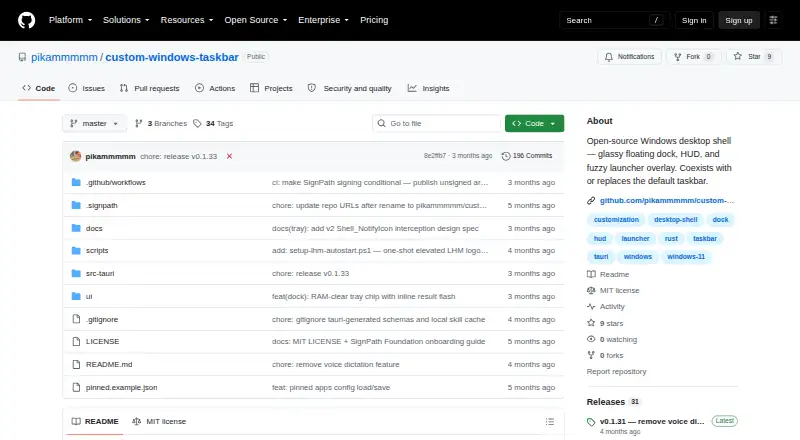
glassbar is an open-source Windows desktop shell for individual users who want a floating dock, launcher overlay, and configurable desktop HUD. It can coexist with or replace the default Windows taskbar, while supporting pinned and running application icons. Users can launch, focus, minimize, pin, unpin, and reorder docked applications. The project targets Windows 10 version 1809 or newer and Windows 11, and it is distributed as either an installer or a portable executable.
The product’s main strength is the breadth of its desktop controls in one shell. Spotlight search supports acronym, fuzzy, and typo-tolerant matching, with indexing for Start Menu apps, Microsoft Store apps, and files in common folders. The HUD provides clock, weather, CPU, RAM, and network information. Media controls cover now-playing content and audio-device switching, while the file stash supports native drag-out behavior. Accent color, glass tint, and glass opacity settings add control over the visual treatment.
glassbar is free and open source, making it a practical fit for Windows users who want to replace or supplement the standard taskbar without a paid tier. Its portable option may suit users who prefer a standalone executable, while the installer provides another distribution route. The main boundary is display support: the project supports only a single primary monitor. Users working across multiple monitors should choose a taskbar customization tool with verified multi-monitor support instead. For single-monitor Windows desktops, glassbar is a focused choice when a floating dock, integrated search, system HUD, and translucent styling matter more than a mature multi-display setup.
Your product? Our editors can test glassbar in depth and publish a review, labelled as paid · from $149/mo →
glassbar pricing
glassbar fact sheet
| Free plan | Yes |
|---|---|
| Paid from | Free |
| Platform | Windows |
| Taskbar positioning | Not verified |
| Transparency controls | Yes |
| App grouping controls | Not verified |
| Multi-monitor support | No |
| Taskbar sizing | Not verified |
| Portable version | Yes |
| Deployment | Desktop |
| Platforms | Windows |
| Support | Community |
| Built for | Solo, Small business (editorial estimate) |
| Pricing | Free plan |
| Website | github.com |
| Facts checked | 20 Sep 2026 |
Alternatives to glassbar
- ObjectDockA feature-rich Windows dock replacement with strong customization and multi-monitor support.9.2
- TaskbarXA free, portable Windows 10 taskbar customizer with limited modern Windows 11 support.8.8
- YASB RebornA flexible Windows taskbar replacement for users comfortable with deep customization.8.6


See all glassbar alternatives →
Used glassbar? Be the first to review it
The editor score above is our own research. What this page doesn't have yet is a reader's view — what you used glassbar for, what worked and what didn't. No stars are seeded and no review is paid for; an editor reads every one before it appears.
Write a reviewTwo minutes · verified accounts only · read by an editor before it appears
Featured on iTechGuides

glassbar is listed in our Taskbar Customization Software directory. Add the badge to your site — it links back to this page.
<a href="https://www.itechguides.com/products/glassbar/"><img src="https://www.itechguides.com/best/badge/glassbar.svg" alt="Featured on iTechGuides" width="230" height="46"></a>
Reviewed by iTechGuides Editors · Editorial team · Updated Oct 2026
Advertiser disclosure: iTechGuides is reader-supported. Vendors can pay for top positions in our rankings and for a place on other products' pages, and we may earn a commission when you click some links. Bought places stand at the number bought; this page and our disclosure say so. Paying vendors may get a fuller, more detailed review from our editors, and that review can change their score. How we rank.
Last updated · How we research and update